Reminders, rescheduling and cancelling
Every confirmation email carries two links, unique to that booking: one to reschedule and one to cancel. Neither needs a login or an account.
Reminders are sent by WordPress’s scheduler, which on a quiet site only runs when somebody visits. On a site with few visitors a reminder can therefore arrive late.
If that matters to you, ask your host to run WP-Cron properly; most support teams can set it up for you:
- Add to
wp-config.php:
define( 'DISABLE_WP_CRON', true );- Add a system cron job every five minutes:
*/5 * * * * curl -s https://yoursite.example/wp-cron.php?doing_wp_cron > /dev/nullCard is written to survive a scheduler that misfires: it re-checks for unsent reminders and undelivered confirmations on a sweep, so a missed run is caught on the next one rather than lost.
Messages, sign-ups and results
Or write first. Beside the booking calendar, visitors who are not ready to pick a time can send a short message and say how they would like a reply (email, a call or a text). Each one is saved under Bookings → Messages and then emailed to you, with Reply-To set to the visitor, so pressing reply in your email answers them.
For therapists the form asks for no health details, and the crisis line for your country sits under it.
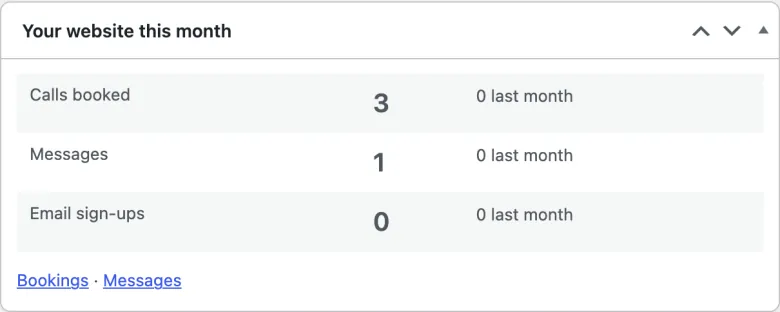
Your website this month. A box on the dashboard counts calls booked, messages and email sign-ups this month, beside last month’s numbers.