Your label, the call bar, and the header
Callout is drawn from the label you leave on a job: white, one band of your colour across the top, your number on it, a date and a few ticked boxes. Your label is the front page: your name and tagline in the band, the problem in the customer’s words, your number as the biggest thing on the screen, when you answer and who answers, your ticked facts, WhatsApp, and your registration in the small print.
The call bar sits at the bottom of every page on any screen narrower than 782px, which is nearly every visitor, where a thumb already is. It is drawn as the roll your labels come off, with the call peeled up from it.
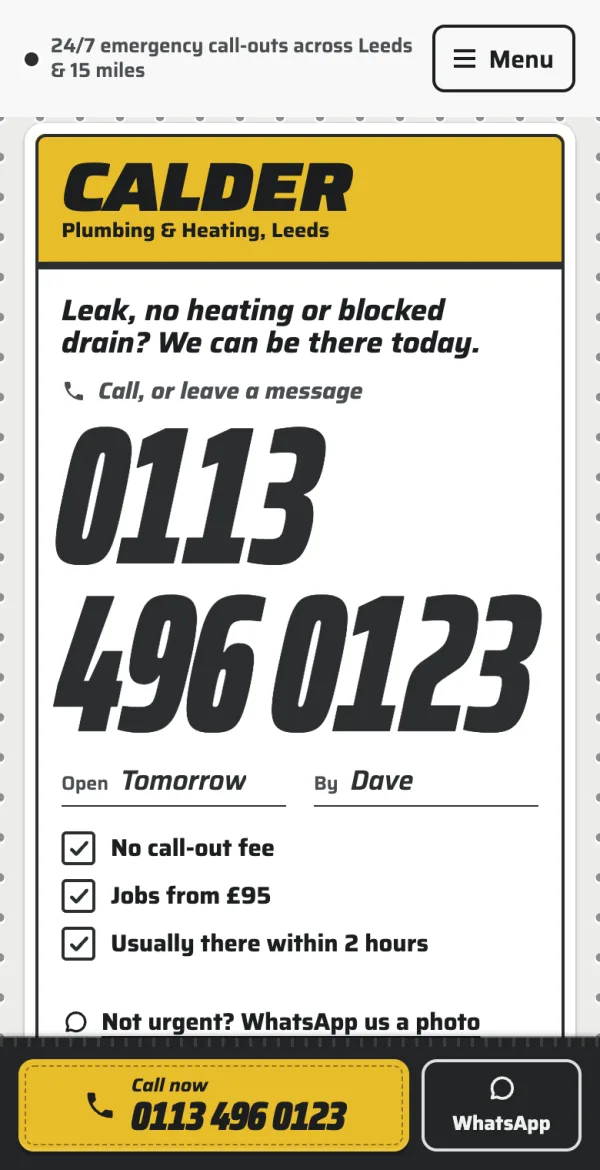
Two buttons: Call now with your number on it, and WhatsApp (or Get a quote if you have not set a WhatsApp number). Out of hours it switches to your out-of-hours number if you have set one, so nobody rings the office at two in the morning. On the quote page it says “Quicker to talk?”.
At the top of a phone’s front page (where your label already shows your name) is your opening hours note (“24/7 emergency call-outs across Leeds & 15 miles”) or, without one, whether you are open right now.
A temporary notice (“Closed for Christmas until 2 January. Emergencies: 07700 900456”) goes in Opening hours → Temporary notice, with the last day to show it. It replaces the note until the end of that day, then disappears by itself, so it can never be left up by mistake.
The header shows your business name as it is printed on your labels. The site tagline (Settings → General → Tagline: “Plumbing & Heating, Leeds”) goes under your name in the band. On a wide screen the header also has the WhatsApp button and your number on a strip of your colour.
The header stays at the top of the window as visitors scroll, and tightens once they have. To let it scroll away instead, open Appearance → Editor → Patterns → Header, select the header’s outer Group and, in the Styles tab of the block settings, choose Header scrolls away.