Brings in calls and quotesWordPress theme for plumbers & trades

Callout

For plumbers, electricians, heating engineers and locksmiths with a van and a patch. Your number is the biggest thing on every phone screen, and every quote request is saved with a status before any email goes out.

Version 1.0.0No lead fees on the jobs that find you

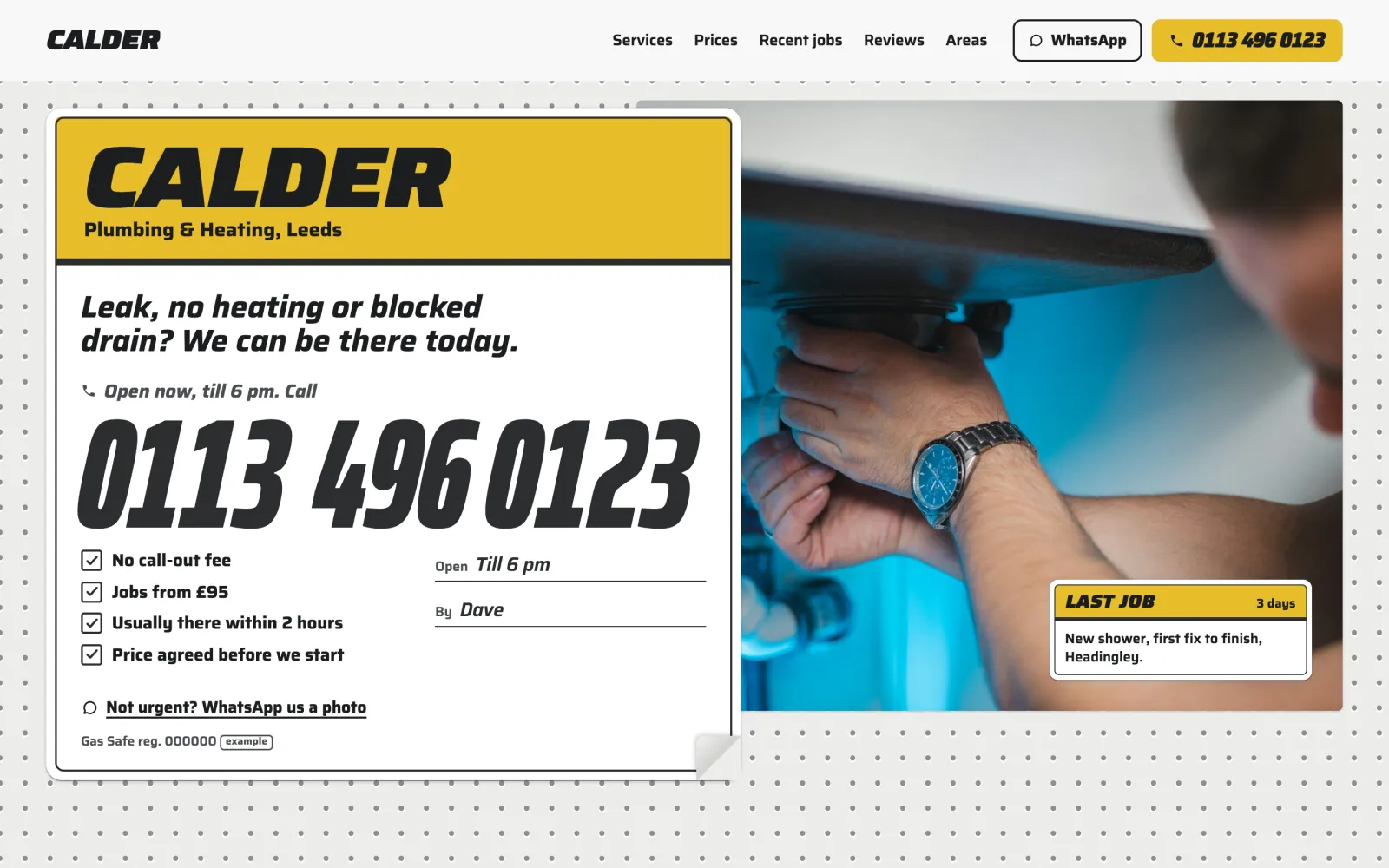
Callout on a desktop screen
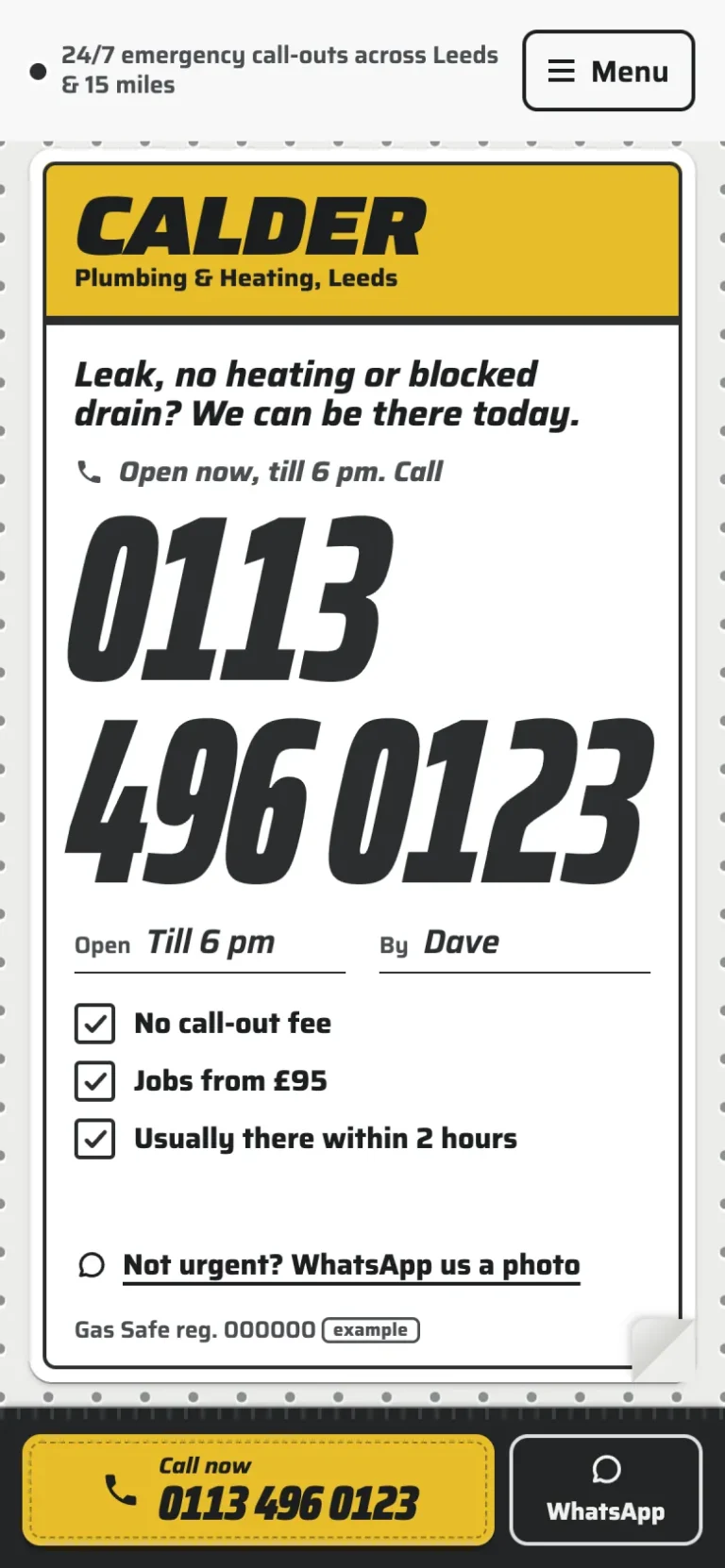
Callout on a phone

The main job

A leak, a phone, and a job in your enquiries

Your visitor is on a phone, often with water coming through. They can ring you from any screen, or send you the job in three short steps.
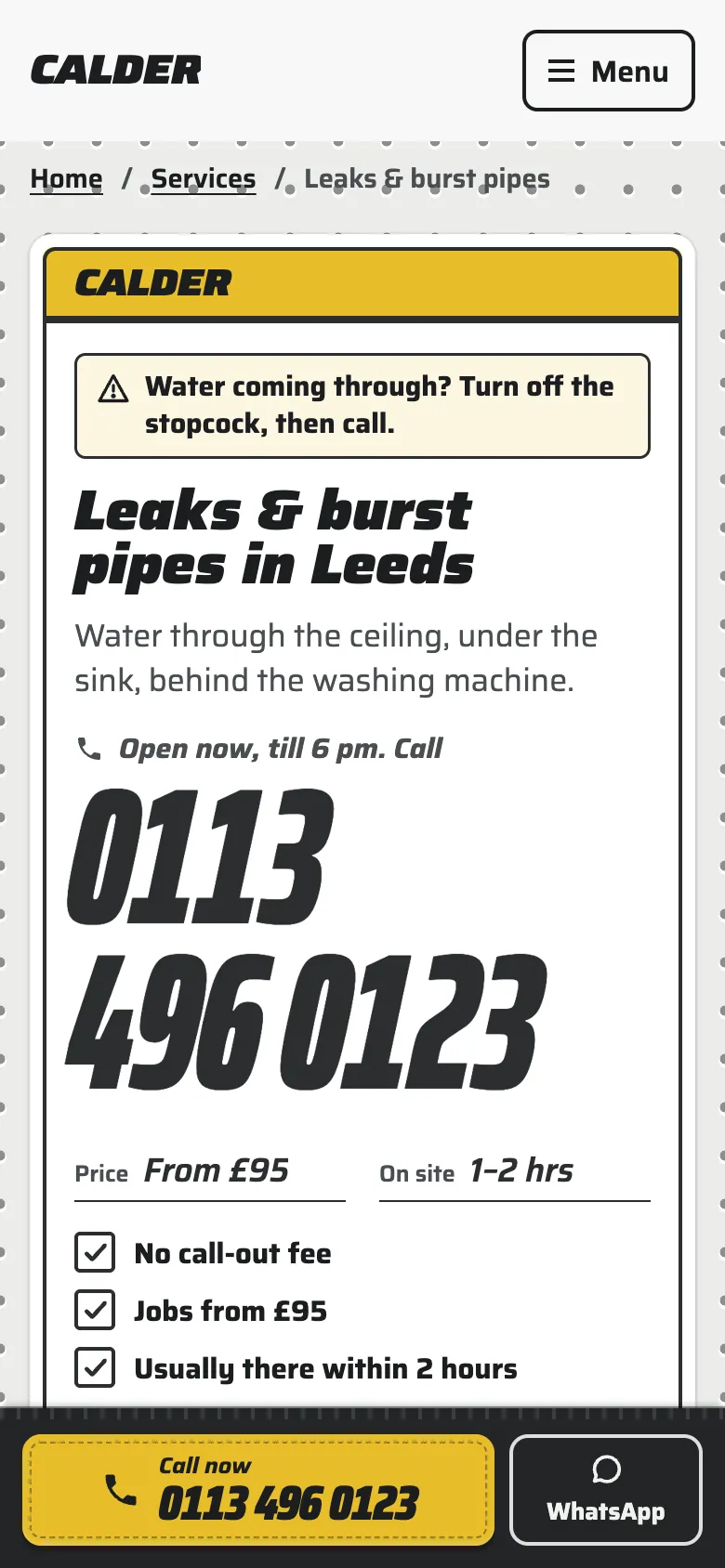
The Leaks & burst pipes page on a phone: a note to turn off the stopcock, the number 0113 496 0123 on two lines, price from £95, on site in 1 to 2 hours, and the call bar at the foot
Ring from the label. Every service page opens with your number as the biggest thing on it, and the call bar stays at the foot of every phone page.
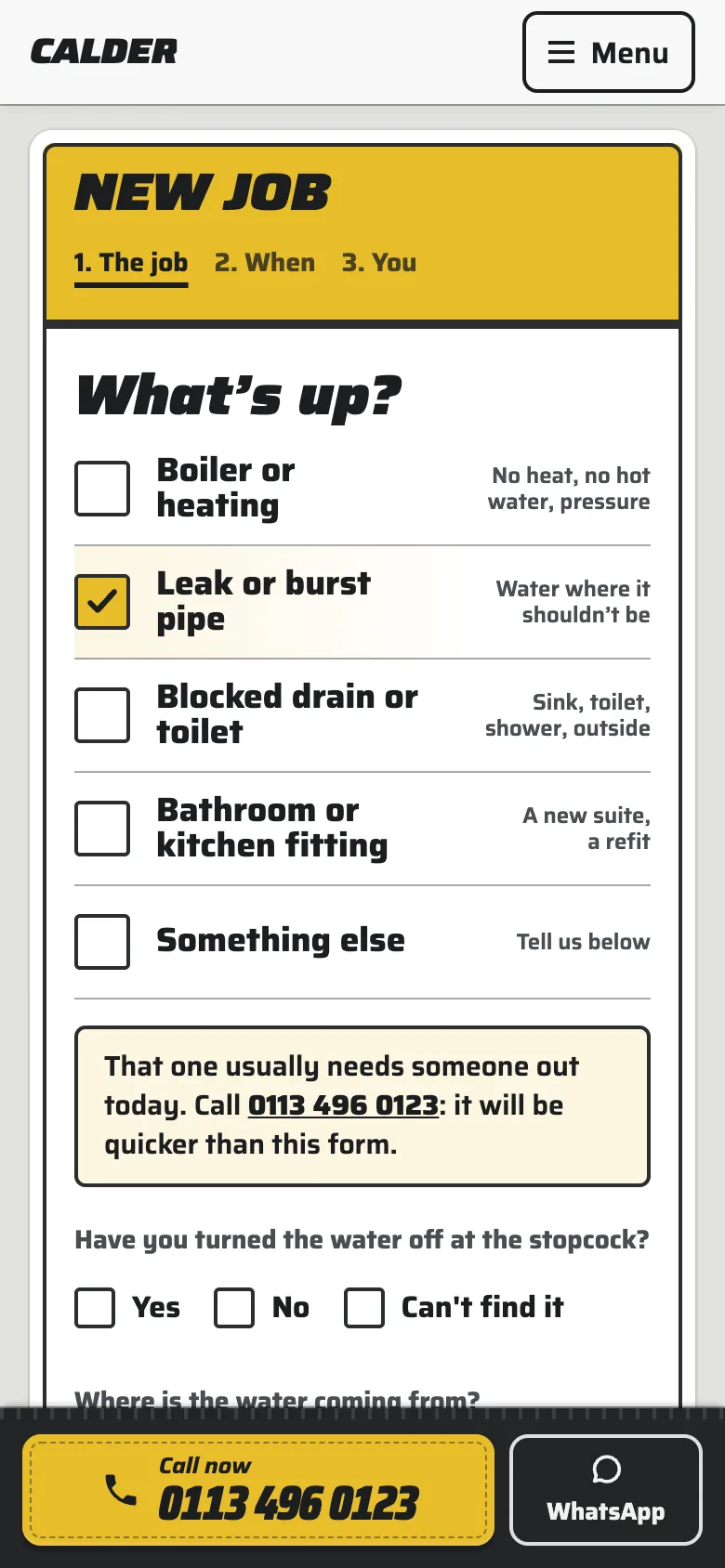
The New job label on a phone with Leak or burst pipe already ticked, and a note that a leak usually needs someone out today, with the number to call
Tick the job. The service page’s own form arrives with its job ticked and asks that job’s questions. A leak is told a call will be quicker.
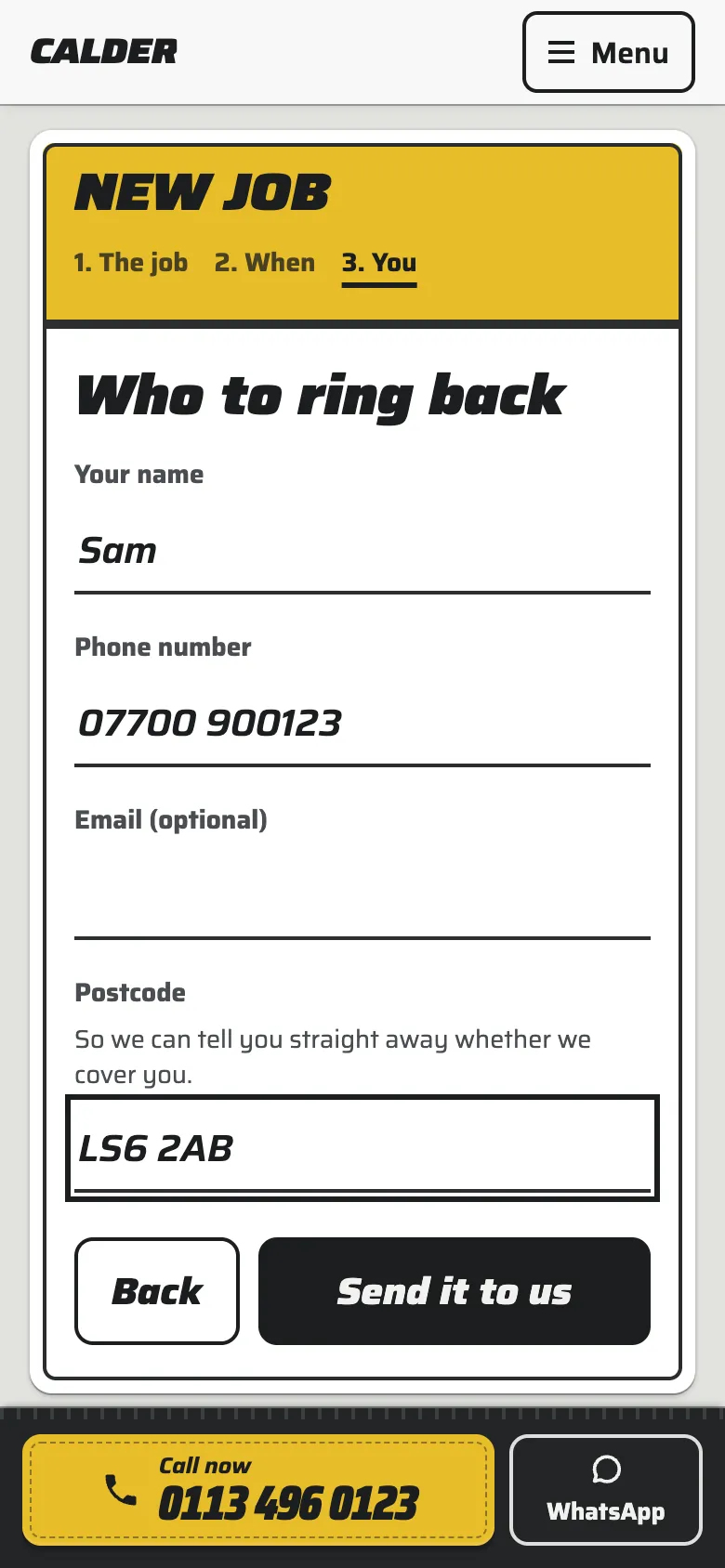
The third step of the quote label, Who to ring back, filled in with a name, a phone number and the postcode LS6 2AB, and Send it to us
Who to ring back. Name, number and postcode. Any photos went in with the job. The form still sends with JavaScript switched off.
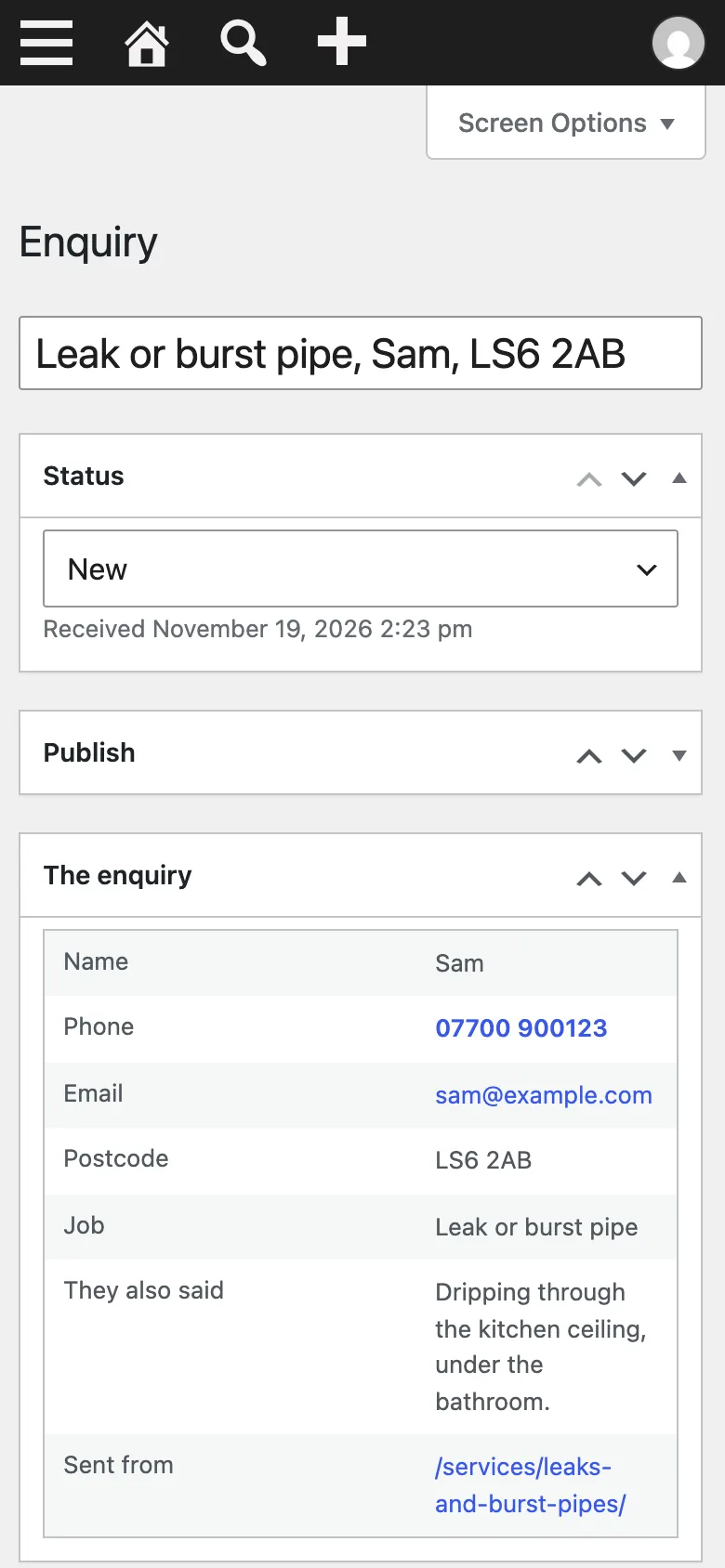
The enquiry in the WordPress dashboard on a phone: status New, with the name, phone, email, postcode, the job, what they said, and the service page it was sent from
Saved before any email. The request is in your dashboard marked New, with the page it came from, before the email to you is sent.

The design

Your site is the service label you leave on the boiler

White, one band of your colour across the top, your number, a few ticked boxes. When something breaks, that label is where people look for a number, and every page of Callout is made from it.
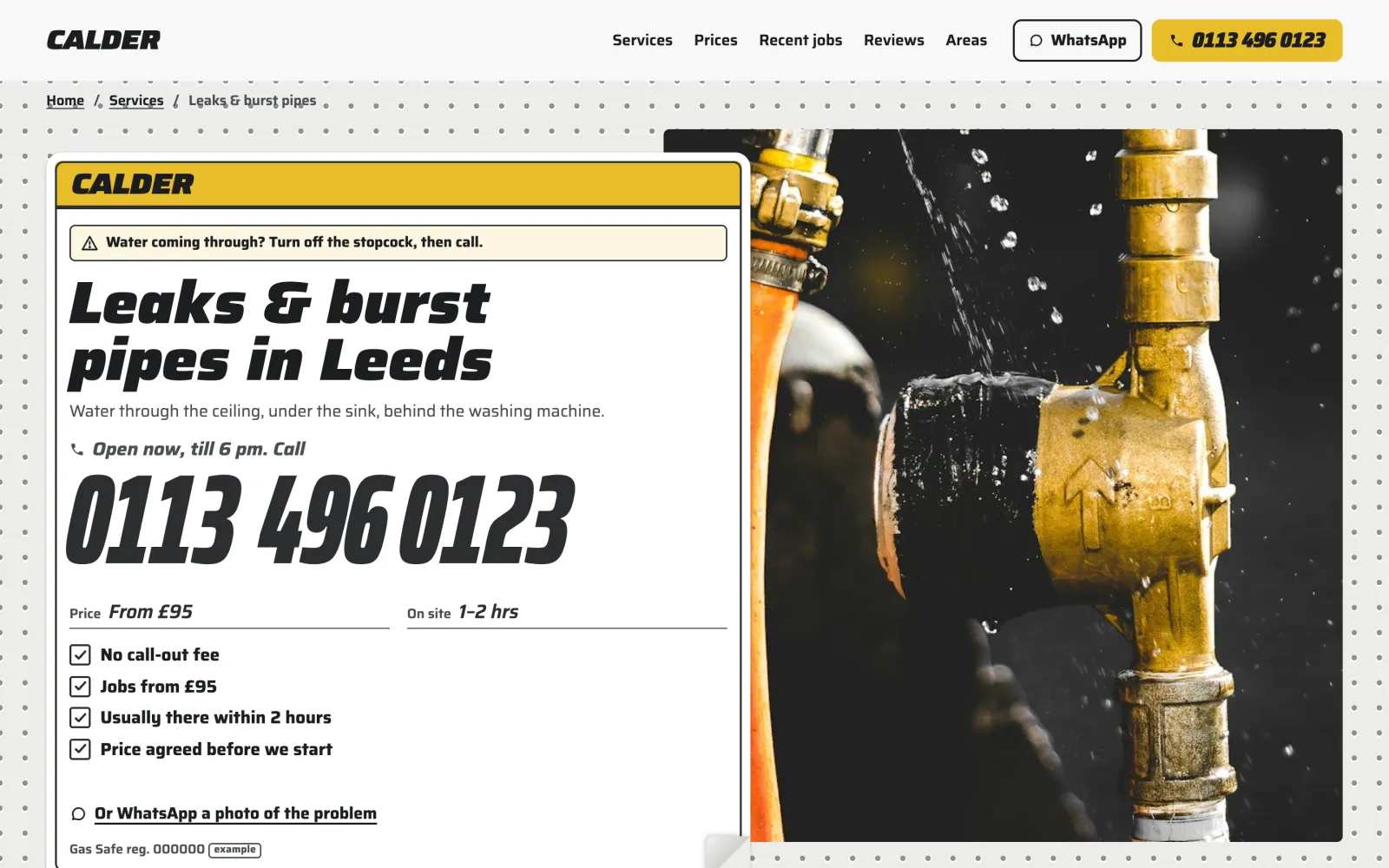
The Leaks & burst pipes page on a desktop: the label with the number, price and ticked facts, stuck over a photograph of a leaking brass pipe fitting
A service page. The label is stuck over a photograph of the job, with the price, how soon you get there and your number.
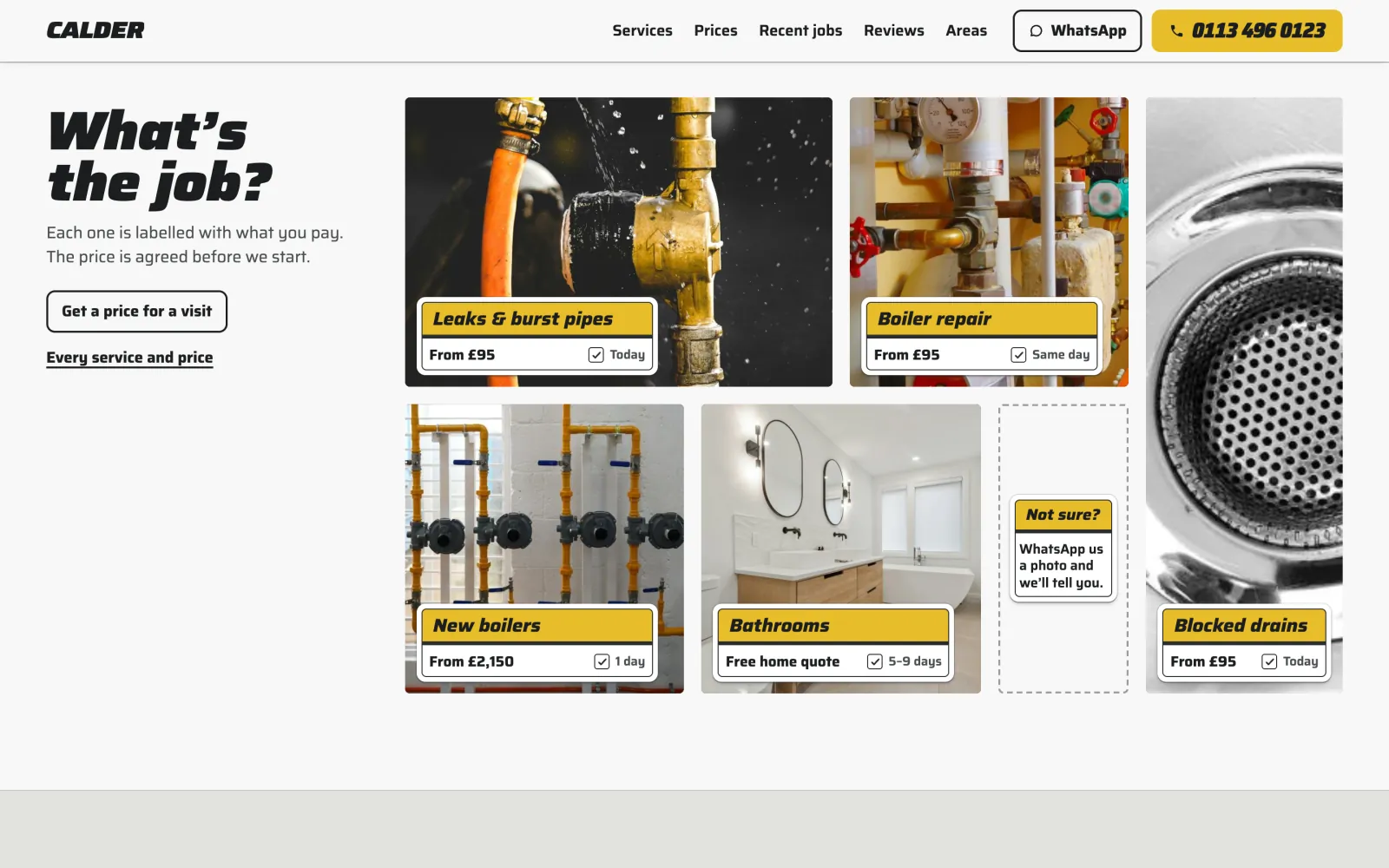
What’s the job? Six services as photographs of unlike sizes, each with a small yellow label giving the job, the price and when, and a blank Not sure? label
Labels on the work. Each service is a photograph with a small label stuck on it: the job, the price and when.
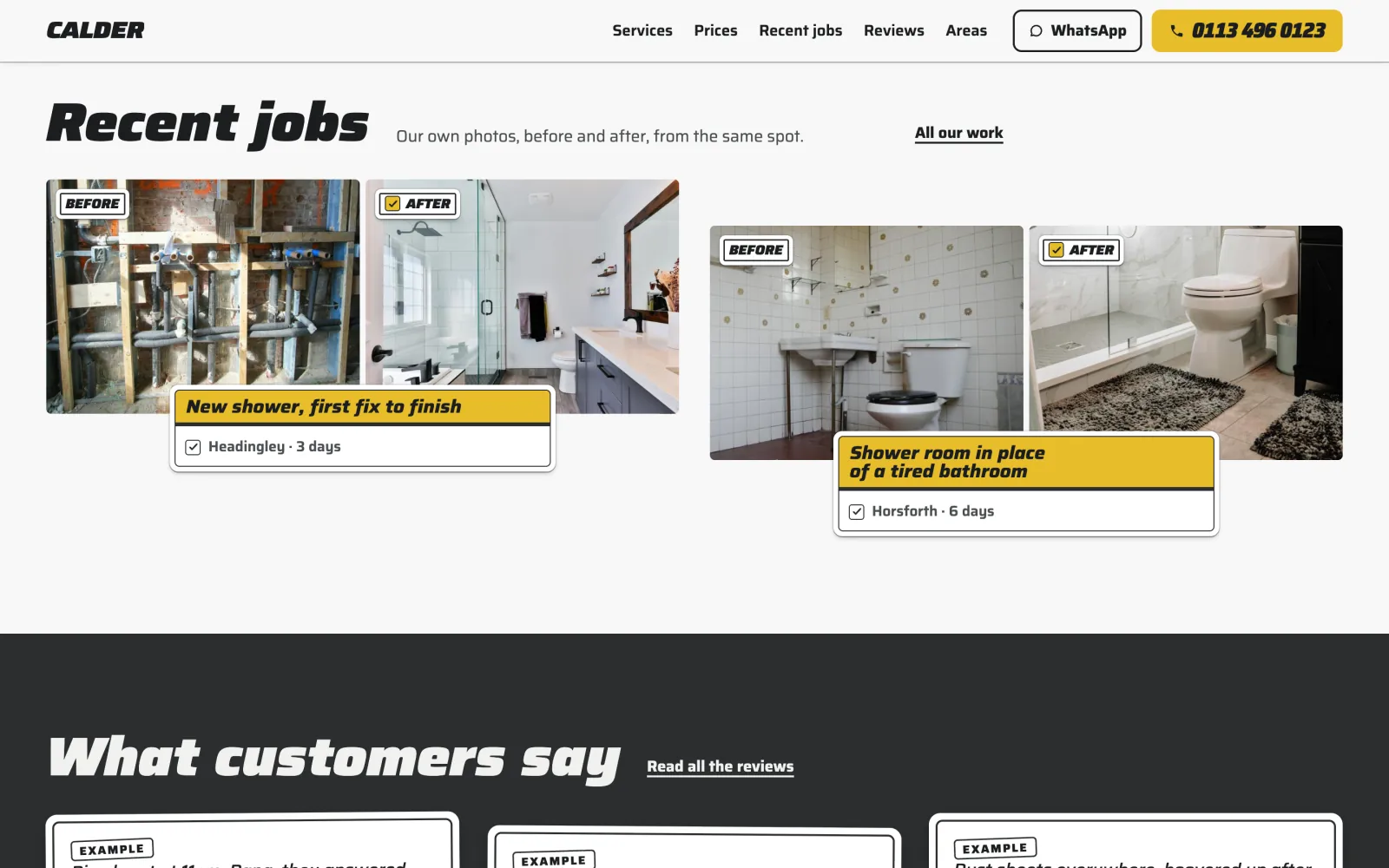
Recent jobs: two before and after pairs of bathroom photographs, each labelled with the job, the town and how many days it took
Before and after. Finished jobs are two photographs from the same spot, labelled with the town and how long it took.
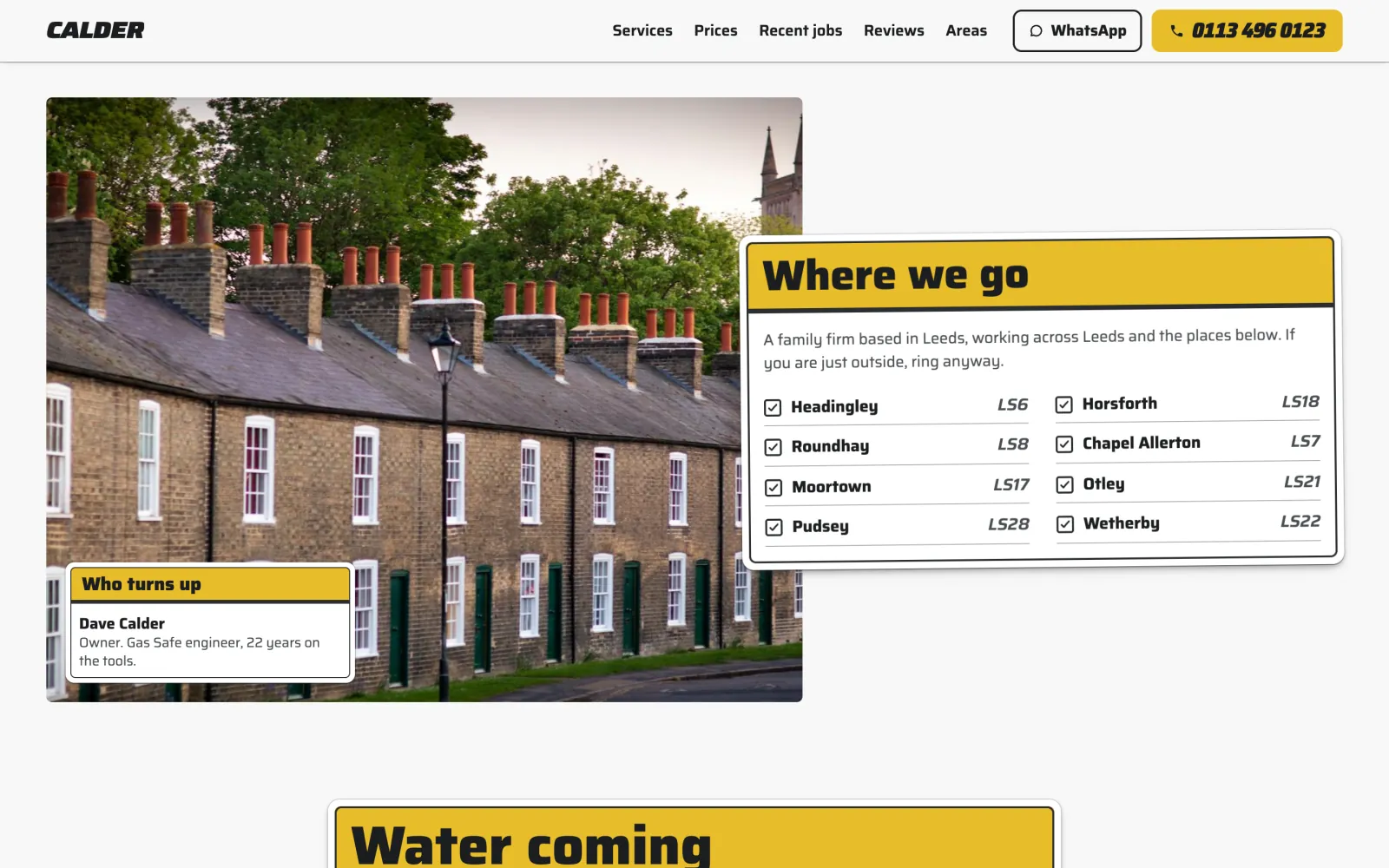
Where we go: a label listing eight Leeds areas with their postcodes, ticked, over a photograph of a terraced street, and a Who turns up label for Dave Calder
Where you go. The towns you cover are ticked on a label, as text people can search for, beside who turns up.

Your colour and type

Your band colour, and your own fonts

Callout has one colour: the band across your labels, which is also your call button. Pick Signal yellow, Bottle green, Petrol or Charcoal, or the colour on your van, and the lettering on it turns black or white to suit. If your colour would hardly show on a white label, or the lettering on it would be hard to read, the screen says so and offers the nearest shade that passes.

Type works the same way. Label, in Saira, is the design as drawn, and Docket and Merchant are two more sets made for the trade. Or choose any Google font through WordPress’s own Font Library, served from your own site.
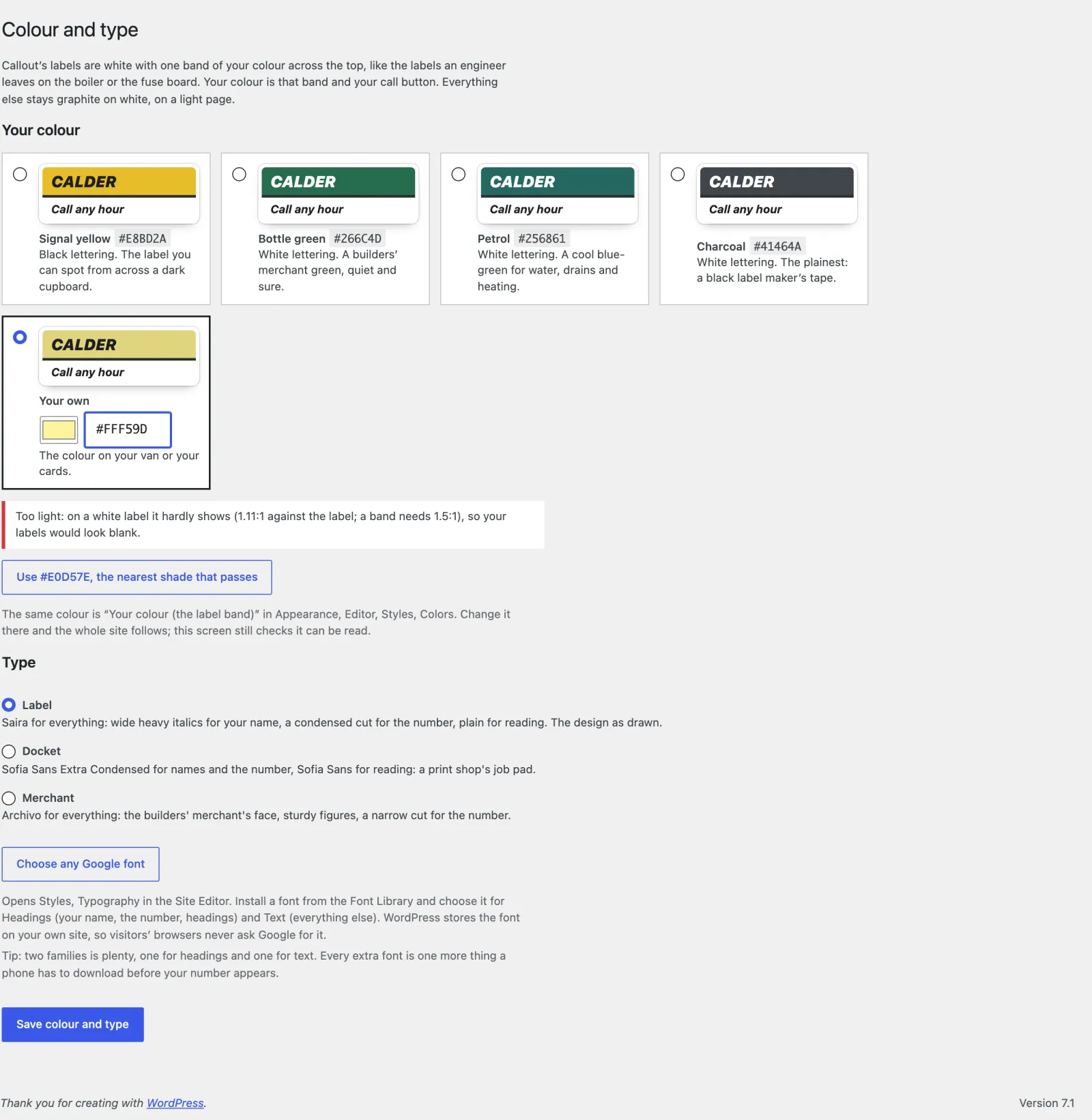
Appearance, Colour and type: Signal yellow, Bottle green, Petrol, Charcoal and your own colour, a warning that #FFF59D hardly shows on a white label, and a button to use #E0D57E instead
Too light to show on a white label: the screen measures it and offers the nearest shade that passes.

Your side of it

Six questions to set up, then see what it brought in

Set up Callout asks them one screen at a time, with starter content for the United Kingdom, the United States, Canada, Australia and New Zealand, or Other country for anywhere else. Everything after that is in the ordinary WordPress dashboard.
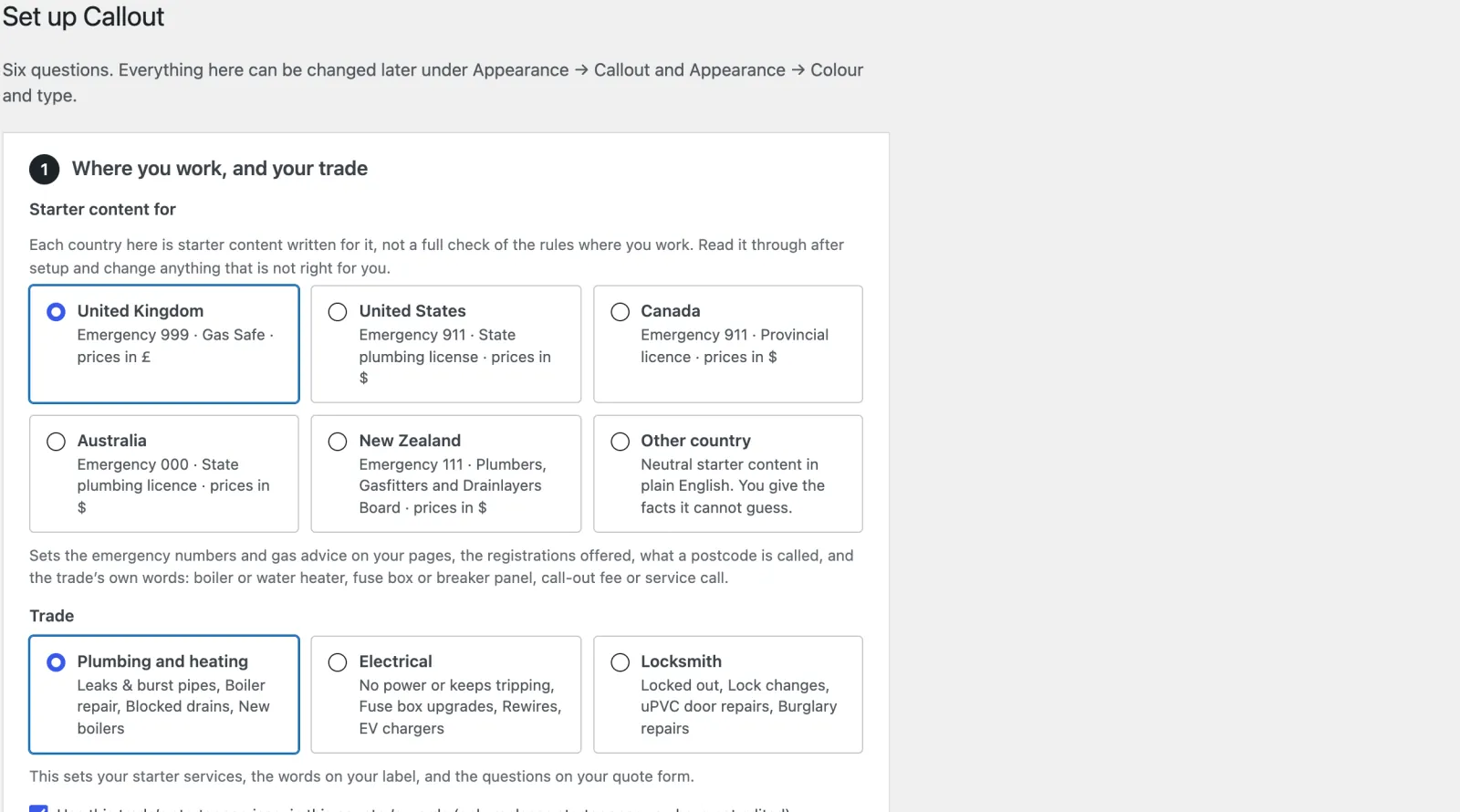
Set up Callout, the first of six questions: the country, from the United Kingdom to New Zealand, and the trade, plumbing and heating, electrical or locksmith
Set up Callout. Where you work and your trade, your name and town, phone and hours, the towns you cover, your registration and your colour.
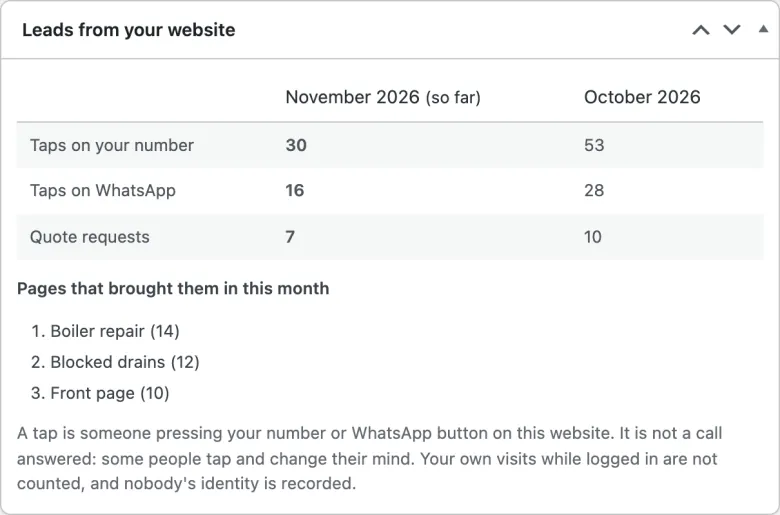
The Leads from your website box on the demo’s dashboard: taps on the number, taps on WhatsApp and quote requests for November and October, and the pages that brought them in
Leads from your website. Taps on your number and on WhatsApp, and quote requests, with the pages they came from. The same figures are emailed on the 1st.
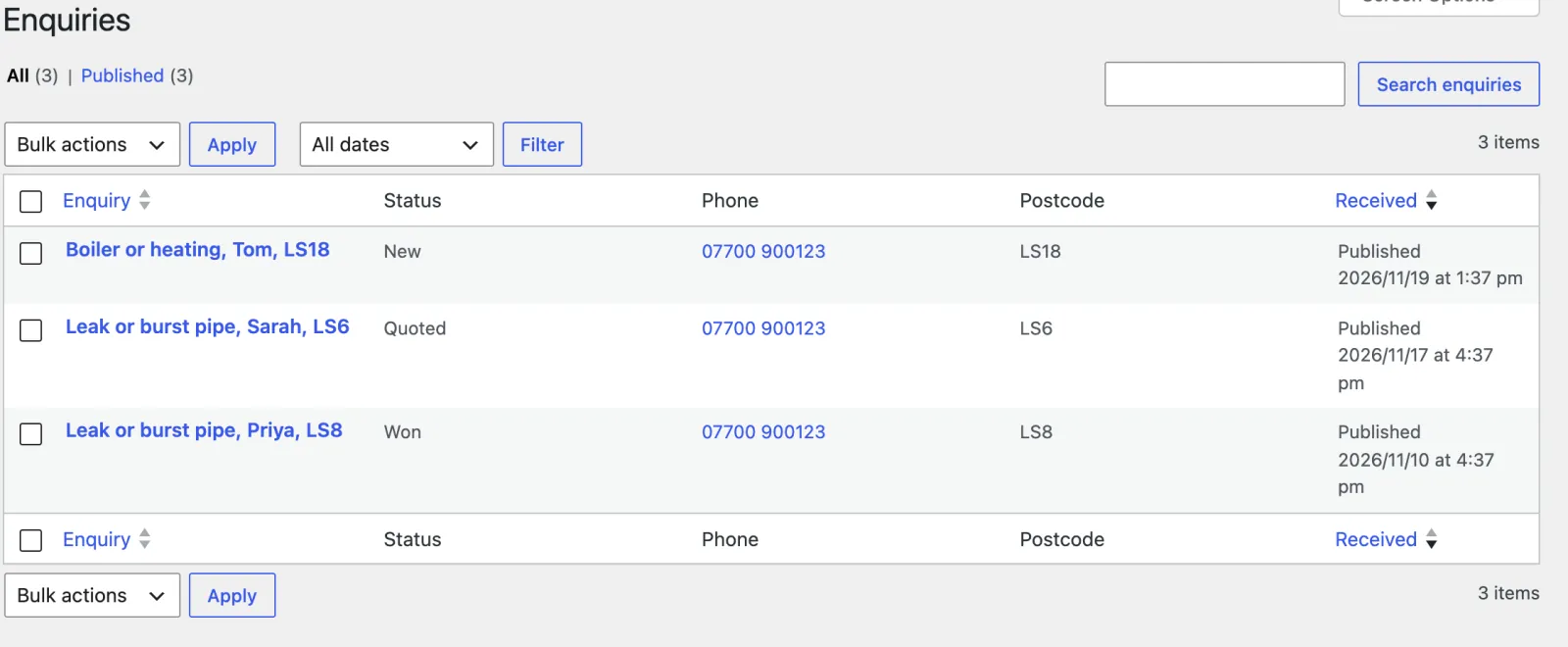
The Enquiries list: three requests marked New, Quoted and Won, with each phone number, postcode and the date received
Enquiries. Every request with its number, postcode, when it came in and its status: New, Quoted, Won or Lost.
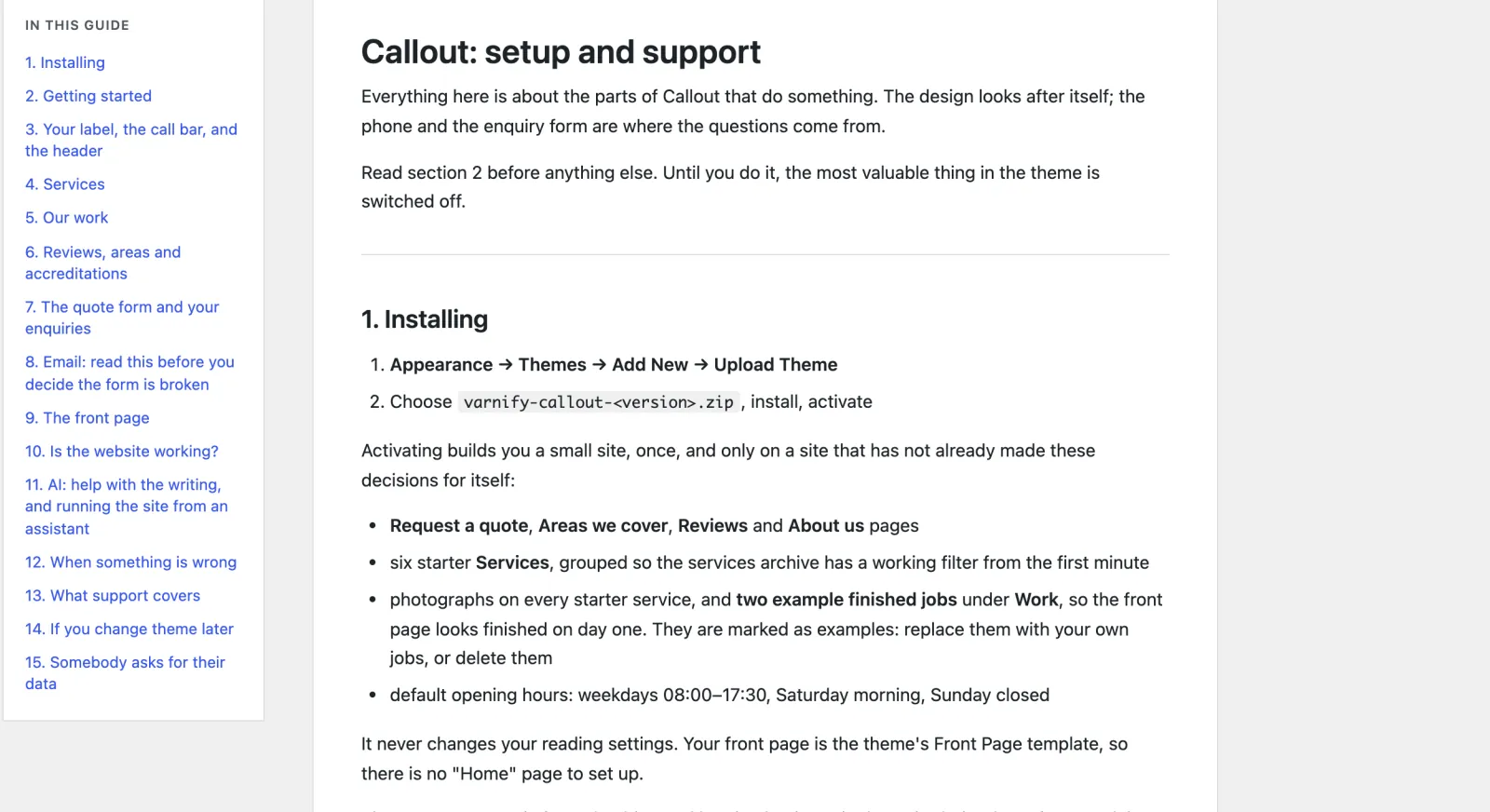
The Callout guide in the dashboard, with its contents from Installing to Somebody asks for their data
The guide. In the dashboard and written for owners, from installing to what to check when the enquiry emails stop arriving.

The bill it ends

Lead sites charge for the work they send you. Callout is $69, once.

MyBuilder and Bark, and Angi and Thumbtack in the US, charge for each lead, often for jobs you do not win, and Checkatrade charges a monthly membership. Callout finds you no customers. It takes the calls and quote requests that already reach your own site, with no lead fee on any of them, and saves each request in your own dashboard.

What lead sites charge now

Checkatrade, fixed monthly plans from £59 + VAT

Angi or Thumbtack, each lead, won or lost a fee

each request from your own site no lead fee

Callout, paid once $69

Checkatrade’s own pricing page, checked in November 2026. Other lead sites set fees by trade, town and site. Check your own.

Speed and access

Quick on a phone, and usable by everyone

  • 100 in all four Lighthouse scores on a phone for the front page, a service page and the quote page, each showing its largest content in about a second.
  • 96 Lighthouse performance on the services list, where six full-width photographs share a slow connection.
  • 12 page types clean in axe (WCAG 2.2 AA) at phone and desktop width, every step of the quote form, and every screen it adds to the dashboard.
  • No JavaScript needed to send a quote: with it switched off, the form is one page and still arrives.
  • 5 country starters for the UK, the US, Canada, Australia and New Zealand, and Other for anywhere else: emergency numbers and gas advice, the trade’s own words, registrations and currency, as starting points to check. Other asks for your own emergency numbers and leaves a safety line off your site until you give its fact; an optional AI helper suggests wording for your country, and its safety lines are yours to check.
  • No cookies for visitors, and nothing loaded from anyone else’s servers.

Speed depends on your hosting; these are our own test results.

Questions owners ask

Before you rely on your own site for work

Does it suit an electrician or a locksmith, or only plumbers?

All three. The setup asks your trade (plumbing and heating, electrical, or locksmith) and fills in six starter services for it, with photographs, the words at the top of your label and the questions on your quote form. Every service and price can be changed.

Will my Gas Safe number or licence show?

Yes, in the small print of your label, linked to where a customer can check it. The setup suggests the one for your trade and country: Gas Safe, NICEIC or NAPIT, a state or local license in the US, TSSA or ESA in Ontario, a state licence in Australia, the PGDB or EWRB in New Zealand. Until you enter your real number, the stand-in carries an “example” tag on every page.

What if the email with an enquiry never reaches me?

You still have it. Every request is saved in your dashboard before any email is sent, so one lost by your web host is still on the list. The email to you is written to read on a phone, name, number and postcode first, and replying goes straight to the customer.

What happens when someone rings at two in the morning?

Callout reads your opening hours in your site’s own timezone, not the server’s. Outside them the call bar says you are closed, and if you have set an out-of-hours number, it rings that instead. Set opening and closing to the same time for a 24-hour day.

Can customers send me a photo of the problem?

Yes. The quote form takes photographs, made smaller on the customer’s phone before they upload, and kept with the enquiry under names nobody can guess. Add your WhatsApp number and every “send us a photo” link opens a chat with you instead.

What happens if I change theme later?

Your enquiries, services, finished jobs and reviews stay in your WordPress database, and you can export them from Tools, Export. Another theme will not show them or let you edit them.
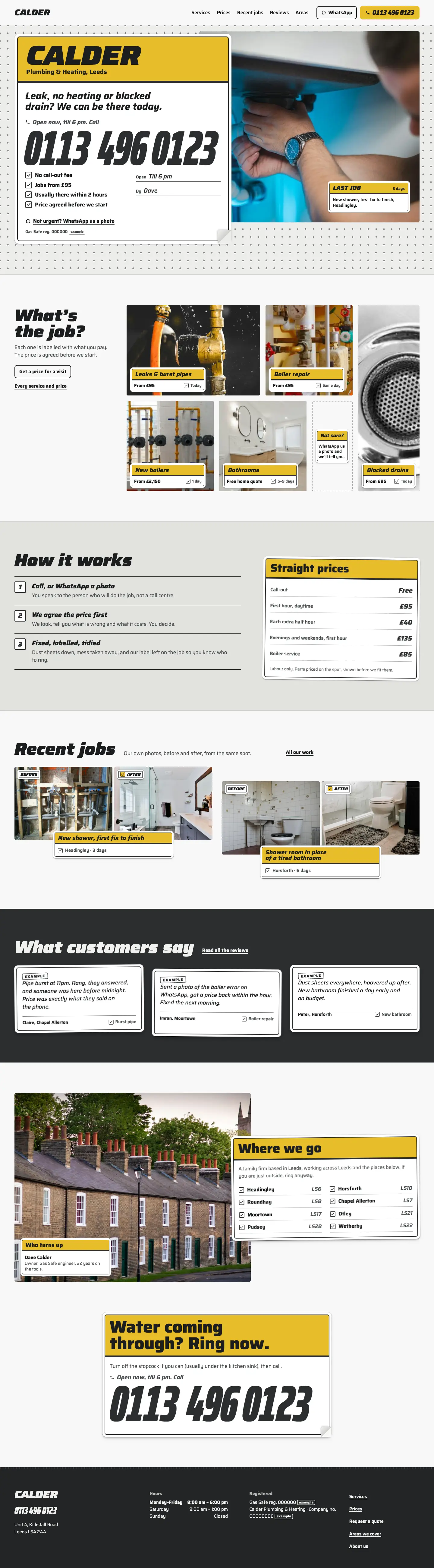

The whole home page

Scroll it, top to bottom

The full Callout home page on desktop
The full Callout home page on a phone

What you get

Everything in the Callout zip

Pages already written

Real wording for the trade, not placeholder text. Put in your own name, photos and details, then publish.

  • Home, with your label and the call bar
  • A page for each service, with its own quote form
  • Our work: finished jobs, before and after
  • Request a quote
  • Areas we cover
  • Reviews
  • About us
  • Paid onceIn US dollars. No subscription.
  • Updates and supportFor one site, plus its staging and local copies. Updates while the theme is maintained: new versions arrive inside WordPress once your licence key is in. Personal support by email for 12 months from purchase, and bugs you report are fixed free.
  • 14-day refundIf it is not right for you, a full refund. No questions asked.
  • Your content stays yoursYour pages and posts stay if you change theme. The theme’s own content stays in your database, but another theme won’t show it.
Version
1.0.0
Needs
WordPress 6.6+, PHP 8.0+
Plugins needed
None
Licence
GPL, use it on as many sites as you like
Support
Email for 12 months, from the developer

No lead fees on the jobs that find you

Do the job on your own site. Pay for the theme once.

Callout brings no customers of its own, but the ones who find you directly come with no lead fee. Callout costs $69, once, and the customer stays yours.

Coming soon (Callout is not on sale yet)Open the demo (opens in a new tab)

Buying

How buying works

Can I buy a theme now?

Not yet. Sales open soon. Until then every theme's page, price and live demo are here to look at, and questions go to [email protected].

What happens after I pay?

You are emailed a download link and a licence key straight away. Upload the zip in WordPress under Appearance, Themes, Add New, and activate it. Then paste the key under Appearance, Licence and updates, and new versions arrive inside WordPress like any other update. If you lose the email, the re-download page gets you the file again with your licence key. Re-download a theme

Will it work with my hosting?

If your host runs WordPress 6.6 or later on PHP 8.0 or later, yes. Each theme lists what it needs on its page. Nothing else is required on the server.

Do I need to know how to code?

No. You change the text, photos and colours in the WordPress editor and the theme’s own setup and screens. There is no code to touch and no page builder to learn.

How many sites can I use a theme on?

As many as you like. Every Varnify theme is released under the GPL, like WordPress itself, so you may use it on any number of sites and modify it, including for clients. What you pay for is updates for one site and 12 months of personal support. Your live site and its staging and local copies count as one site.

Are updates and support included?

Yes. Updates come for as long as the theme is maintained. They arrive inside WordPress once your licence key is in, under Appearance, Licence and updates, with one-click and automatic updates. Bugs you report are fixed for free while the theme is maintained. Personal support by email lasts 12 months from purchase: write to [email protected] and the person who wrote the theme answers. The docs stay open to everyone. If a theme is ever retired, buyers hear first, and its last version stays yours to download and use.

Can I get a refund?

Yes. Within 14 days of buying, reply to your purchase email or write to [email protected] and you get a full refund, with no questions asked. It goes back through Paddle within a few working days, and the licence key stops working. After 14 days, ask anyway: each case is looked at on its own.

Other themes

All themes →

Stay

$99 once

Holiday lets

Card

$69 once

Consultants & coaches

Chair

$89 once

Salons & barbers

Counter

$79 once

Cafés & restaurants

$69 once14-day refund
Coming soon (Callout is not on sale yet)