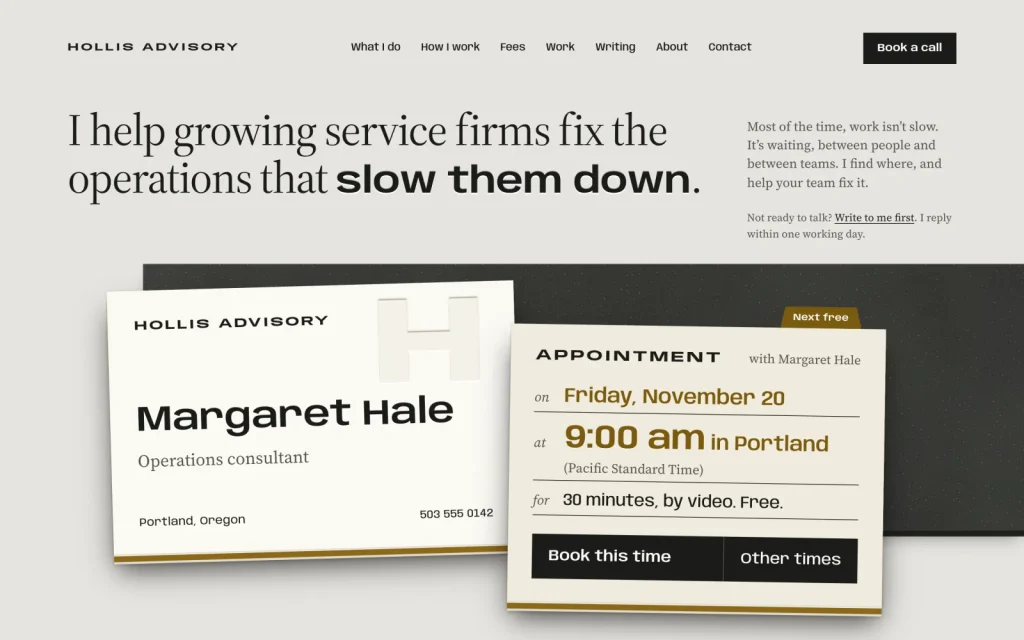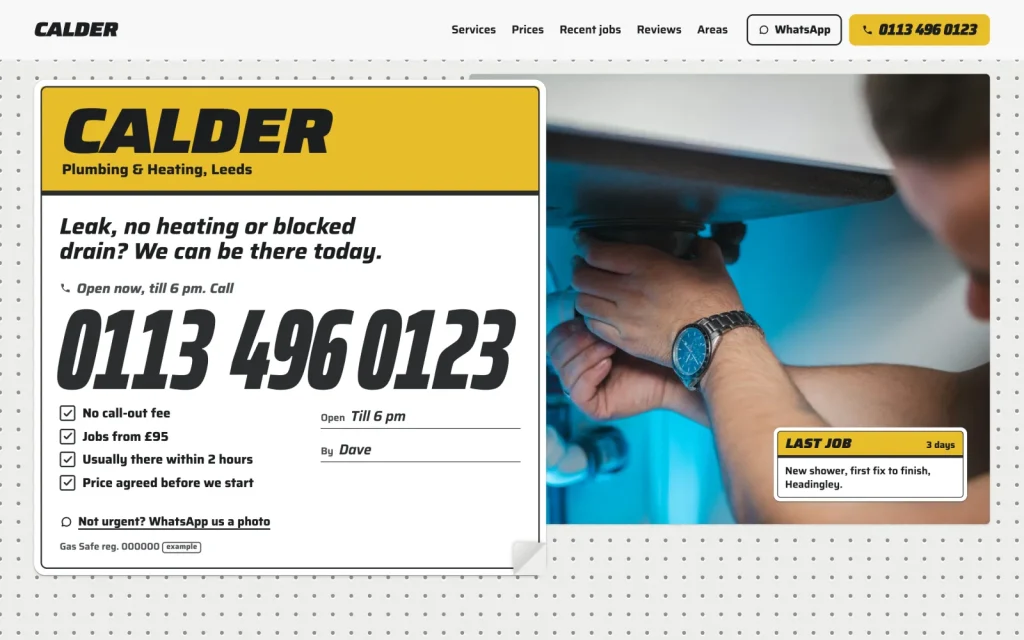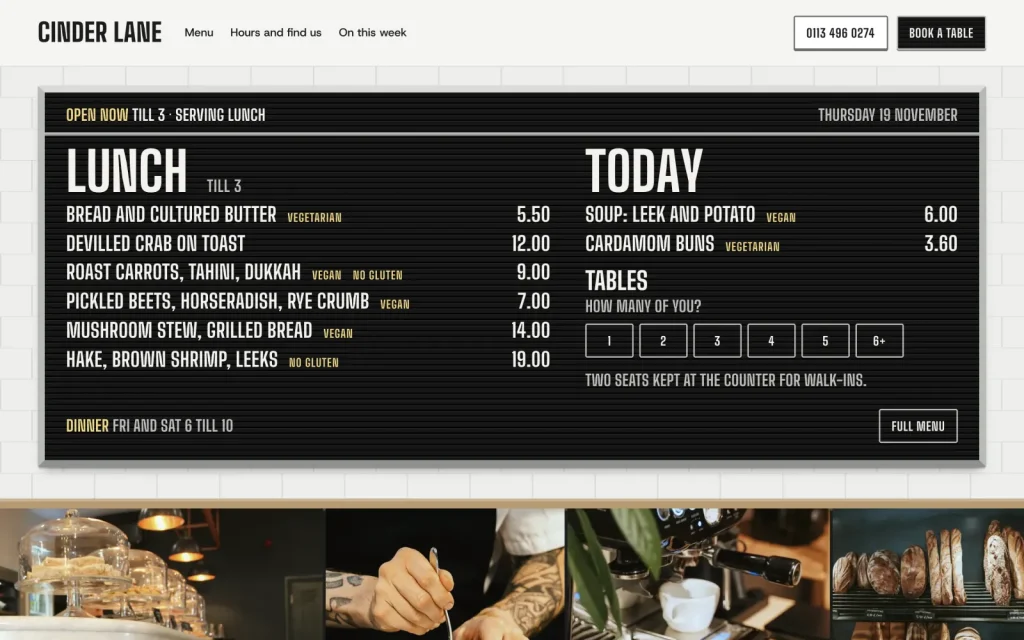
Takes salon bookingsWordPress theme for salons & barbers

Chair

For hair salons, barbershops and nail studios, one chair or ten. Clients book the treatment, the stylist and a time that stylist is really free, and you run the day from a diary with a column per stylist.

Version 1.0.0Salon booking with deposit requests, no app subscription

Chair on a desktop screen
Chair on a phone

The main job

A client books a balayage with Ana, start to finish

On your own site, on their phone, at eleven at night when they remember. Nobody has to answer the phone halfway through a colour.
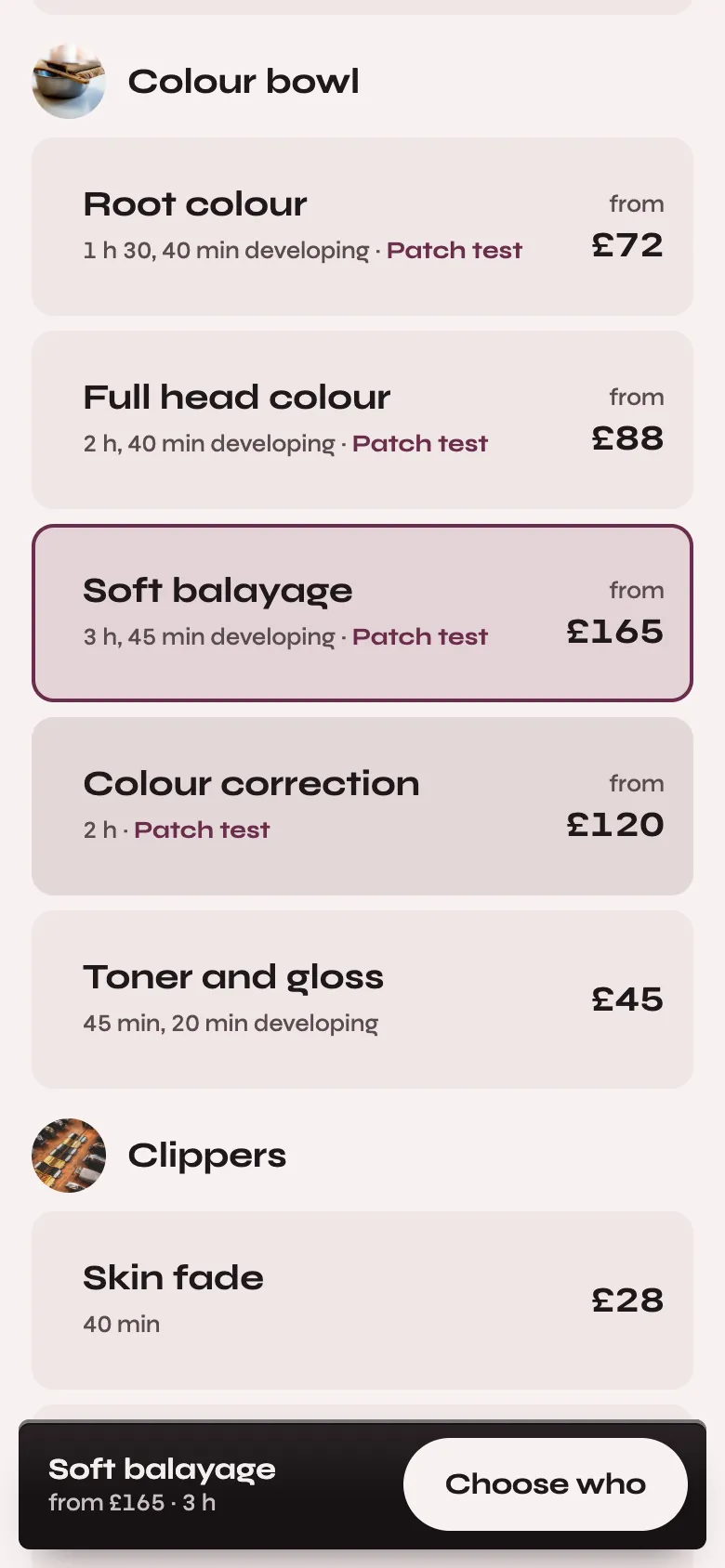
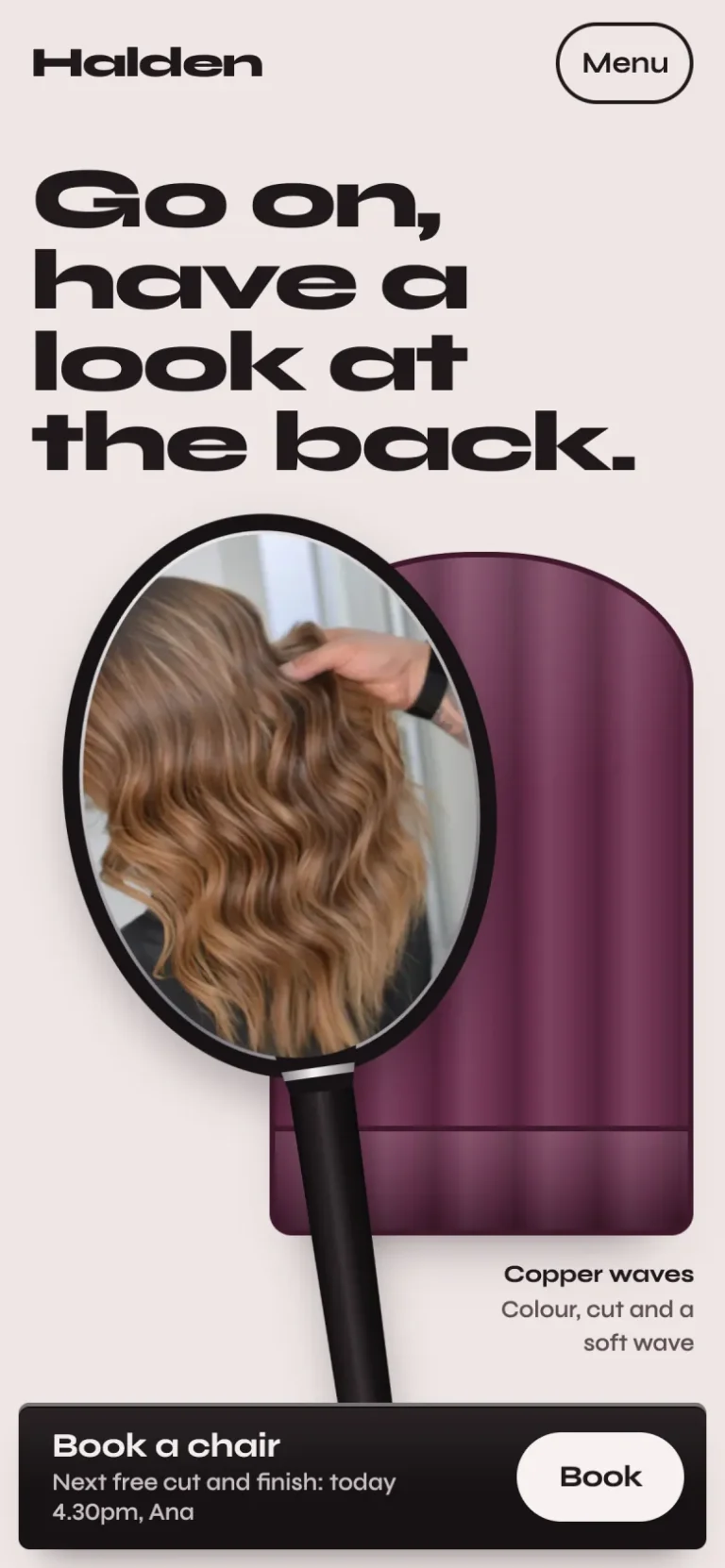
The first booking step on a phone: the colour bowl treatments with their times, developing time, patch-test flags and prices, Soft balayage chosen, and Choose who at the foot
Pick the treatment. Grouped by the tool that does it, each with its time, developing time, patch test and starting price.
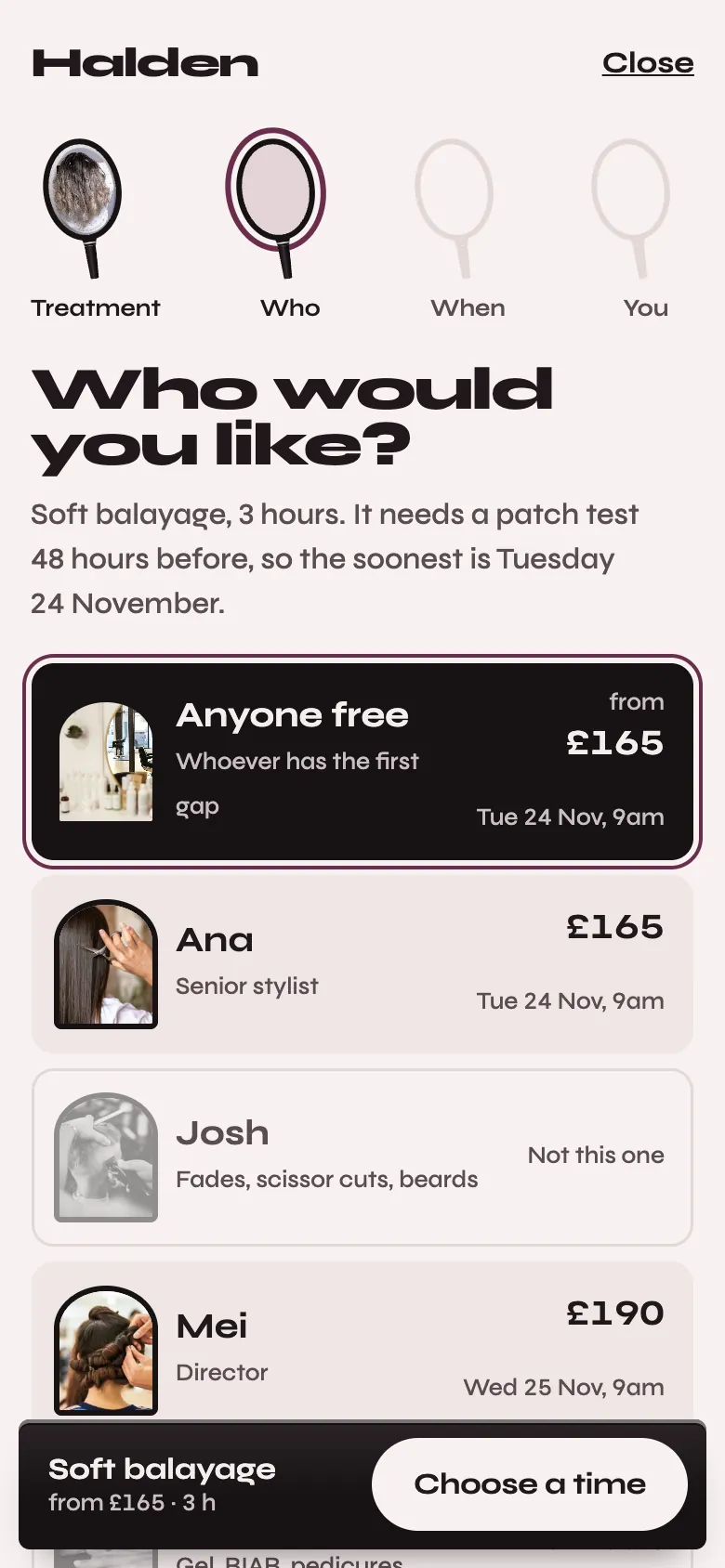
Who would you like, on a phone: Anyone free first at from £165, Ana at £165 and Mei at £190 with their next free times, and Josh greyed out with what he does instead
Choose who, or anyone free. Each stylist shows their own price and next free time. Those who don’t do it are greyed, with what they do instead.
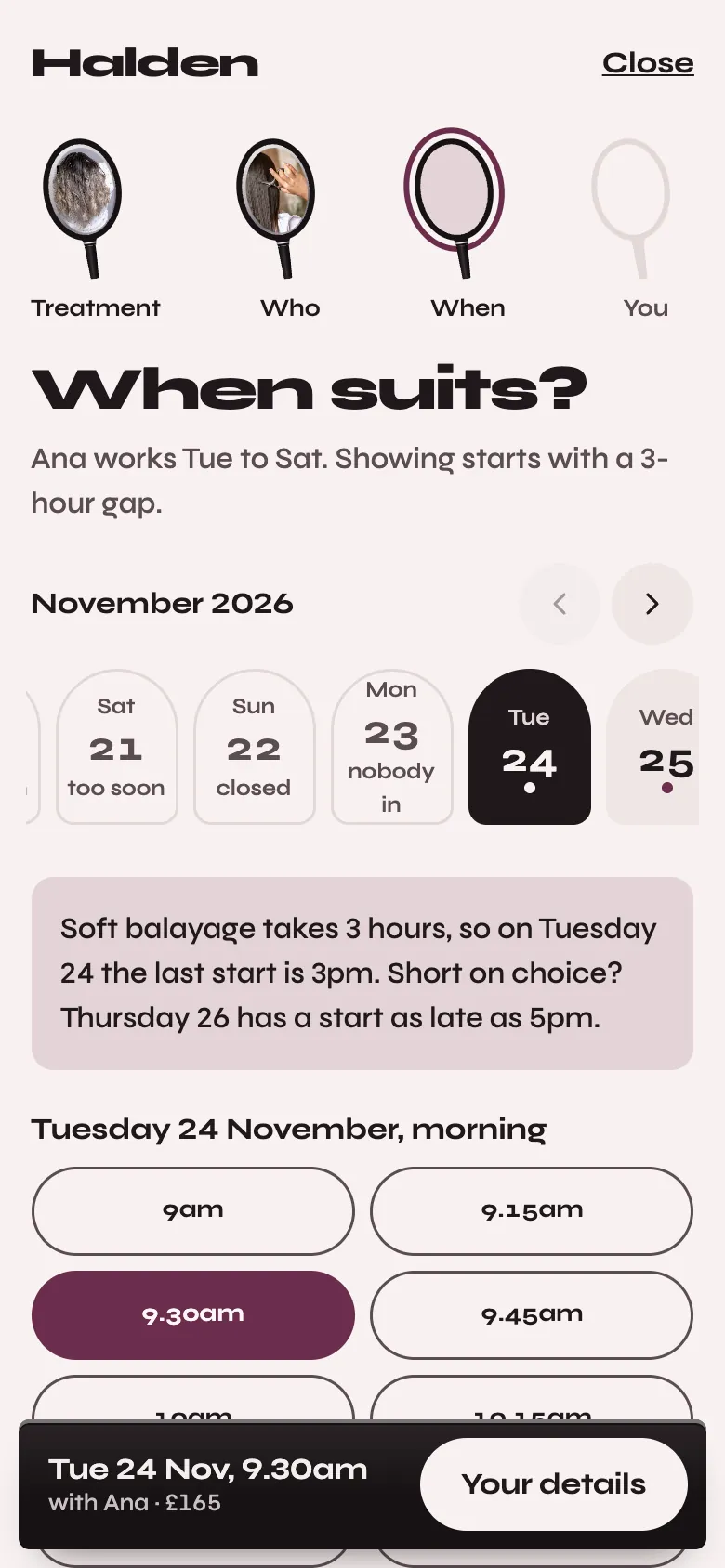
When suits, on a phone: days marked too soon for the patch test, closed and nobody in, Tuesday 24 November chosen, and its morning times as large buttons
Only times that are really free. A three-hour balayage is offered only where three hours exist, and days too soon for the patch test say so.
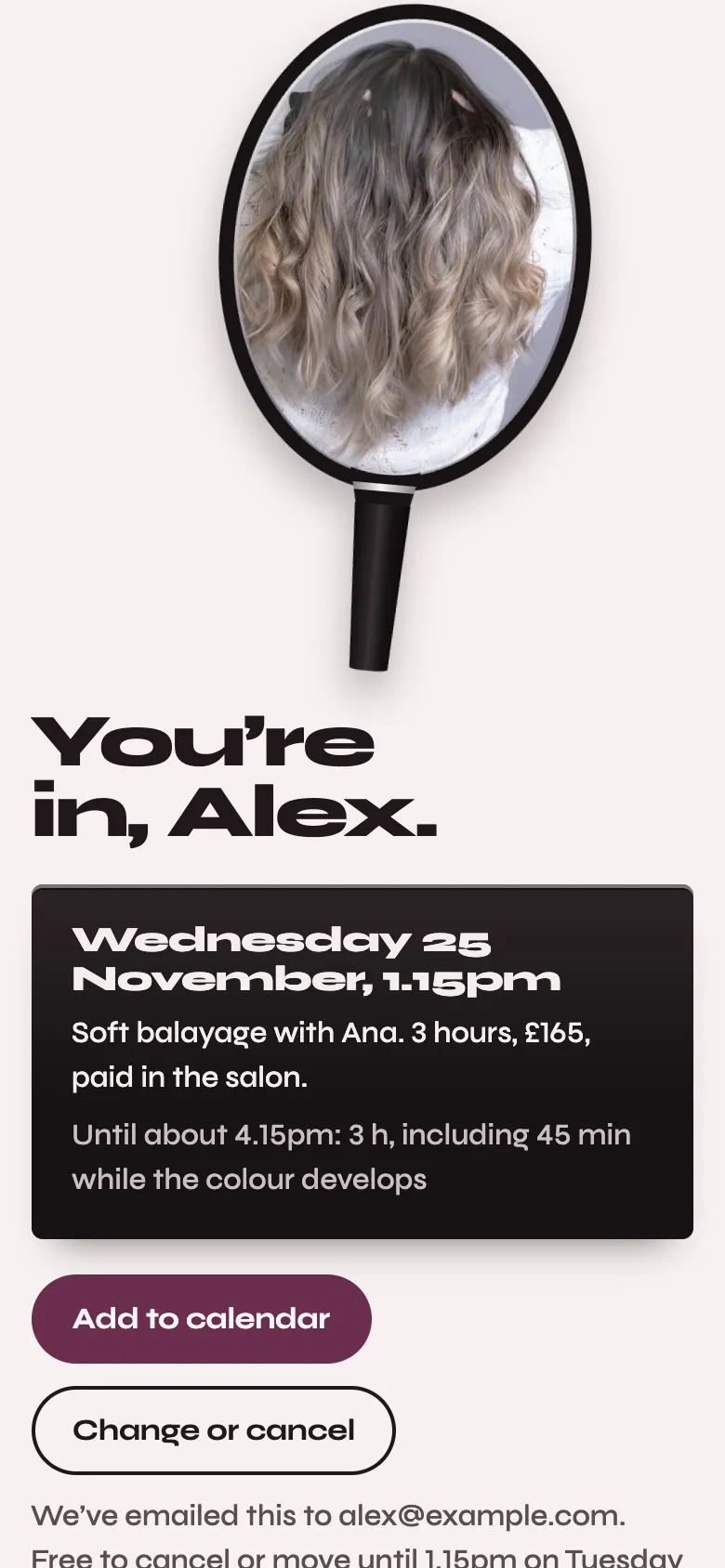
You’re in, on a phone: the finished balayage in the hand mirror, Wednesday 25 November at 1.15pm with Ana, the price paid in the salon, Add to calendar, and Change or cancel
You’re in. Add to calendar, and an email with a link to change or cancel. No account and no card.

The design

Your work, held up in the hand mirror

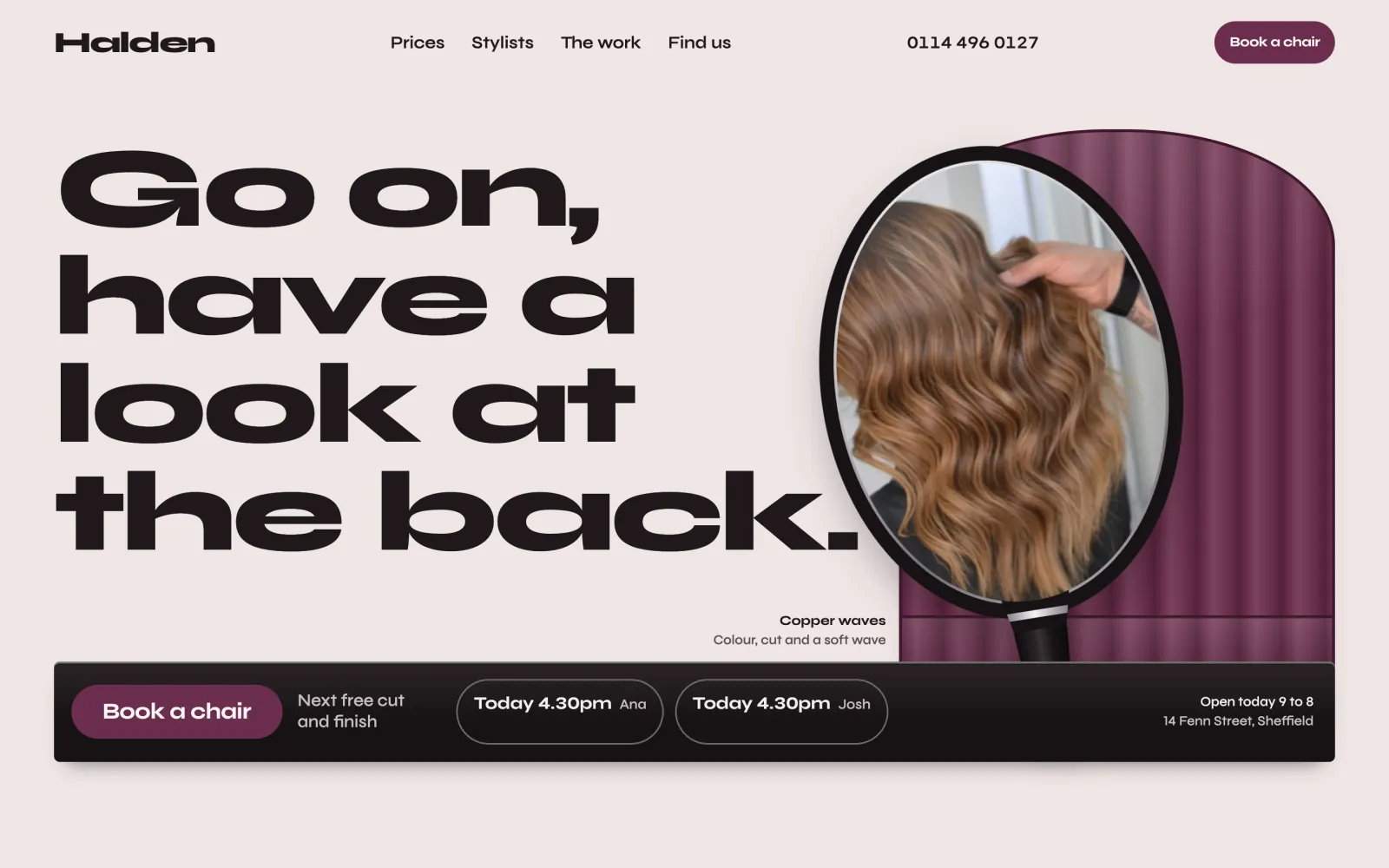
Every appointment ends with the stylist holding the mirror up behind the client. Chair’s pages do the same: the back of a cut in a black hand mirror, a styling chair in your colour behind it, and a black glass shelf with Book a chair and the next free times. On a phone the shelf docks at the foot of the screen.
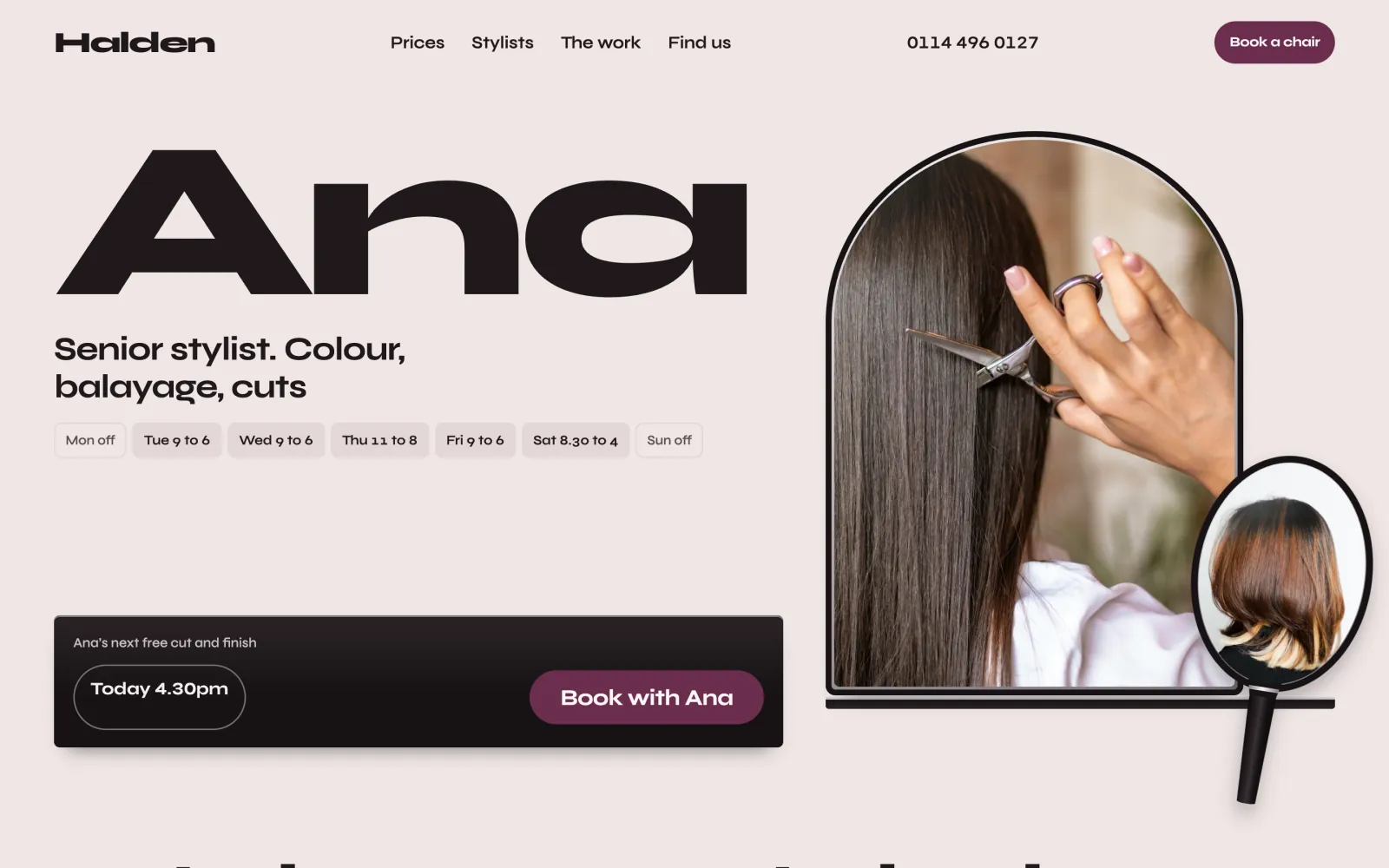
A stylist’s page on a desktop: the name Ana at poster size, her hours, her photograph in an arched station mirror with a hand mirror beside it, and her next free time on the black shelf
A stylist’s own page: their name at poster size, their days, their work in the mirrors and their next free time on the shelf.
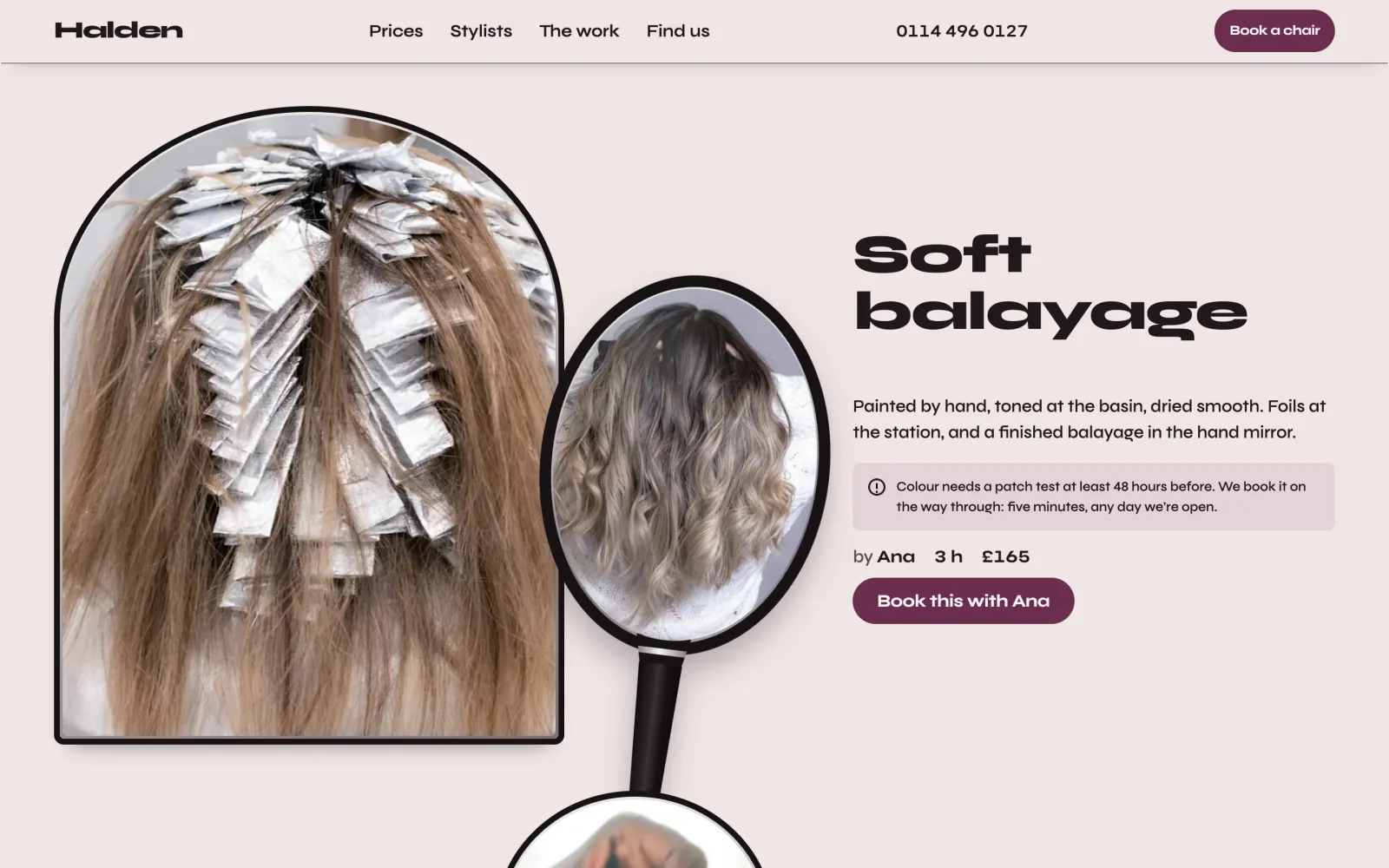
In the chair, and from the back: foils going on at the station beside the finished balayage in a hand mirror, with its time, price and who does it
From the back. The work in progress in the station mirror, and finished in the hand mirror.
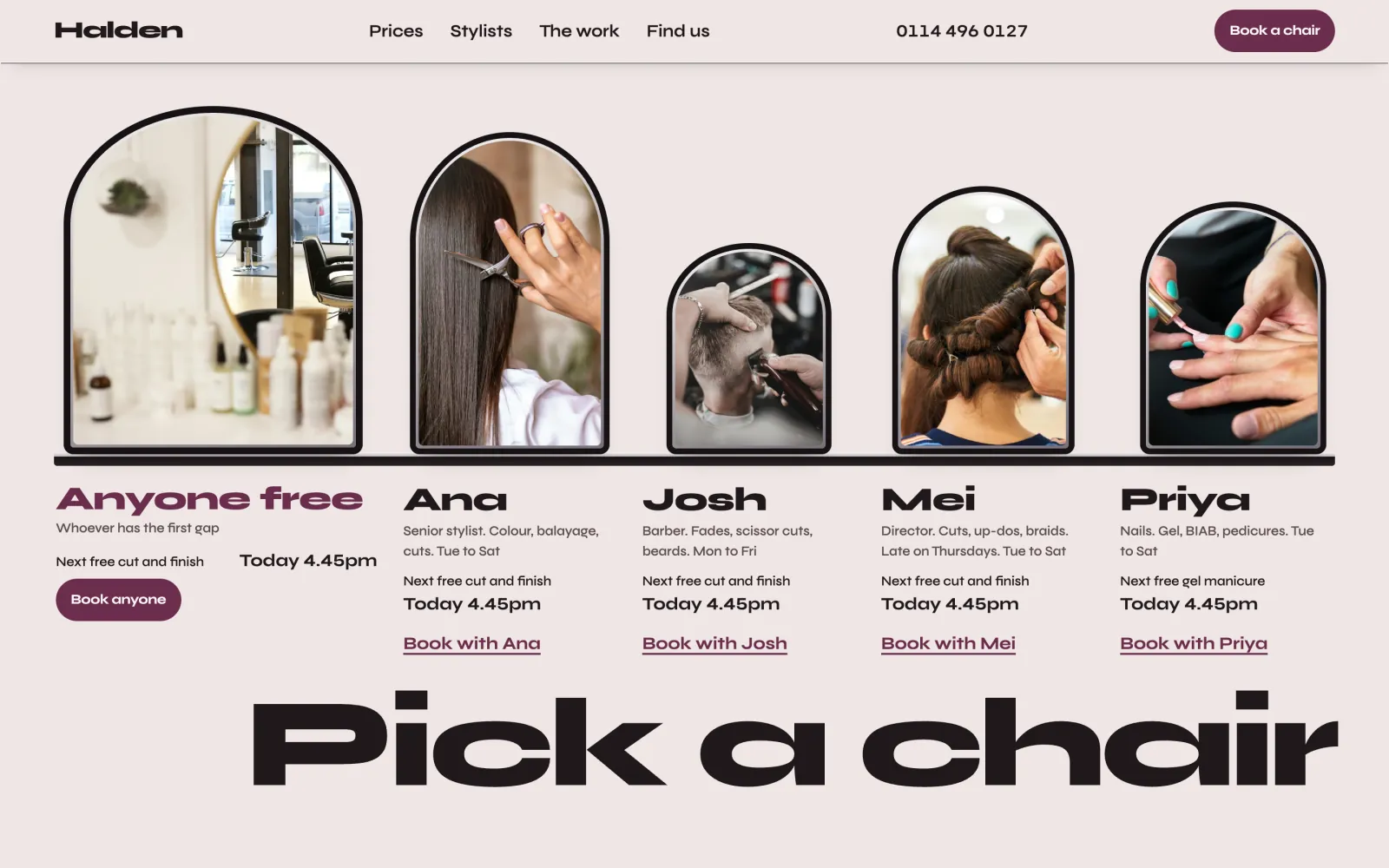
Pick a chair: Anyone free and four stylists in arched station mirrors over one counter, each with what they do, their next free time and a link to book with them
Pick a chair. Your team at a row of station mirrors over one counter, with Anyone free first.
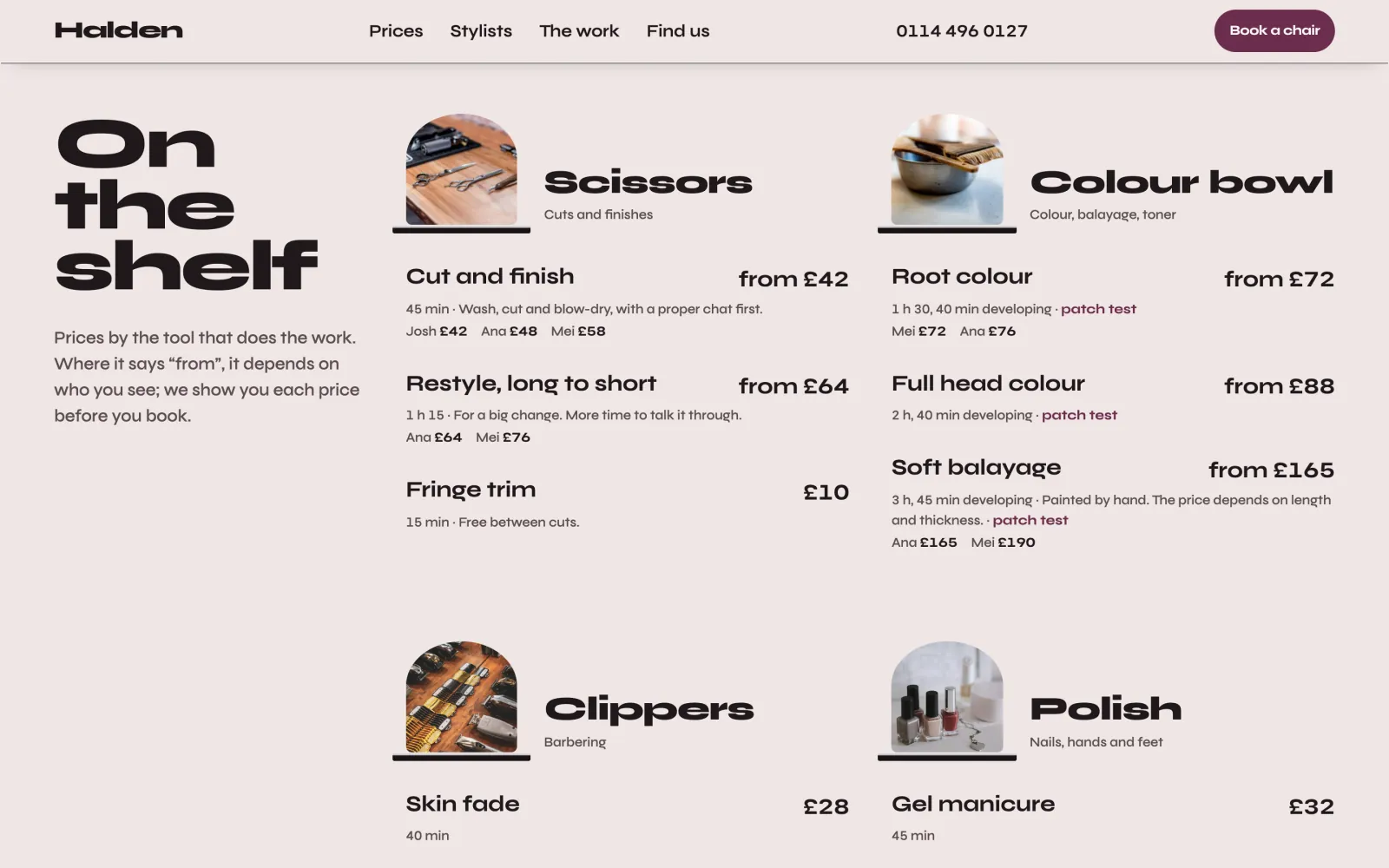
On the shelf: the price list grouped by scissors, colour bowl, clippers and polish, with each stylist’s price where it changes
On the shelf. The price list grouped by scissors, colour bowl, clippers and polish, with each stylist’s price where it changes.

Your colour and type

Your paint, and your own fonts

Chair has one colour, your paint: the chair back behind the mirror, your buttons and your links. Everything else is mixed from it. Pick mulberry, tobacco or olive from the three packs, one of three more for salons, barbers and nail studios, or your own. The chair back always keeps your exact colour. If it is too light to read as text, the screen shows both contrast ratios and works out the nearest shade that passes, which buttons and links use instead.

Type works the same way. Choose one of three sets, Mirror, Barbershop and Studio, or any Google font through WordPress’s own Font Library, served from your own site.
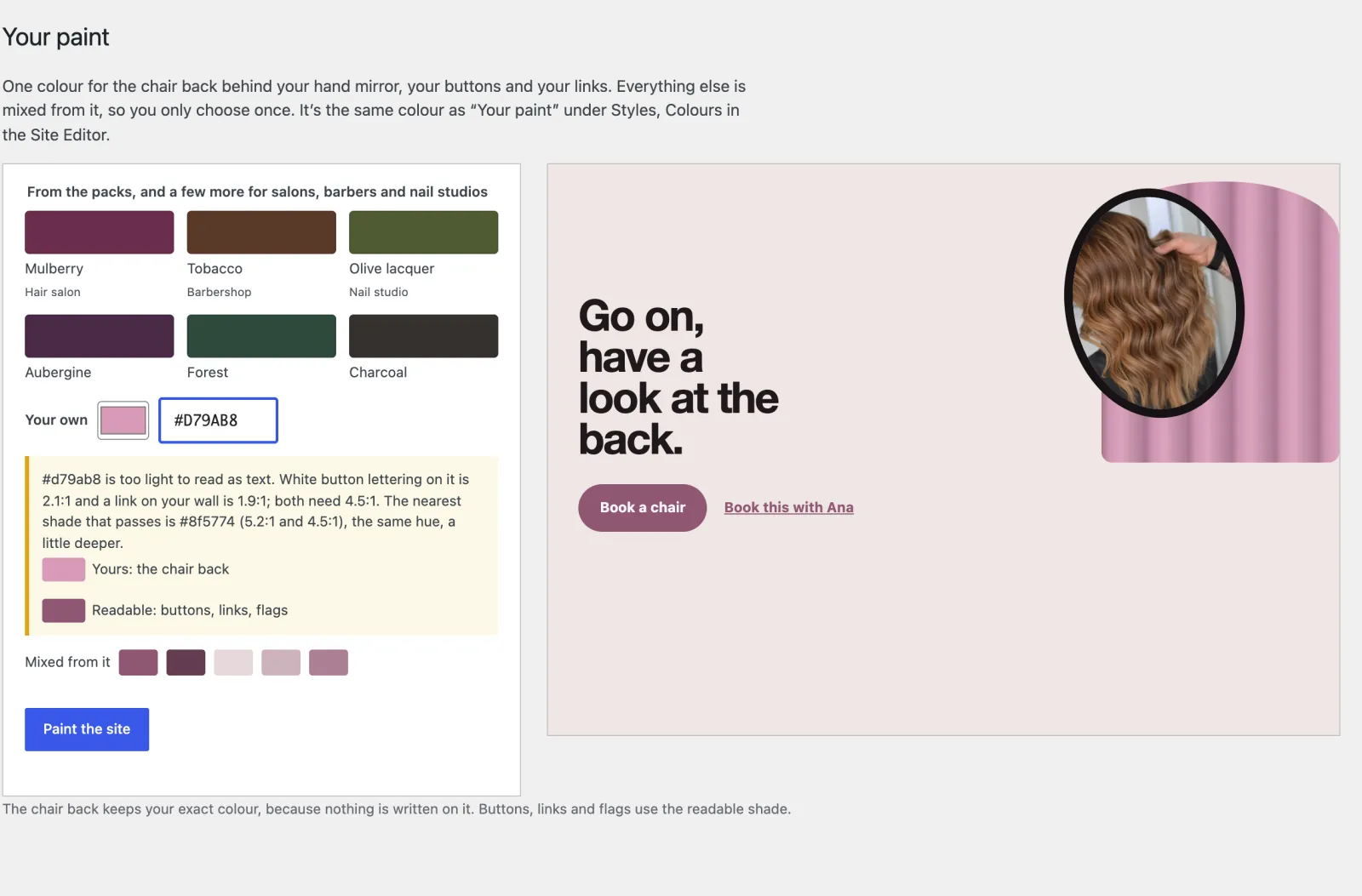
Appearance, Your paint: six colours and your own, a warning that #D79AB8 is too light to read as text, at 2.1:1 on a button and 1.9:1 as a link, with #8F5774 as the nearest shade that passes, and a live preview of the front page
Too light to read: the screen measures it and offers the nearest shade that passes.

Your side of it

Set it up once, then run the day from the diary

Set up Chair asks what kind of place you are, where, your name, address and colour, then your hours, your first stylist and how clients pay. Starter content for the UK, Ireland, the US, Canada, Australia and New Zealand, or Other country for anywhere else, sets the currency, the spelling and the time zone.
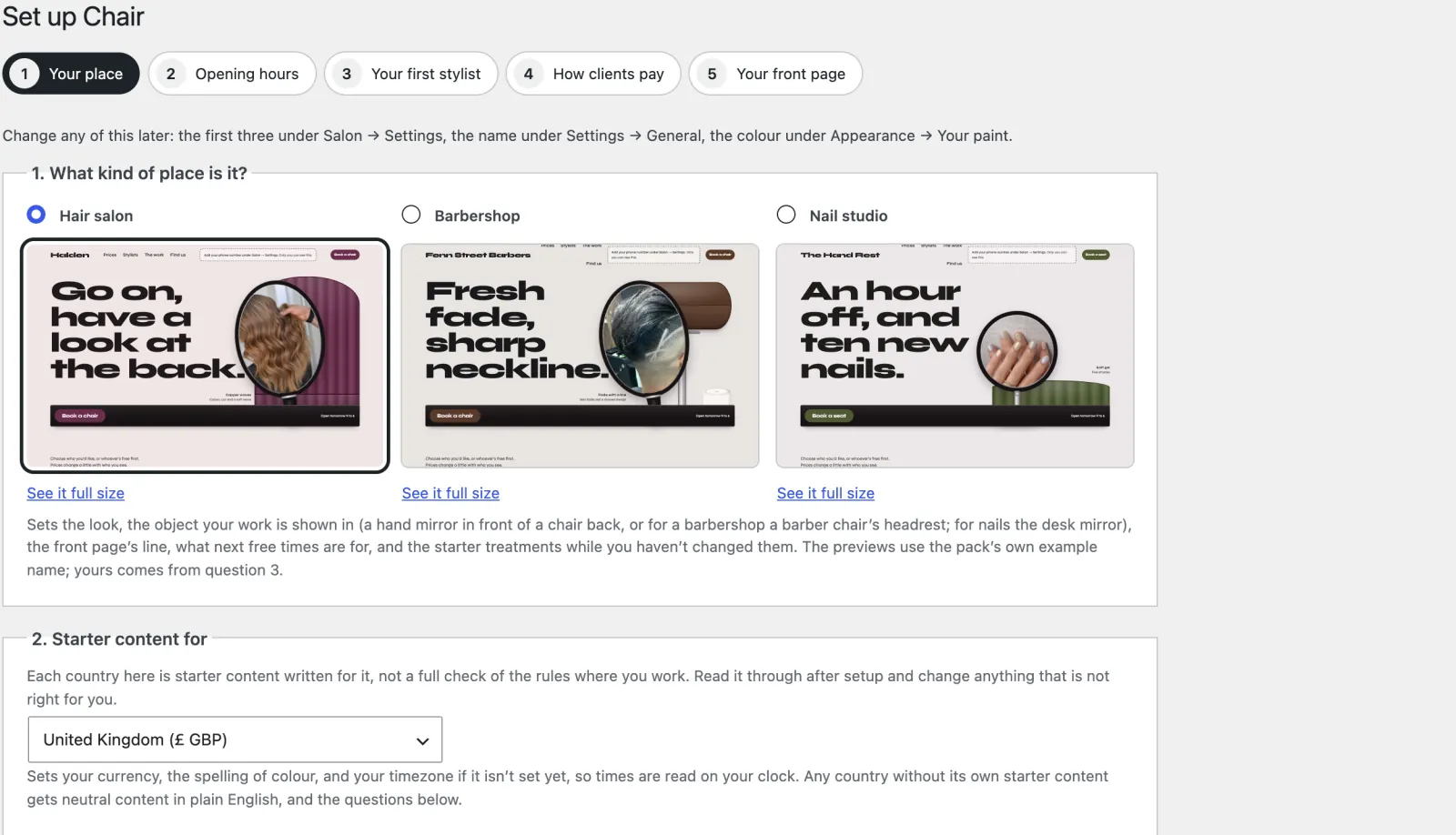
Set up Chair, the first of five tabs: hair salon, barbershop or nail studio, each with a preview, then the country and your name
Set up Chair. Five tabs. A hair salon, barbershop or nail studio each gets its own look, words and starter treatments.
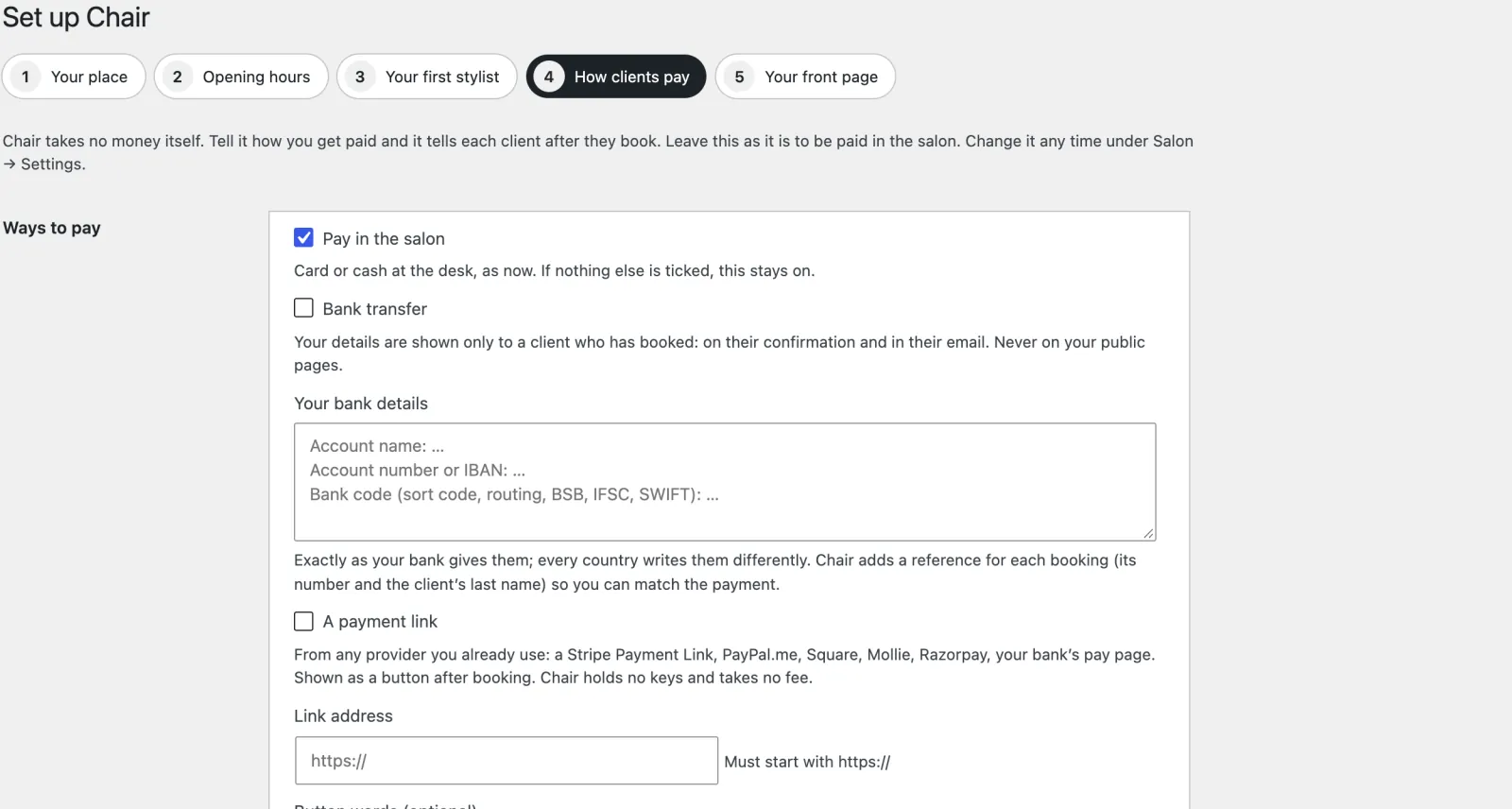
Set up Chair, How clients pay, the fourth of five tabs: pay in the salon, bank transfer or a payment link
How clients pay. In the salon by default, or by bank transfer or a payment link from any provider, with a deposit if you want one.
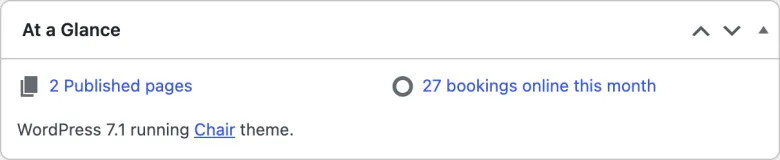
The dashboard’s At a Glance box, counting the bookings clients made online this month
At a Glance. How many bookings clients made on your site this month. The ones you add yourself are not counted.
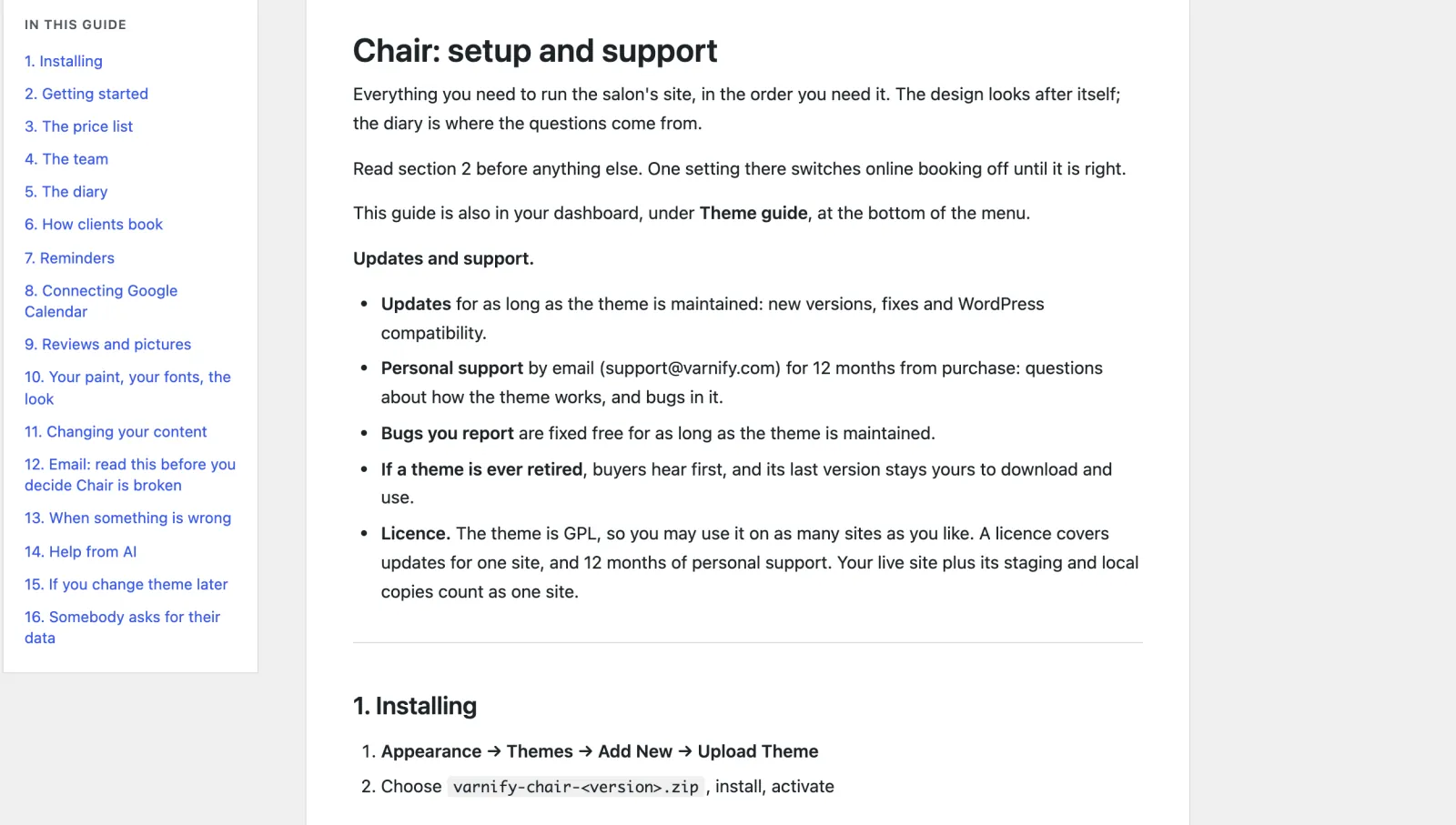
The Theme guide in the dashboard, with its contents from Installing to Somebody asks for their data
The guide. In the dashboard and written for salon owners, from installing to reminders, email and what to do when something is wrong.
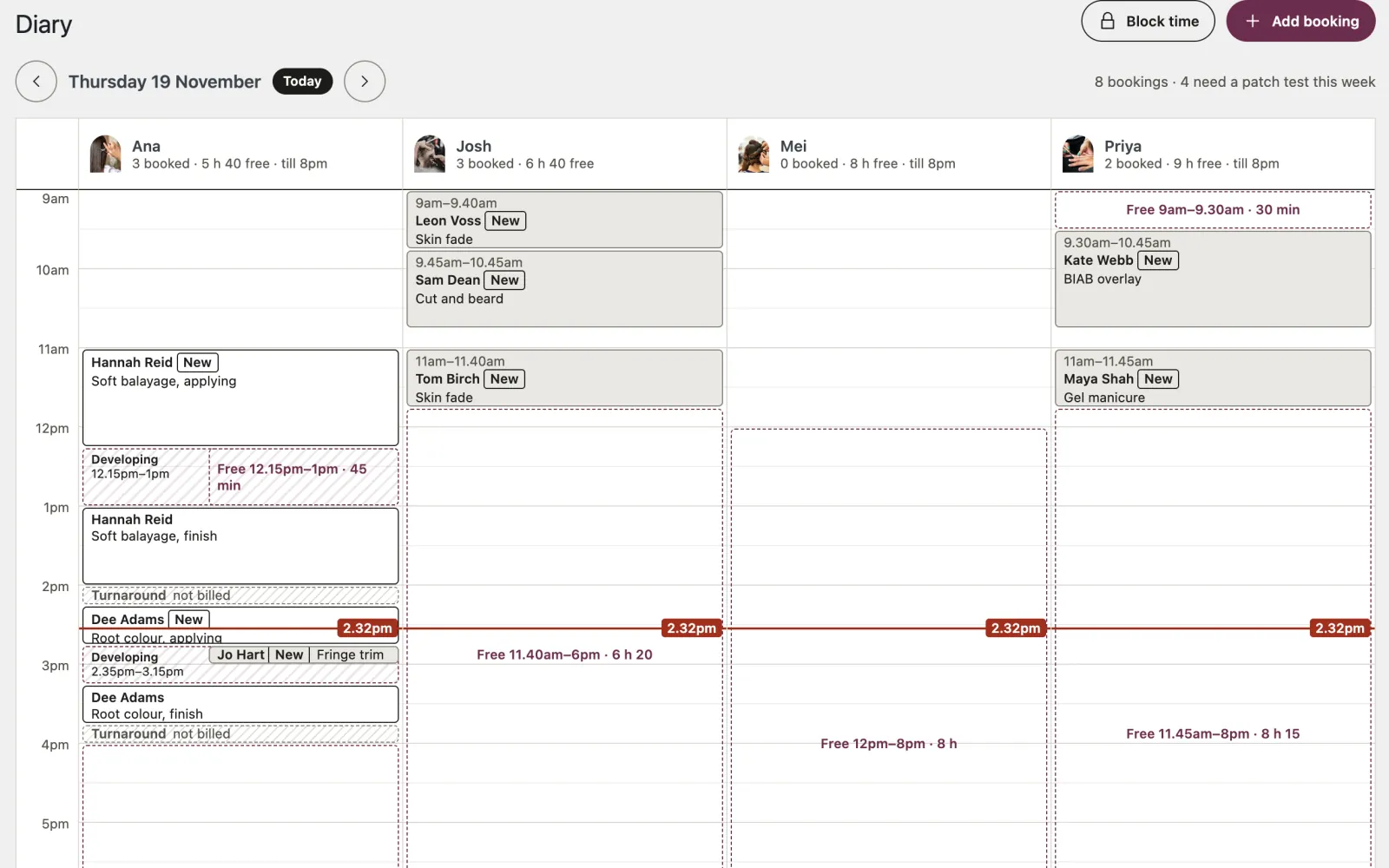
The diary for one day: a column per stylist, each appointment where it sits in time, the developing gap of a colour with a fringe trim booked into it, turnaround drawn as not billed, and the free gaps
The diary. One day, a column per stylist. A colour’s developing time shows as free, and phone bookings go straight into a gap.

The bill it ends

Booking apps charge every month. Chair is $89, once.

In the US, Booksy lists $29.99 a month for one, and $20 a month for each further team member, plus tax. In the UK it is £40 a month and £5 for each further member, plus VAT. Fresha now charges a monthly fee, and 20% of a new client’s first booking when it finds them through its marketplace, with a minimum and a cap. With Chair the booking page is yours, and so are the clients who book on it. Chair is the booking, not the whole app: it has no client app, no marketplace, no text reminders and no card payments.

A year of booking software

Booksy in the US, one chair about $360

Booksy in the US, a team of five about $1,320

Booksy in the UK, one chair about £480

Fresha, on a marketplace client’s first booking 20%

Chair, paid once $89

Booksy’s US and UK list prices and Fresha’s, checked in November 2026. Check your own.

Speed and access

Quick on a phone, and anyone can book

  • 100 Lighthouse accessibility, best practices and SEO on a phone, on every page tested.
  • 97 and 100 Lighthouse performance on a phone over a slow connection: 100 for the booking page and the price list, 97 for the front page.
  • 44 booking states clean in axe (WCAG 2.2 AA), with JavaScript and without, as well as 14 page types at phone and desktop width, all three trade packs and every screen it adds to the dashboard.
  • No JavaScript needed to book: the four steps work as plain forms, and end in the same “You’re in”.
  • 6 country starters for the UK, Ireland, the US, Canada, Australia and New Zealand, and Other for anywhere else, with times read on the salon’s clock, right across the clock changes. Other puts nothing about licences or health rules on your site for you; an optional AI helper suggests wording for your country, line by line.
  • No cookies for visitors, and nothing loaded from anyone else’s servers.

Speed depends on your hosting; these are our own test results.

Questions owners ask

Before you move your diary over

Do clients need an account, or a card?

Neither. They give a name, mobile and email, and get a confirmation with a calendar file and a link to change or cancel, then, unless they untick it, an email reminder the day before (you can change how far ahead). Chair never takes a card itself: by default clients pay in the salon. You can instead ask for a deposit, paid by bank transfer or through a payment link from any provider you use, and hold the time until you mark it paid. Chair cannot see money arrive, so you check your bank or provider. A cancellation inside your notice period is recorded as late, but no fee is charged.

Can it handle a three-hour colour?

Yes. Each treatment has its own length and turnaround, and a colour can have its applying and developing time set apart. A three-hour treatment is only offered where three hours exist. While a colour develops, the stylist is offered for anything short enough to fit, like a fringe trim or a blow-dry, and the diary draws applying, developing and finish.

What about patch tests?

A treatment can need a patch test a set number of hours before (48 to start with). Online booking won’t offer a sooner time, tells the client when they can pop in for the test from your opening hours, and asks whether they have had one with you in the last six months. Their answer goes in the booking’s notes.

Most of my bookings still come by phone. Where do they go?

In the same diary. Use Add booking, or click a free gap and the stylist, day and time are filled in. You may do what a client can’t, like squeezing a regular in before opening: the form says which rule you are breaking and asks you to tick Book it anyway.

My stylists charge different prices. Can it show that?

Yes. Each stylist can have their own price for a treatment. The price list says “from” the lowest and shows each person’s price under it, booking shows it beside their name, and the confirmation, reminder and calendar file quote the price of whoever is booked.

Do I need Google Calendar?

No, Chair works fully without it. If you like, and after a one-time setup in Google Cloud, each stylist can connect their own Google Calendar from a link emailed to them, so a dentist appointment blocks their column and nobody else’s. Chair only reads their busy times and writes nothing back.
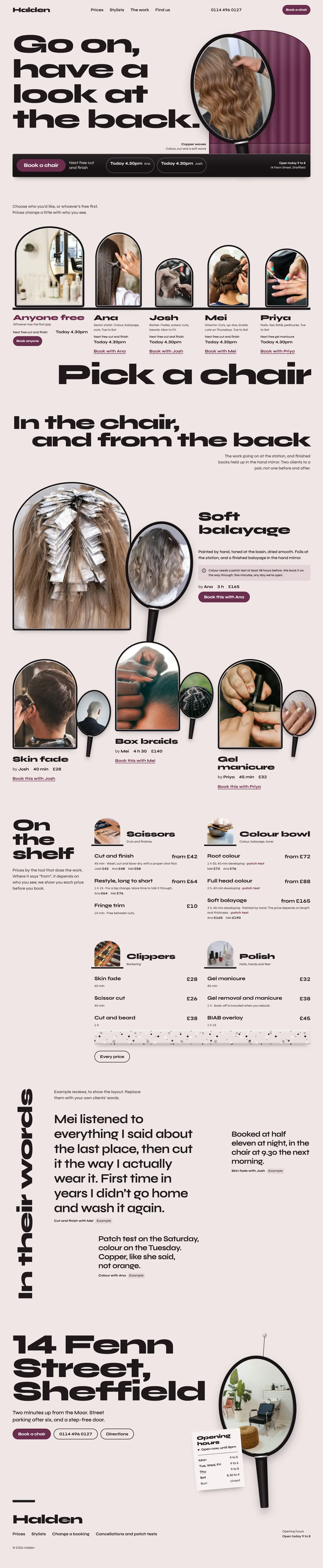

The whole home page

Scroll it, top to bottom

The full Chair home page on desktop
The full Chair home page on a phone

What you get

Everything in the Chair zip

Pages already written

Real wording for the trade, not placeholder text. Put in your own name, photos and details, then publish.

  • Home, with the hand mirror and Book a chair
  • The price list, by tool
  • A page for each treatment
  • The team, and a page for each stylist
  • The work
  • Book, in four steps
  • Each client's change or cancel page
  • Paid onceIn US dollars. No subscription.
  • Updates and supportFor one site, plus its staging and local copies. Updates while the theme is maintained: new versions arrive inside WordPress once your licence key is in. Personal support by email for 12 months from purchase, and bugs you report are fixed free.
  • 14-day refundIf it is not right for you, a full refund. No questions asked.
  • Your content stays yoursYour pages and posts stay if you change theme. The theme’s own content stays in your database, but another theme won’t show it.
Version
1.0.0
Needs
WordPress 6.6+, PHP 8.0+
Plugins needed
None
Licence
GPL, use it on as many sites as you like
Support
Email for 12 months, from the developer

Salon booking with deposit requests, no app subscription

Do the job on your own site. Pay for the theme once.

What you pay now: Booksy’s booking, though not its app, marketplace or text reminders: $360 or more a year for one chair in the US (list price, November 2026). Chair costs $89, once, and the customer stays yours.

Coming soon (Chair is not on sale yet)Open the demo (opens in a new tab)

Buying

How buying works

Can I buy a theme now?

Not yet. Sales open soon. Until then every theme's page, price and live demo are here to look at, and questions go to [email protected].

What happens after I pay?

You are emailed a download link and a licence key straight away. Upload the zip in WordPress under Appearance, Themes, Add New, and activate it. Then paste the key under Appearance, Licence and updates, and new versions arrive inside WordPress like any other update. If you lose the email, the re-download page gets you the file again with your licence key. Re-download a theme

Will it work with my hosting?

If your host runs WordPress 6.6 or later on PHP 8.0 or later, yes. Each theme lists what it needs on its page. Nothing else is required on the server.

Do I need to know how to code?

No. You change the text, photos and colours in the WordPress editor and the theme’s own setup and screens. There is no code to touch and no page builder to learn.

How many sites can I use a theme on?

As many as you like. Every Varnify theme is released under the GPL, like WordPress itself, so you may use it on any number of sites and modify it, including for clients. What you pay for is updates for one site and 12 months of personal support. Your live site and its staging and local copies count as one site.

Are updates and support included?

Yes. Updates come for as long as the theme is maintained. They arrive inside WordPress once your licence key is in, under Appearance, Licence and updates, with one-click and automatic updates. Bugs you report are fixed for free while the theme is maintained. Personal support by email lasts 12 months from purchase: write to [email protected] and the person who wrote the theme answers. The docs stay open to everyone. If a theme is ever retired, buyers hear first, and its last version stays yours to download and use.

Can I get a refund?

Yes. Within 14 days of buying, reply to your purchase email or write to [email protected] and you get a full refund, with no questions asked. It goes back through Paddle within a few working days, and the licence key stops working. After 14 days, ask anyway: each case is looked at on its own.

Other themes

All themes →

Stay

$99 once

Holiday lets

Card

$69 once

Consultants & coaches

Counter

$79 once

Cafés & restaurants

$89 once14-day refund
Coming soon (Chair is not on sale yet)