Puts the menu online and takes table requestsWordPress theme for cafés & restaurants

Counter

For independent cafés, bistros, pubs with a kitchen, takeaways and bakeries. The menu is your own letter board: it opens and closes with your hours, filters by allergen, and takes table requests you answer.

Version 1.0.0Your menu online, table requests with no booking fee

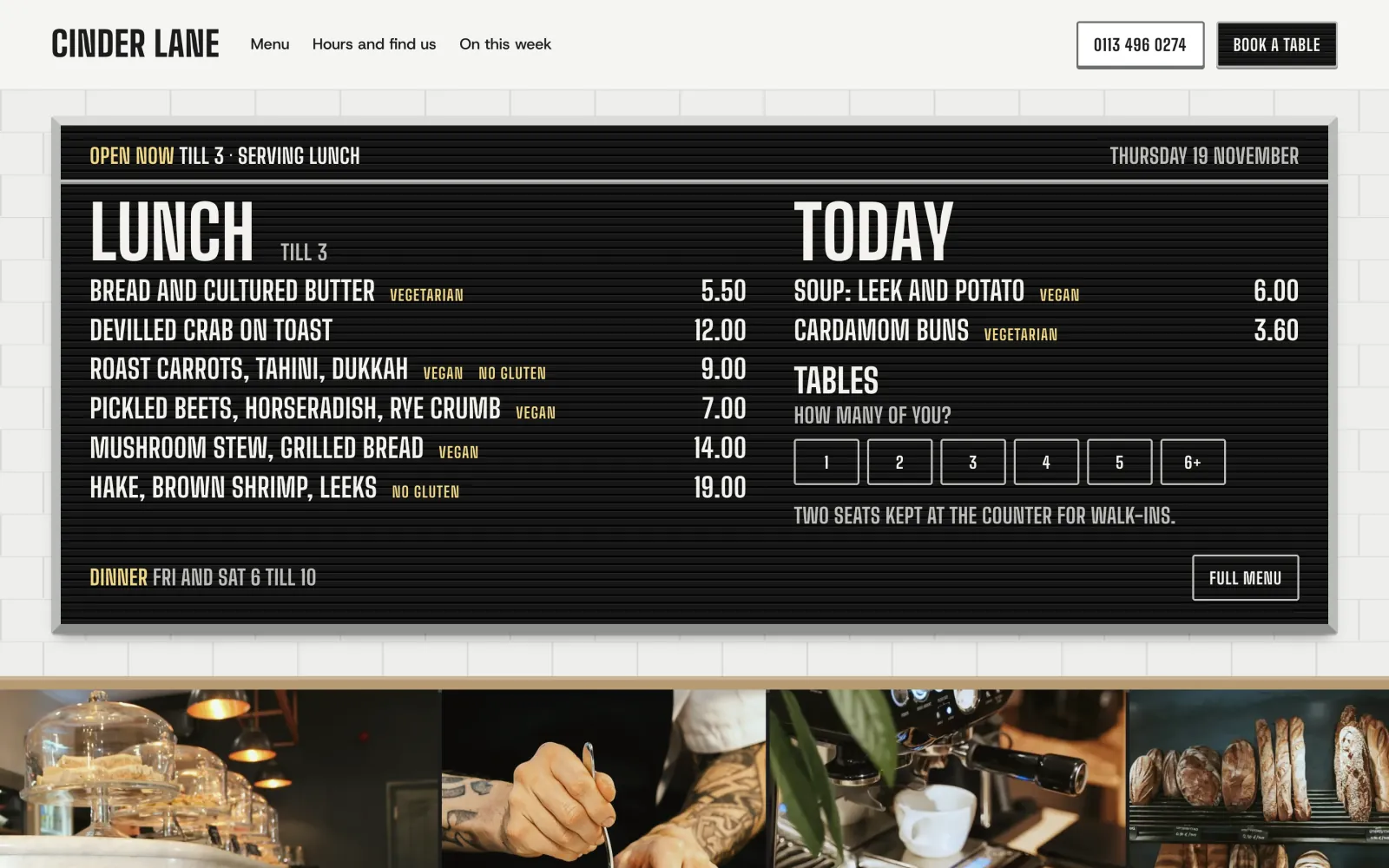
Counter on a desktop screen
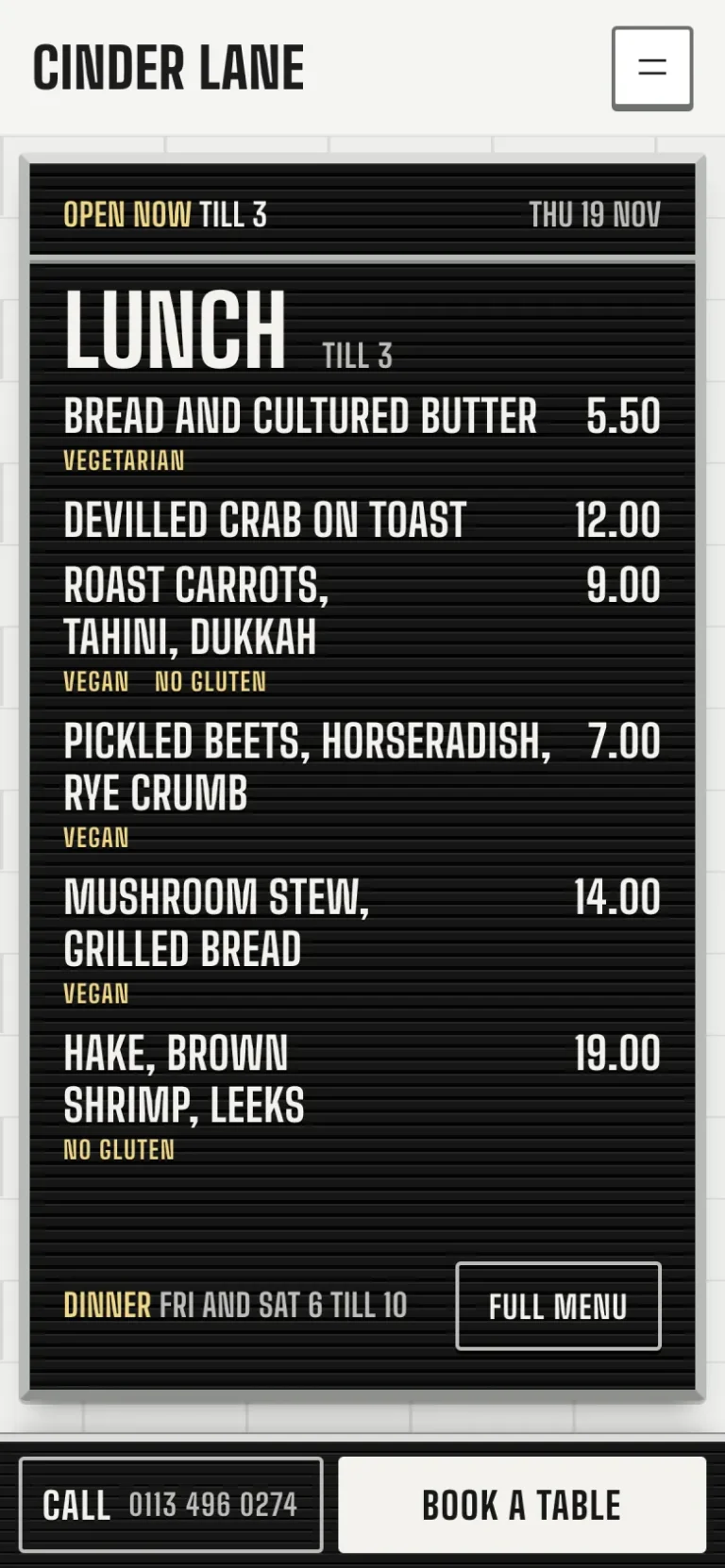
Counter on a phone

The main job

What’s on, are you open, and can I get a table

The three questions a hungry person asks, answered on their phone in that order, from the street outside or the sofa at home.
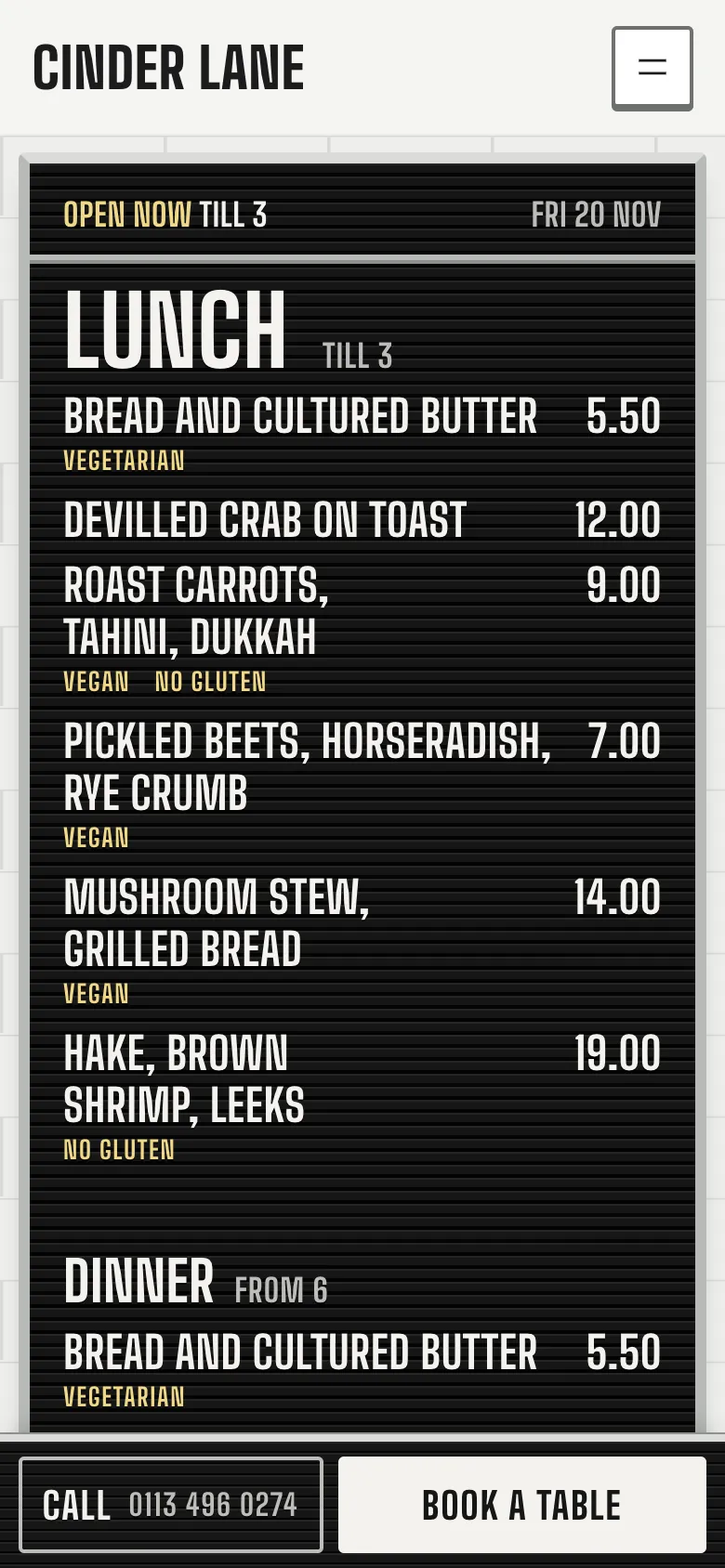
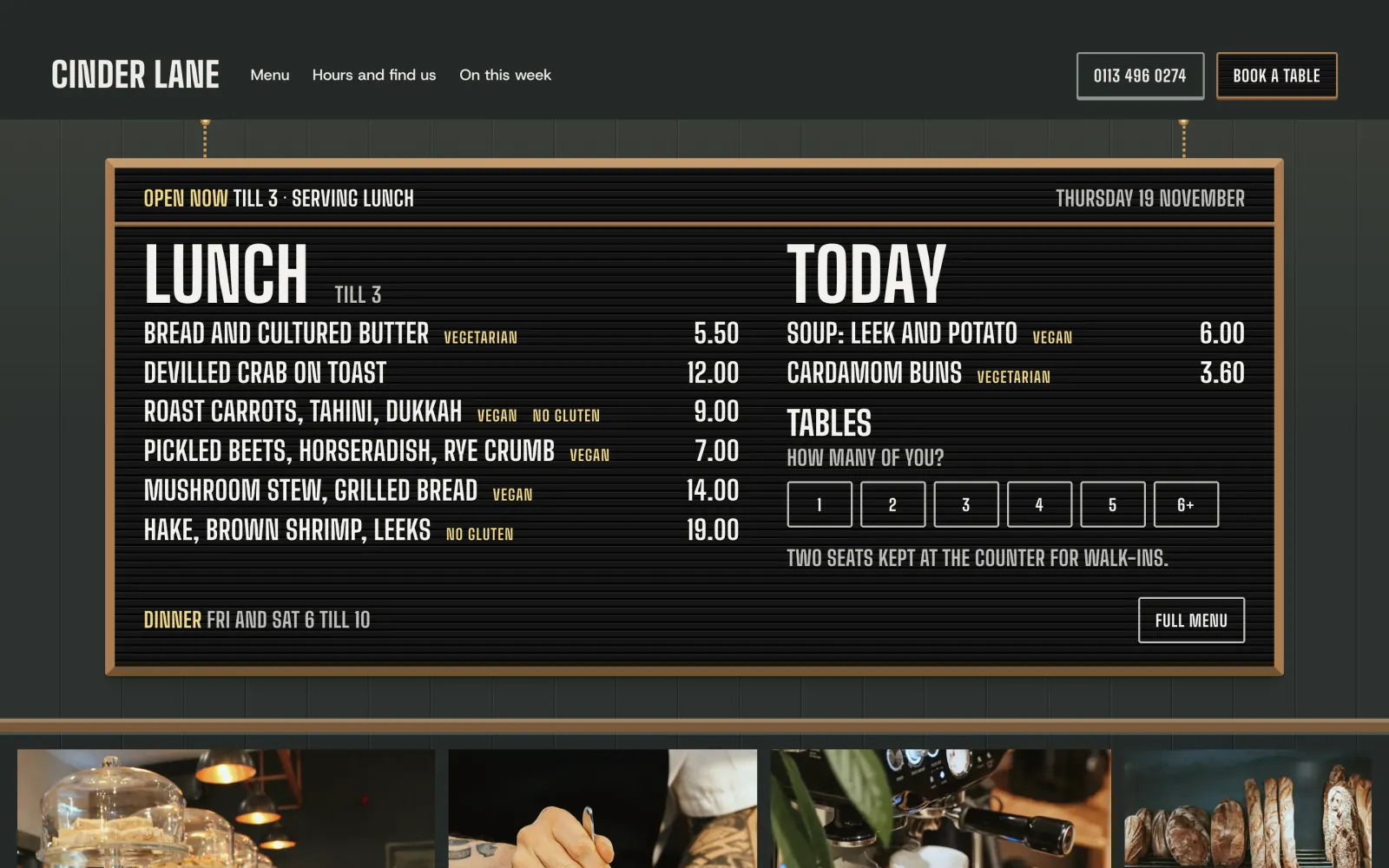
The board on a phone at Friday lunchtime: "Open now till 3", the lunch dishes with prices and dietary words, and Call and Book a table docked below
See what’s on now. The board shows the menu being served and says how long you are open. Call and Book a table stay at the foot of the screen.
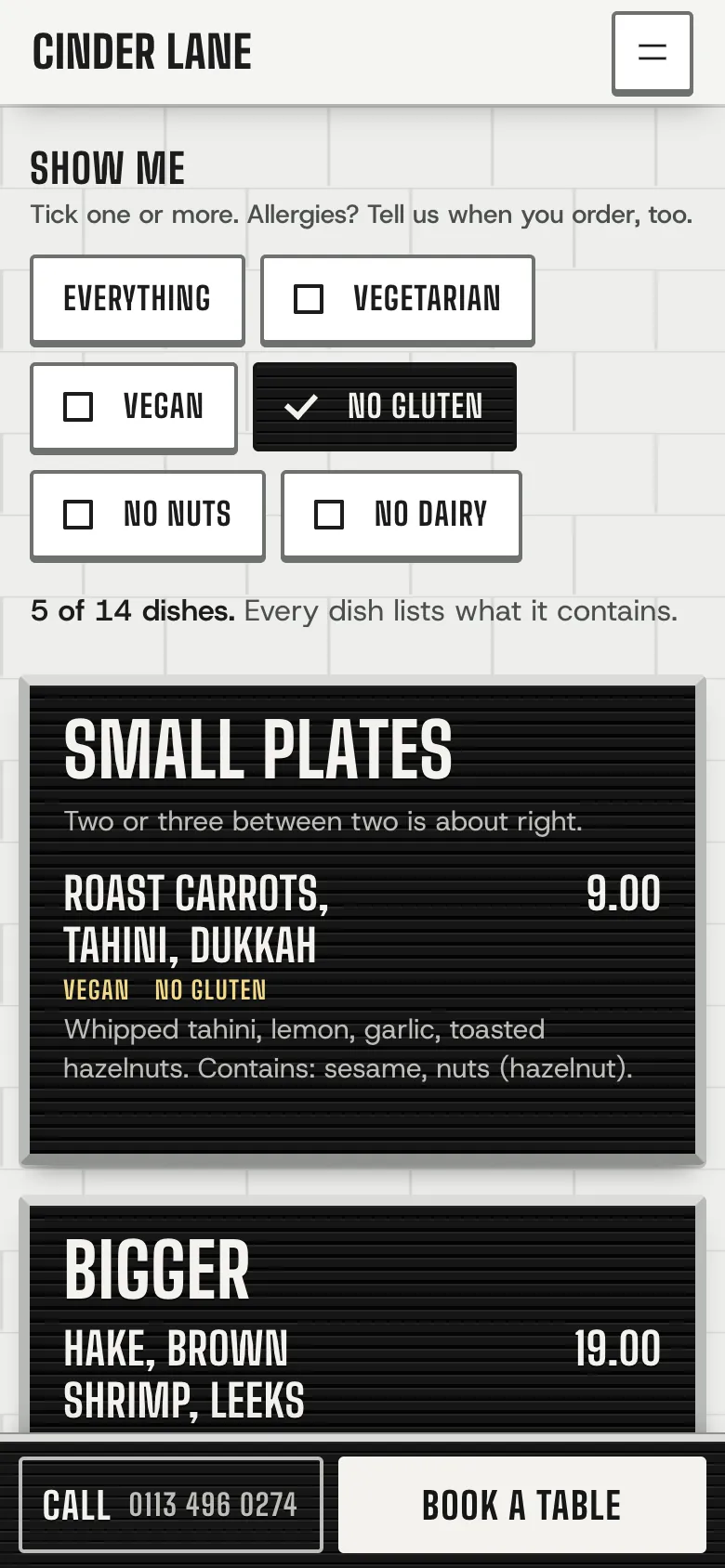
The lunch menu on a phone with No gluten ticked: 5 of 14 dishes shown, each with what it contains
Filter for what they can eat. Tick No gluten, or No gluten and No nuts together. Each dish can say what it contains, and the filter works with JavaScript off.
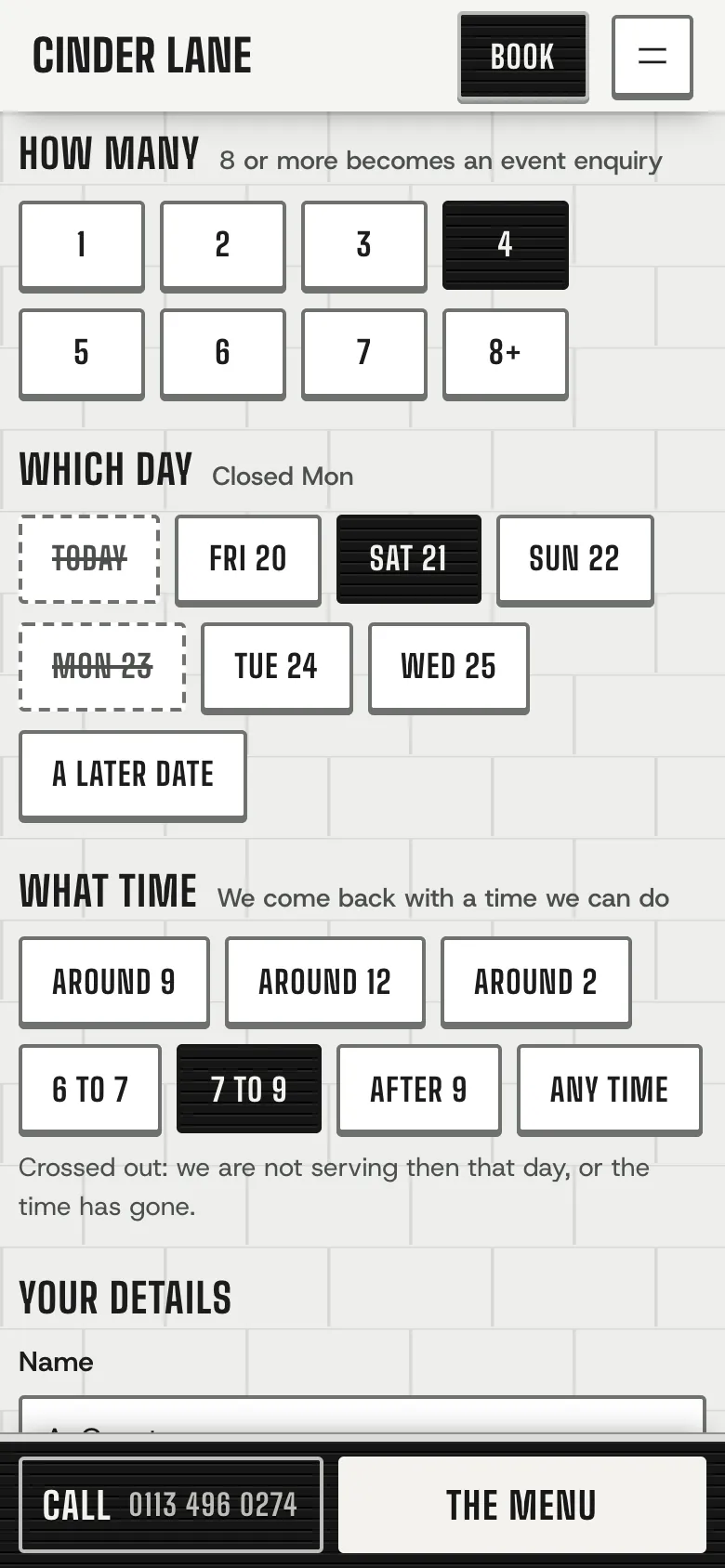
The table request on a phone: 4 people, Saturday 21 and 7 to 9 chosen as letter tiles, with today and Monday crossed out
Ask for a table. How many, which day and roughly when, as tiles. Closed days and times already gone are crossed out, and eight or more becomes an event enquiry.
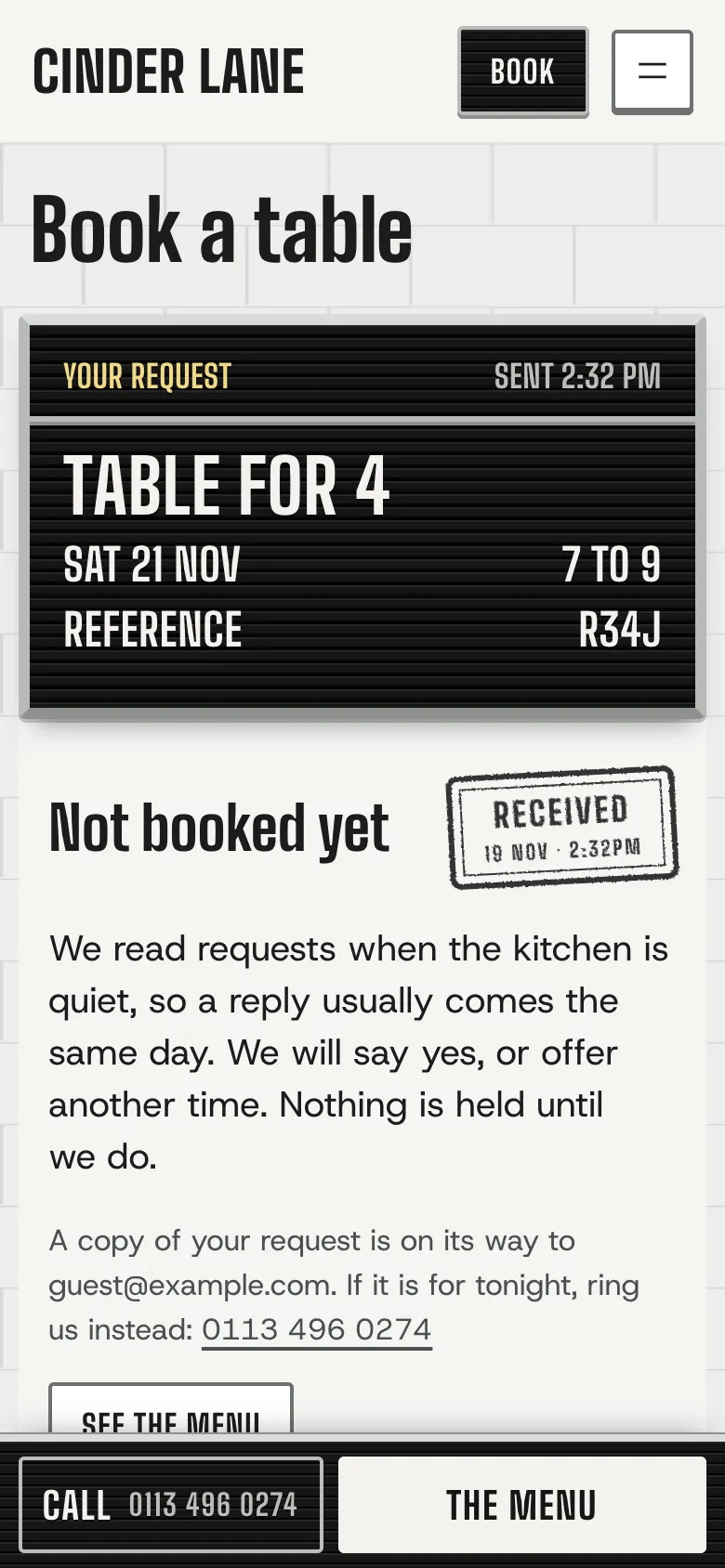
The request sent: a board reading "Table for 4, Sat 21 Nov, 7 to 9, reference R34J", and a card saying "Not booked yet" with a Received stamp
Told it is a request. It is saved with a reference before any email goes, and the guest reads that nothing is held until you reply.

The design

The menu is your café’s letter board

A black grooved board on your wall, written from your hours and your menus. It changes through the day on its own: the menu served now, “Back at 6” between services, “Back on Sunday” over a holiday, and the dinner board in the evening. A page cache does not freeze it: the page carries the boards for the next day and changes when the visitor’s clock passes one.
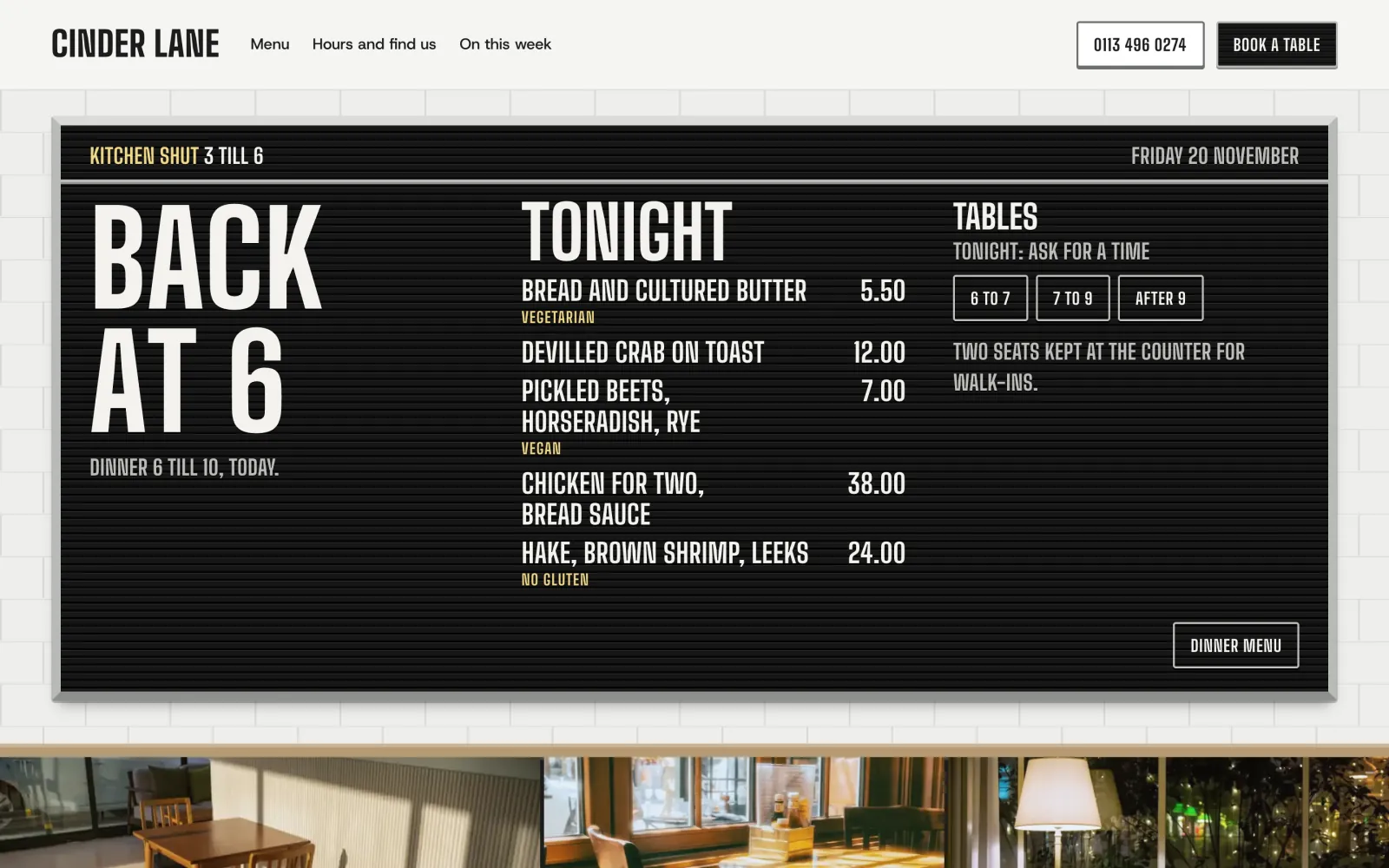
The board on a desktop between services: "Back at 6" in its biggest letters, tonight's dinner dishes, and tiles for 6 to 7, 7 to 9 and after 9
Half past three on a Friday: the kitchen is shut, so the board says when it opens again and shows tonight’s dinner, with the times still free to ask for.
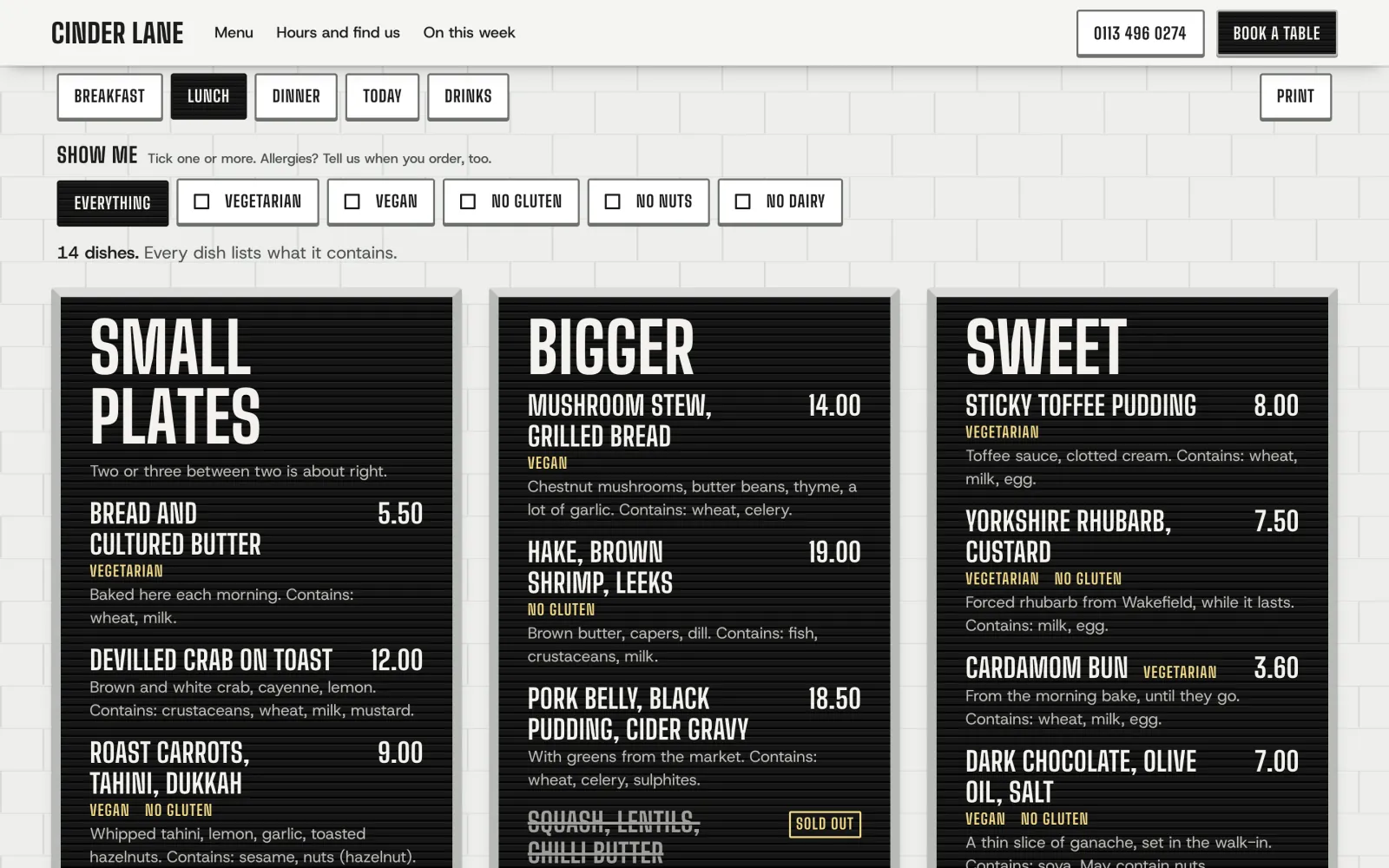
The lunch menu on a desktop: tiles for each menu and the dietary filter, then three boards, Small plates, Bigger and Sweet, with a sold-out dish struck through
One board per section. The whole menu, with letter tiles to filter by, a sold-out dish struck through in its place, and a Print tile for the A4 card.
The same board on the Dining room wall: dark painted matchboard, an oak frame and two picture lights above
A wall to suit the place. The same board on the Dining room’s dark matchboard, for a pub or a bistro. Tile and Green tile are the others.
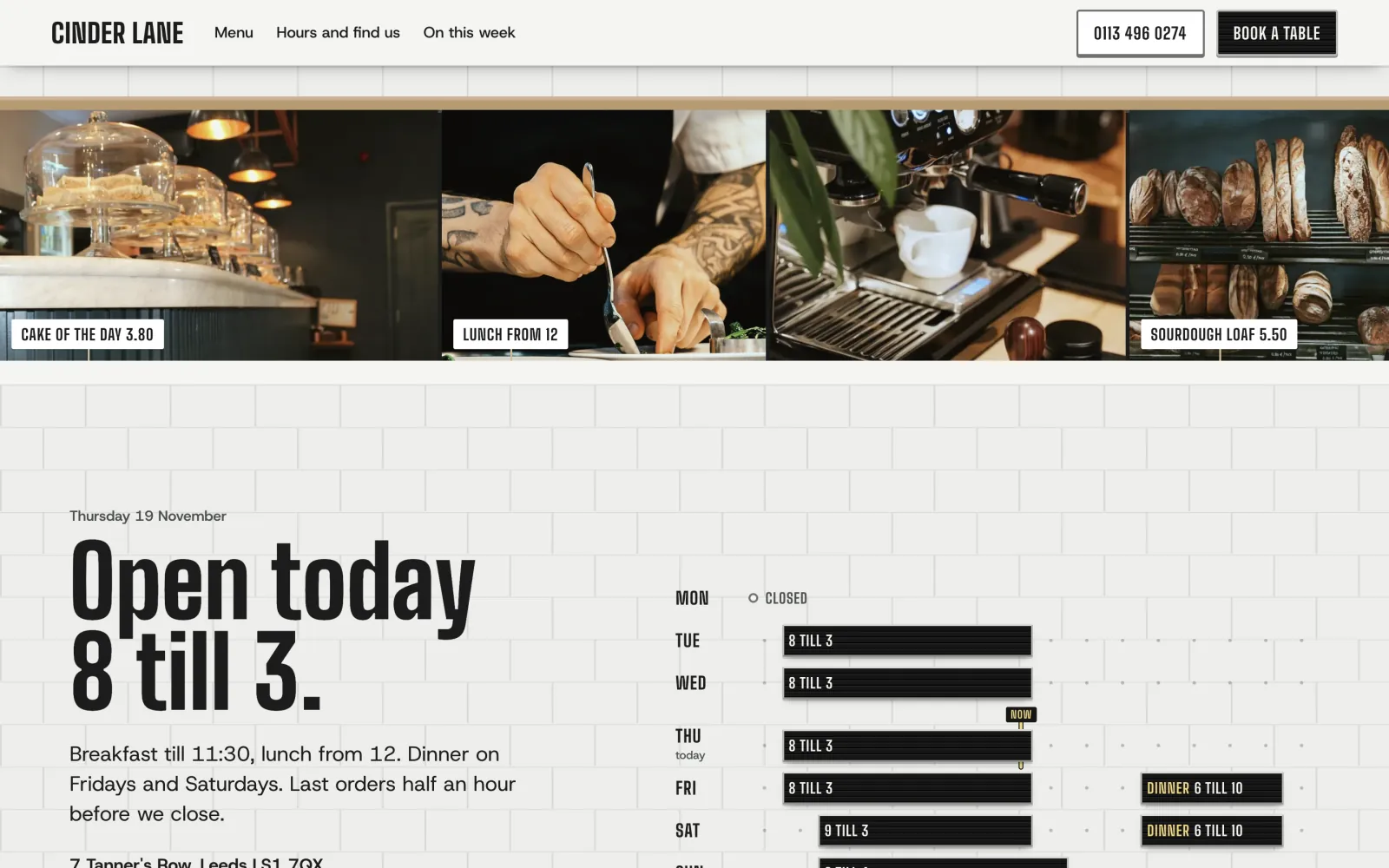
Photographs along an oak ledge with paper price flags, such as "Cake of the day 3.80", over the week's opening hours drawn as pieces of board
The oak ledge. Your photographs along the counter with paper price flags, then the week’s hours as pieces of board.

Your colour and type

Your board, and your own letters

Counter has one colour: the board. It is also the Book button, the pressed tiles and the bars in the hours. Pick Black, Deli green, Walnut, Plum or your own. The letters stay white, so the screen checks every colour as you pick it, and if yours is too light to read at 7:1 it says so and offers the nearest shade that passes.

Letters work the same way. Choose one of three sets (Board, Diner and Bistro), or any Google font through WordPress’s own Font Library, served from your own site. The board follows the font you choose. The wall is on the same screen: Tile, Green tile or Dining room.
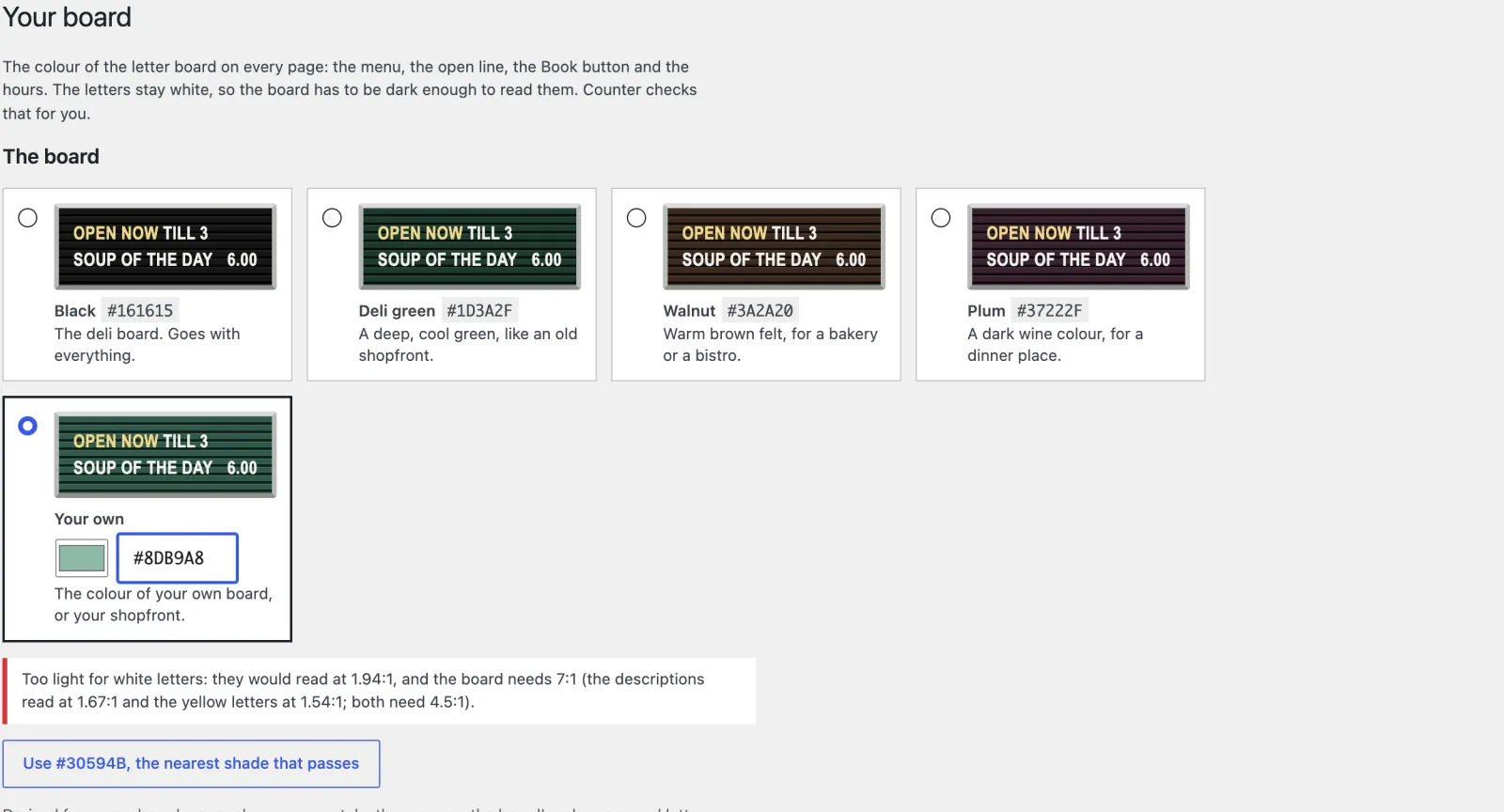
Appearance, Your board: Black, Deli green, Walnut, Plum and a custom colour, a warning that #8DB9A8 is too light for white letters, and a button to use #30594B instead
Too light for white letters: the screen measures #8DB9A8 and offers #30594B instead.

Your side of it

Fill in your hours and your menus, and the board does the rest

Set up Counter asks five short sets of questions, with starter content for the UK, Ireland, the US, Canada, Australia and New Zealand, and Other country for anywhere else. After that, your menus, dishes and reservations are under Restaurant in the ordinary WordPress dashboard, and your board’s colour under Appearance.
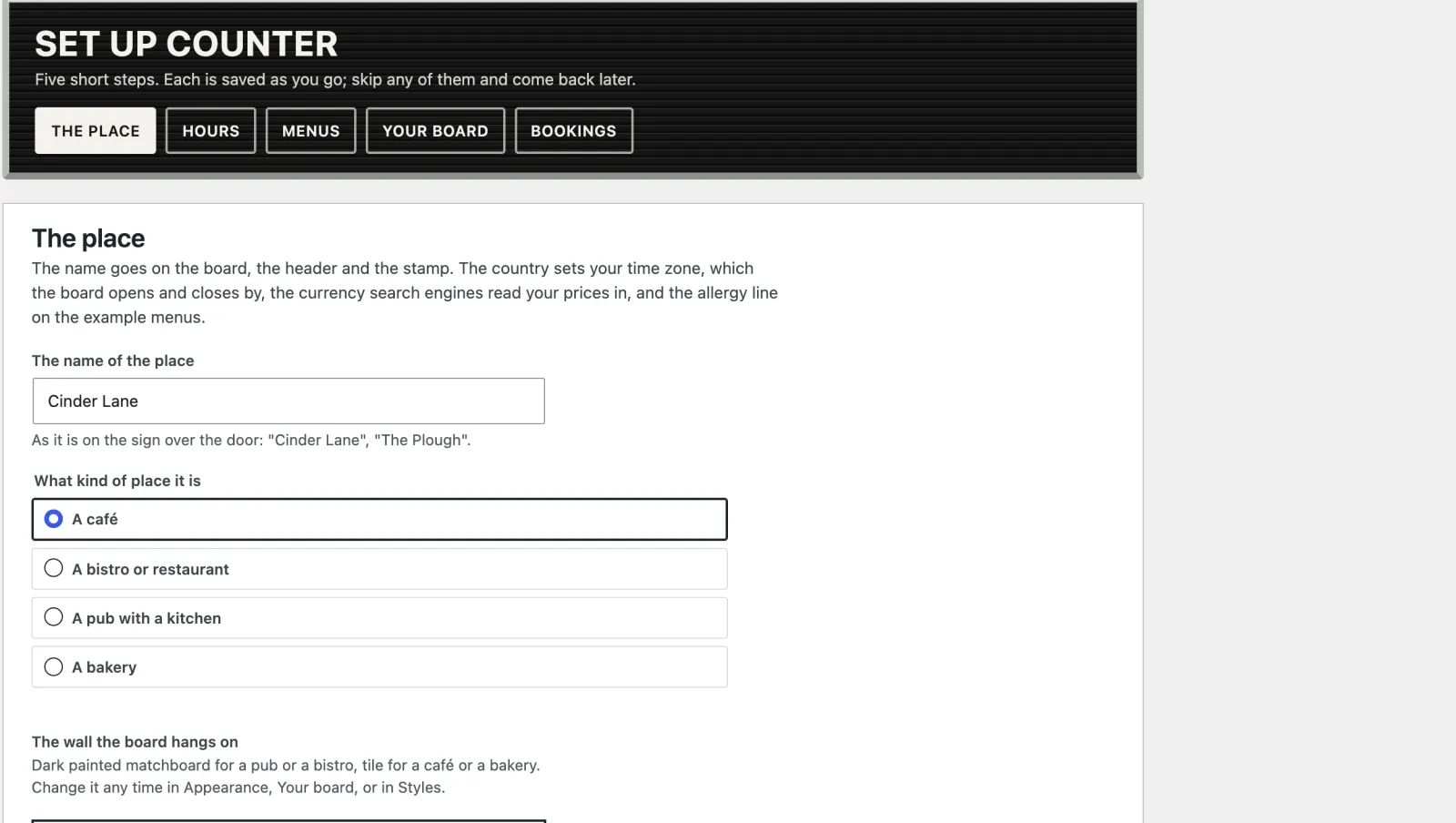
Set up Counter, the first of five steps: the name of the place and what kind of place it is
Set up Counter. The place, your hours, the menus, your board and how you take bookings, each saved as you go. The kind of place suggests the wall.
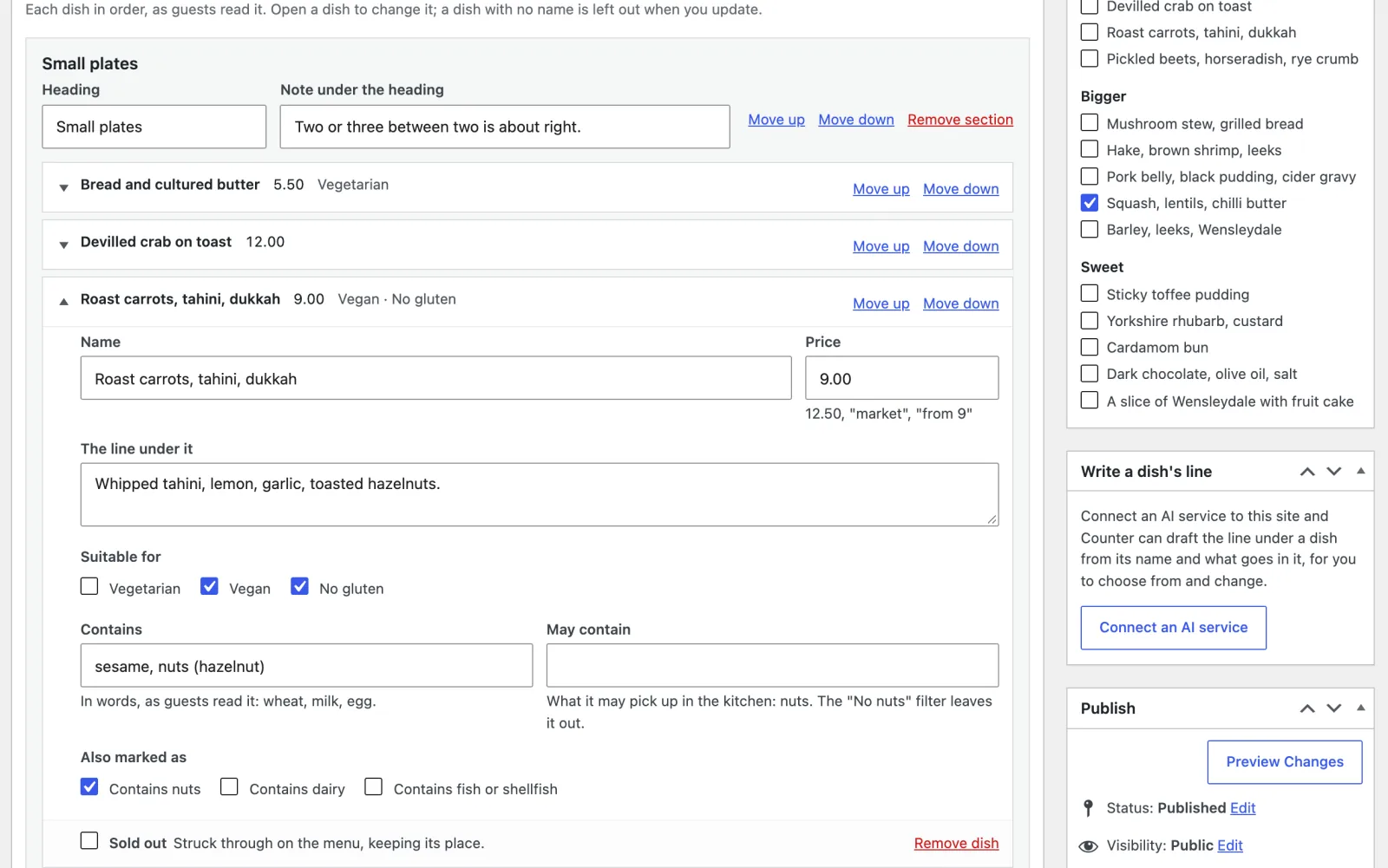
The lunch menu in the dish editor: one dish open with its price, Suitable for, Contains and May contain, and a Sold out today list beside it
The dish editor. Price, Contains and May contain for each dish. A dish that runs out is one tick under Sold out today.
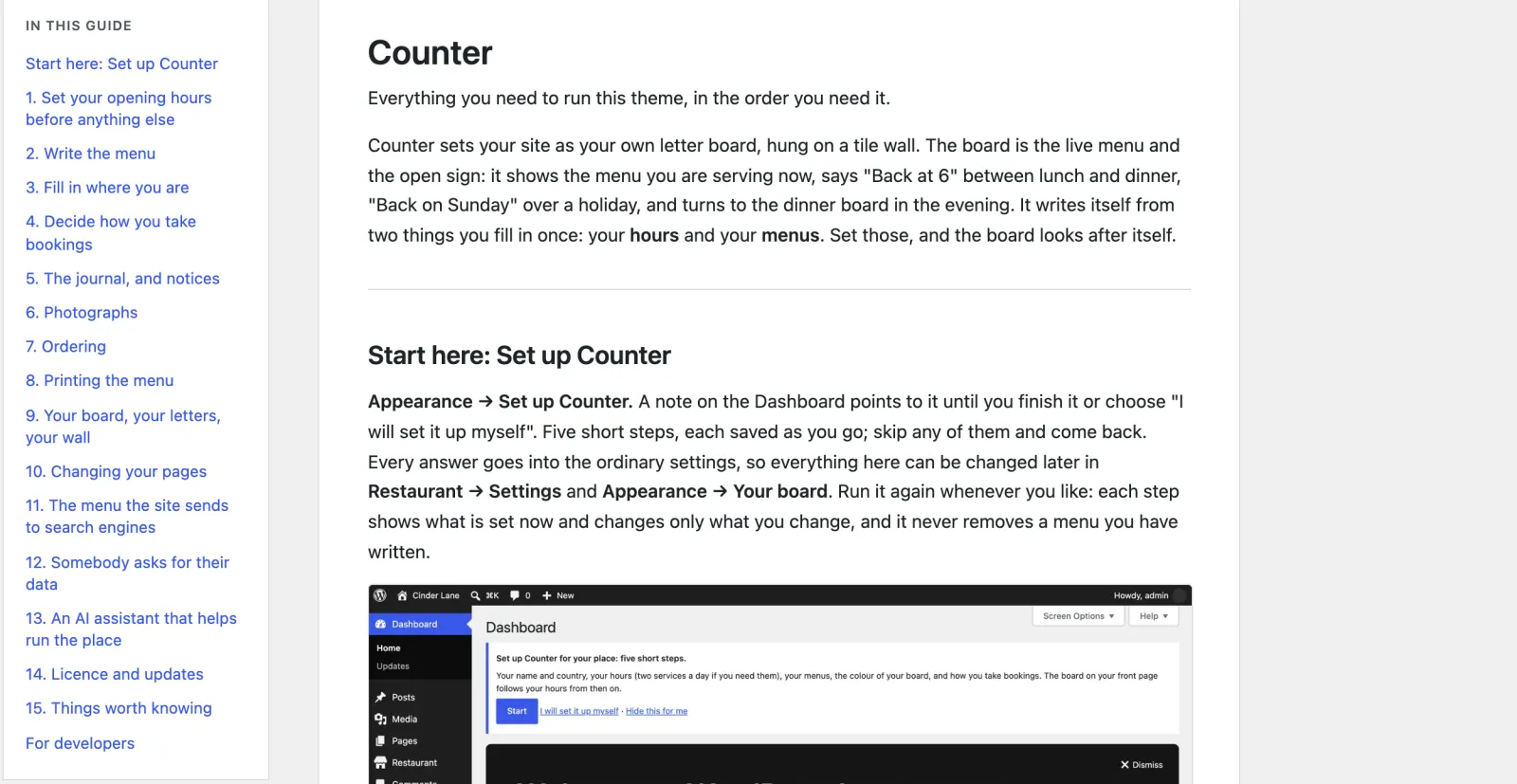
The Theme guide in the dashboard, with its contents from Set up Counter to the developers' notes
The guide. In the dashboard and written for whoever runs the kitchen, from opening hours to what happens if you change theme.
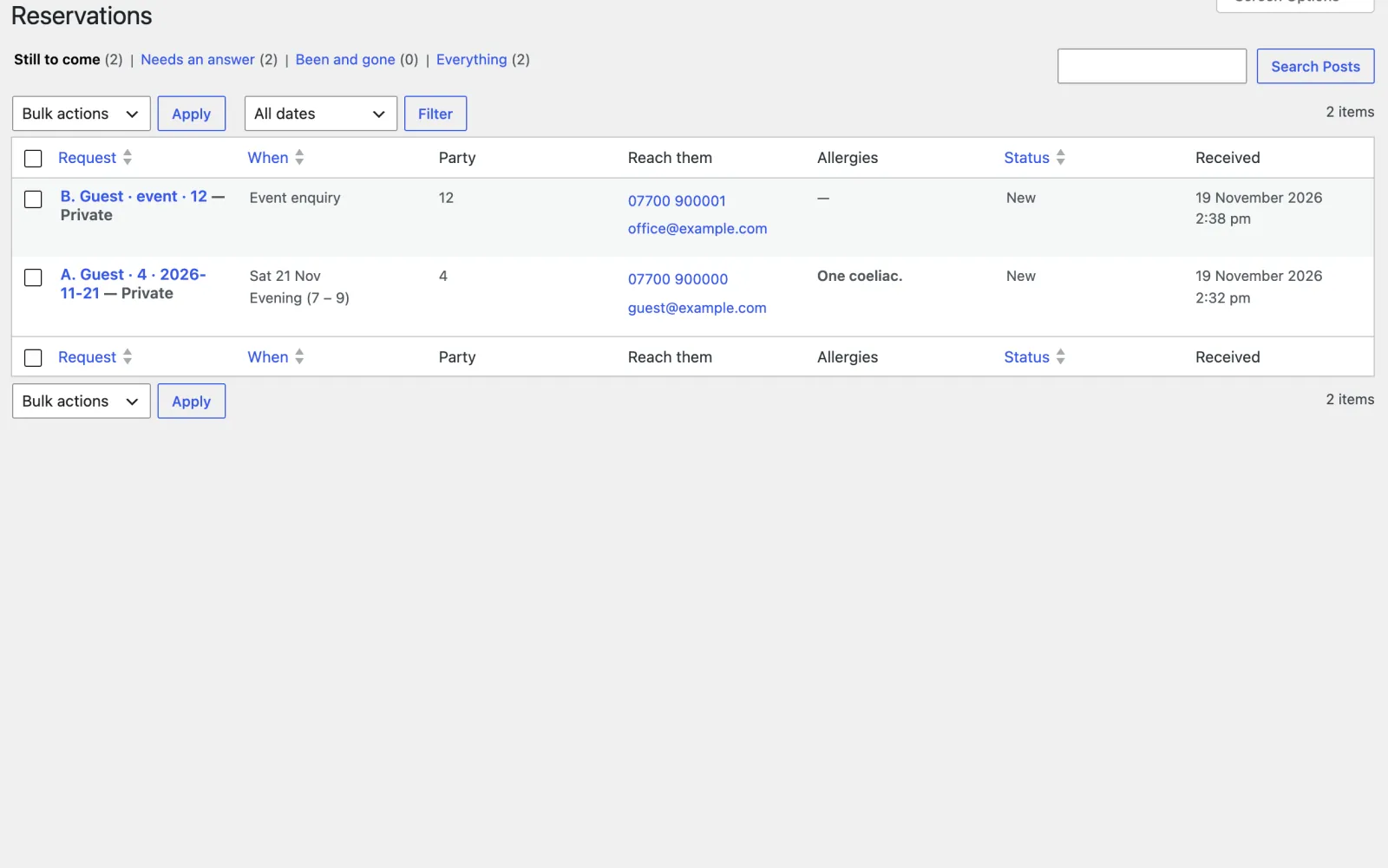
Reservations: two requests still to come, one for four people with "One coeliac" under allergies, and an event enquiry for twelve
Reservations. Still to come, Needs an answer, Been and gone. Mark each one Confirmed, Offered another time, Could not do it or Did not turn up, and reply yourself.

The bill it ends

OpenTable lists $149 to $499 a month. Counter is $79, once.

Those are OpenTable’s US plans, with a fee for each guest booked through its own network on top, and on Basic for website bookings too. The other bill is the PDF menu: redone by whoever has the design file every time a price changes, and hard to read on a phone. Counter’s menus are ordinary pages, and search engines are given your dishes, prices and hours as structured data.

Counter takes requests that you answer; it does not confirm a table on the spot. If instant booking matters to you, keep your service, and Counter puts its link beside the request form.

What the menu and the tables cost now

OpenTable in the US, every month $149 to $499

Guests from its own network a fee for each

The PDF menu, redone at every price change

Counter, paid once $79

OpenTable’s US list prices, checked in November 2026. Check today’s before you compare.

Speed and access

Quick on a phone, and usable by everyone

  • 98 and 100 Lighthouse performance on a phone over a slow connection: 98 for the front page, 100 for the lunch menu and the booking page.
  • 100 Lighthouse accessibility, best practices and SEO, on every page tested.
  • 480 KiB for the whole front page, its main content showing in 2.3 seconds (the menu’s in 0.9), and nothing on the page moving as it loads.
  • 24 public pages clean in axe (WCAG 2.2 AA) at phone and desktop width, on the Tile and Dining room walls and a sample on Green tile, with the filter and the booking form checked with the script on and blocked, and the 16 screens it adds to the dashboard.
  • No JavaScript needed to filter the menu or send a request. No cookies for visitors, and nothing loaded from anyone else’s servers.
  • 6 country starters for the UK, Ireland, the US, Canada, Australia and New Zealand, and Other for anywhere else, as starting points to check. The allergy line follows, with the 14 allergens in the UK and Ireland and the raw-or-undercooked advisory in the US; Other waits until you say which allergens your rules name. An optional AI helper suggests wording for your country, and anything on allergens needs a second tick.

Speed depends on your hosting; these are our own test results.

Questions owners ask

Before you put the menu up

Does it take orders or payments?

No. Counter takes no orders, payments or deposits. If you already take orders through a service, add its name and link and “Order on …” tiles appear on the board, linking out to it.

Does a guest get a confirmed table?

Not from the site. Counter has no table plan, so it never tells anyone they have a table: the page and the guest’s email both say it is a request and nothing is held until you reply. The request comes to you under Reservations, and you answer it yourself; Counter does not send the reply for you.

Can I keep OpenTable or Resy?

Yes. Add its link and Counter shows “Or book instantly on OpenTable” beside the request form, and can make it the header’s Book button. It is a plain link, never an embedded widget. If you take no bookings at all, the booking page becomes a walk-in board instead.

Will the board be wrong if my host caches pages?

Not if the cache is cleared at least once a day. Each page carries the boards for the next day with the times they start, and the board changes in the visitor’s browser when the time comes. The booking form’s times follow your site’s clock and time zone.

How does it handle allergens?

Every dish can say, in words, what it contains and what it may contain, and both print under the dish on the board and the paper menu. The No gluten, No nuts and No dairy filters read both. The starter content for your country sets the allergy line on the example menus. The wording is yours to check against your own rules: none of it is legal advice.

Will the booking form fill up with spam?

It uses a hidden field, a minimum time to fill it in and a short limit per visitor, with no CAPTCHA in a hungry person’s way. Every request is saved before any email is sent, so one lost by your host’s mail is still under Reservations.
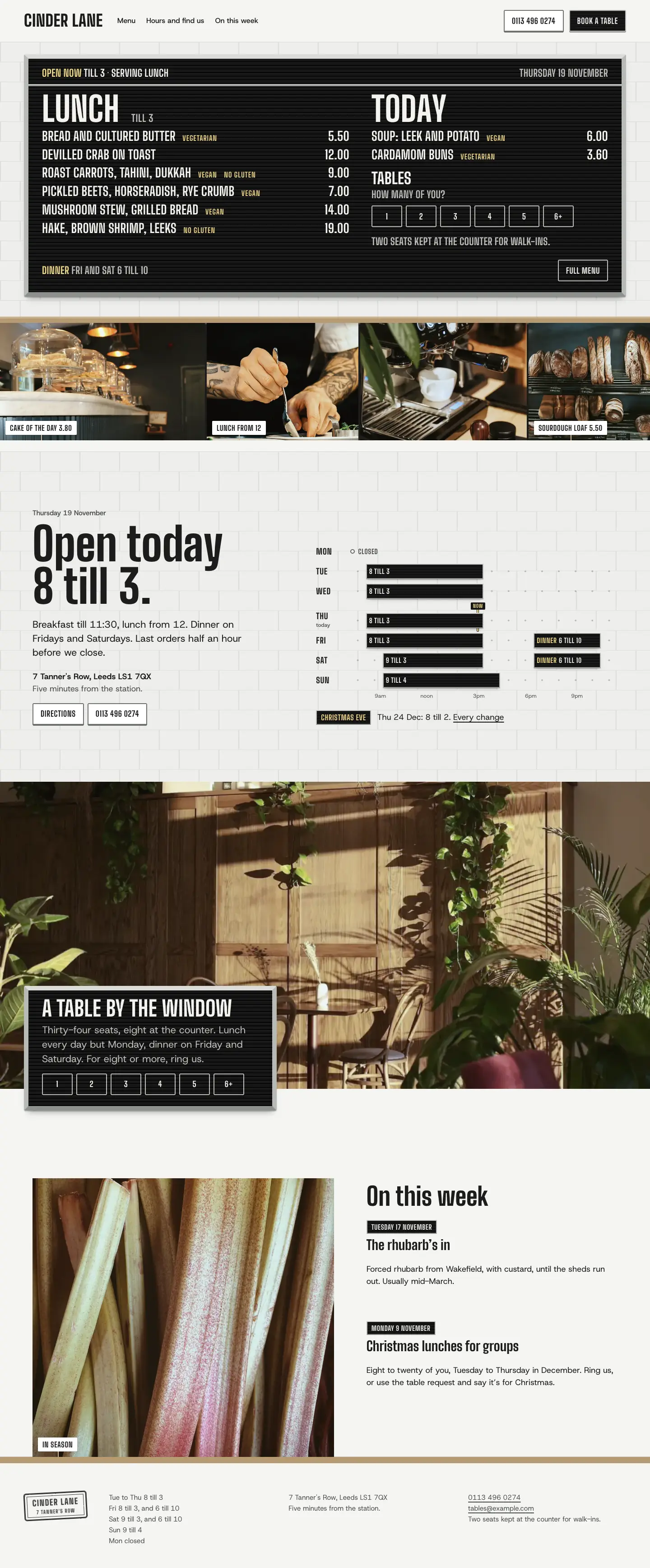

The whole home page

Scroll it, top to bottom

The full Counter home page on desktop
The full Counter home page on a phone

What you get

Everything in the Counter zip

Pages already written

Real wording for the trade, not placeholder text. Put in your own name, photos and details, then publish.

  • Home, with the live board and the week's hours
  • The menus, one board per section, with the dietary filter
  • Lunch and dinner menus to write over
  • Book a table
  • Find us
  • About and Gallery
  • The journal, with notices
  • A printed A4 card of every menu
  • Paid onceIn US dollars. No subscription.
  • Updates and supportFor one site, plus its staging and local copies. Updates while the theme is maintained: new versions arrive inside WordPress once your licence key is in. Personal support by email for 12 months from purchase, and bugs you report are fixed free.
  • 14-day refundIf it is not right for you, a full refund. No questions asked.
  • Your content stays yoursYour pages and posts stay if you change theme. The theme’s own content stays in your database, but another theme won’t show it.
Version
1.0.0
Needs
WordPress 6.6+, PHP 8.0+
Plugins needed
None
Licence
GPL, use it on as many sites as you like
Support
Email for 12 months, from the developer

Your menu online, table requests with no booking fee

Do the job on your own site. Pay for the theme once.

What you pay now: a PDF menu, and OpenTable’s $149 to $499 a month in the US if table requests are enough for you (list prices, November 2026). Counter costs $79, once, and the customer stays yours.

Coming soon (Counter is not on sale yet)Open the demo (opens in a new tab)

Buying

How buying works

Can I buy a theme now?

Not yet. Sales open soon. Until then every theme's page, price and live demo are here to look at, and questions go to [email protected].

What happens after I pay?

You are emailed a download link and a licence key straight away. Upload the zip in WordPress under Appearance, Themes, Add New, and activate it. Then paste the key under Appearance, Licence and updates, and new versions arrive inside WordPress like any other update. If you lose the email, the re-download page gets you the file again with your licence key. Re-download a theme

Will it work with my hosting?

If your host runs WordPress 6.6 or later on PHP 8.0 or later, yes. Each theme lists what it needs on its page. Nothing else is required on the server.

Do I need to know how to code?

No. You change the text, photos and colours in the WordPress editor and the theme’s own setup and screens. There is no code to touch and no page builder to learn.

How many sites can I use a theme on?

As many as you like. Every Varnify theme is released under the GPL, like WordPress itself, so you may use it on any number of sites and modify it, including for clients. What you pay for is updates for one site and 12 months of personal support. Your live site and its staging and local copies count as one site.

Are updates and support included?

Yes. Updates come for as long as the theme is maintained. They arrive inside WordPress once your licence key is in, under Appearance, Licence and updates, with one-click and automatic updates. Bugs you report are fixed for free while the theme is maintained. Personal support by email lasts 12 months from purchase: write to [email protected] and the person who wrote the theme answers. The docs stay open to everyone. If a theme is ever retired, buyers hear first, and its last version stays yours to download and use.

Can I get a refund?

Yes. Within 14 days of buying, reply to your purchase email or write to [email protected] and you get a full refund, with no questions asked. It goes back through Paddle within a few working days, and the licence key stops working. After 14 days, ask anyway: each case is looked at on its own.

Other themes

All themes →

Stay

$99 once

Holiday lets

Card

$69 once

Consultants & coaches

Chair

$89 once

Salons & barbers

$79 once14-day refund
Coming soon (Counter is not on sale yet)