Your leather
Every cottage hangs on a leather fob, and the leather is the one colour on your site: the main fob, the price list on its back, the booking fob, the Book tag in the header and the house book’s cover. Choose it under Appearance → Your leather (or step 4 of Set up Stay): saddle, chestnut, oxblood, bottle green, olive, or your own colour, such as your front door’s.
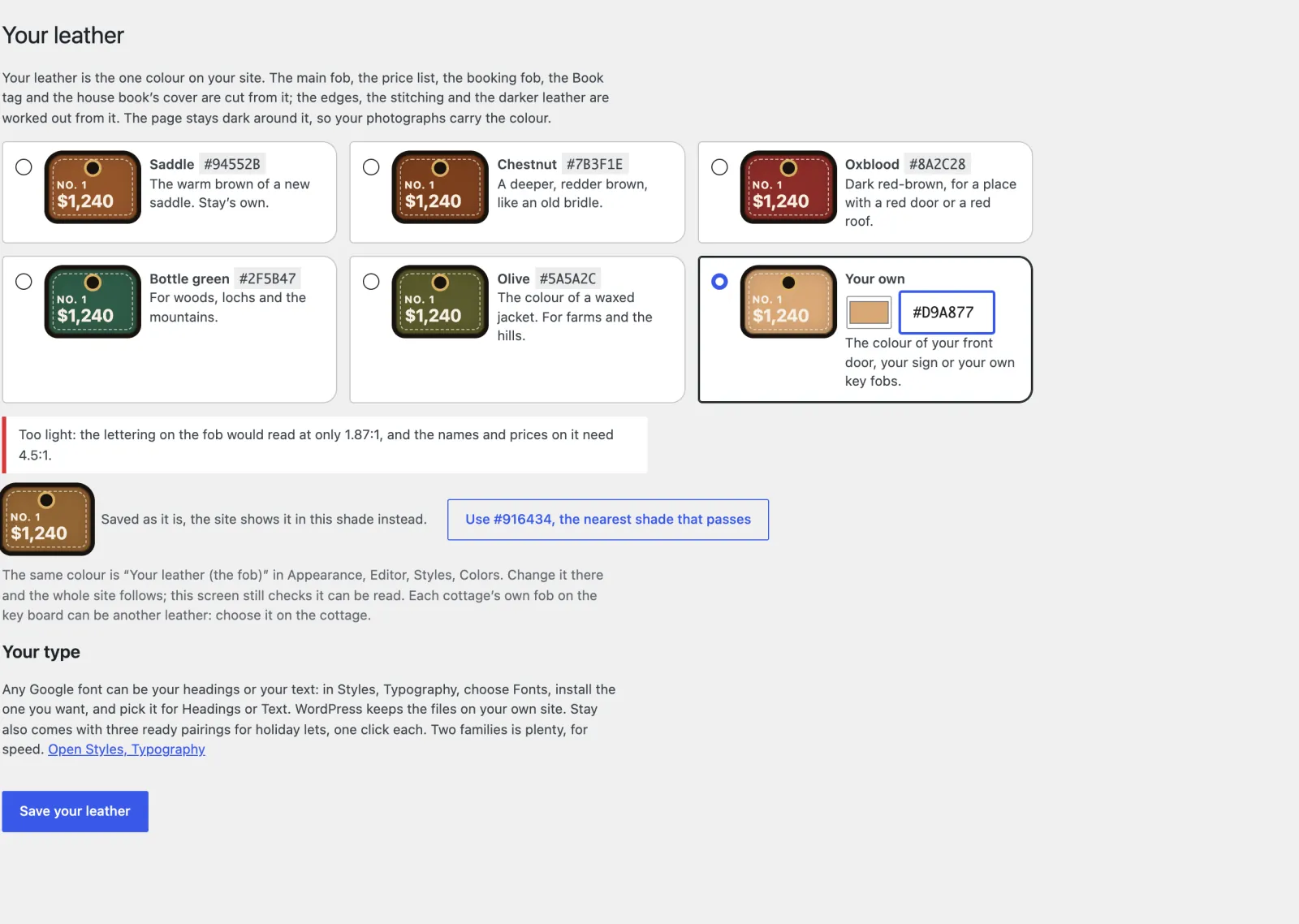
- Stay works out the rest from it: the darker edges, the stitching, the pressed buttons.
- The page stays dark around it and the colour never fills a whole section, so your photographs carry the colour.
- The names and prices on the fob have to be readable. If a colour is too light for that, or so dark the fob vanishes into the page, the screen says so and offers the nearest shade that works. The site never shows an unreadable fob: a colour that fails, however it was set, is shown in that shade, and the dashboard tells you.
- The same colour is Your leather (the fob) in Styles → Colors. Change it in either place.
- Each cottage’s own fob on the key board can be another leather (saddle, oxblood, bottle green or tan): choose it on the cottage.
Fonts
Stay’s typeface is Bricolage Grotesque. To change it: Appearance → Editor → Styles → Typography.
- One click: pick a set made for Stay. Park sign (Bitter, the slab lettering of park and estate signs), Road sign (Overpass, from road-sign lettering) or Guidebook (Jost headings over Bitter). Each was checked in the fob, so the total always fits.
- Any font: Typography → Fonts → Install fonts adds any Google font. WordPress downloads it and serves it from your own site, so no visitor’s address goes to Google. Then choose it for Headings and Text.
Everything follows your choice: the fobs, prices, totals and the calendar as well as the headings and text. Two families is plenty; more slows the first visit on a phone.
The header
The header, with your name, the phone and the Book tag, stays at the top of the screen as guests scroll, and tightens up once they do. To let it scroll away instead: Appearance → Editor → Patterns → Header, select the header’s outer group, and choose the style Scrolls away (header).