Three steps: the job, when, and who you are. The questions in step one change with the job type: a boiler is asked its make and age, a blocked drain is asked almost nothing and offered the phone instead.
Everything works with JavaScript switched off, as one long form. That is on purpose: these are people on bad connections in a hurry.
Every enquiry is saved under Enquiries before any email is sent, with a status you can move through New → Quoted → Won → Lost. Shared hosting loses mail regularly, and an enquiry that only ever existed in an email is one you never knew about.
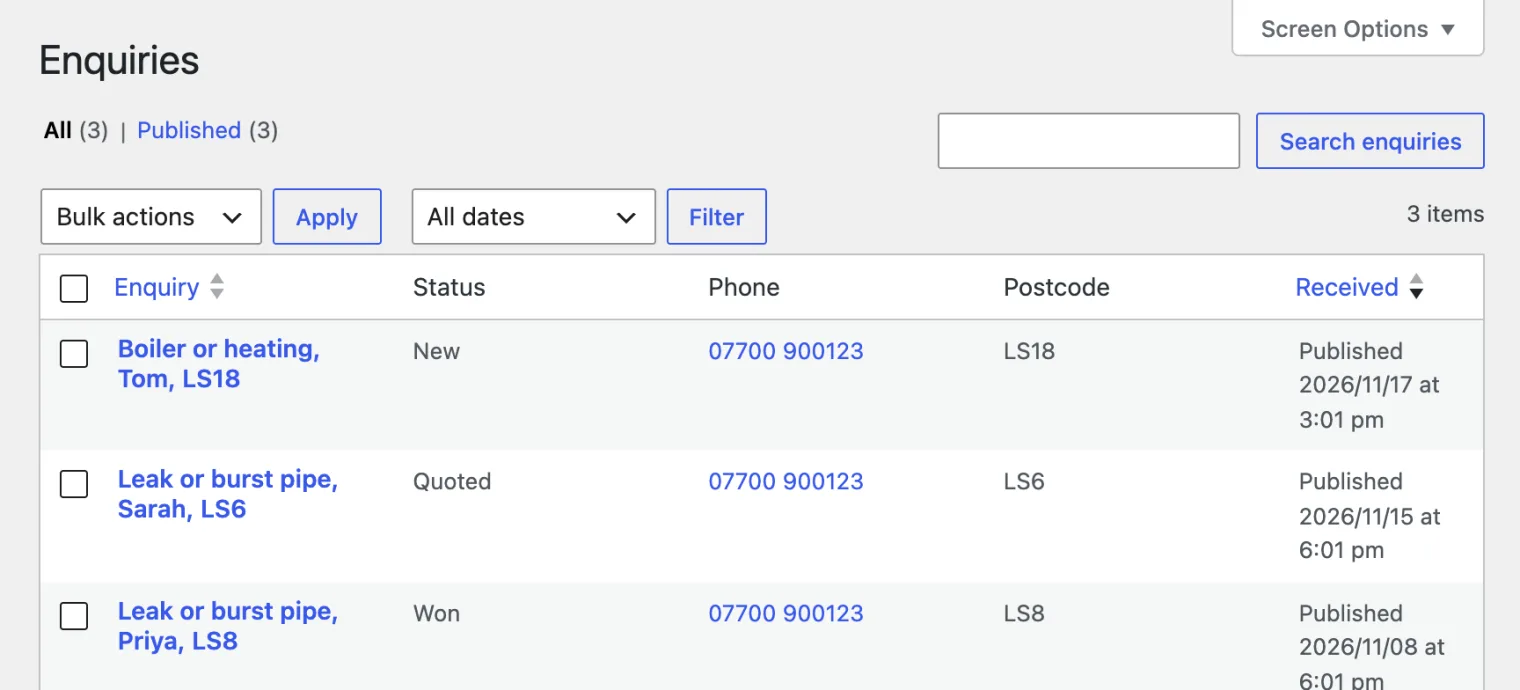
Click the phone number to ring them back. Enquiries only come from the form, so there is no button to add one by hand.
Enquiries are never public, never in search results and never exposed through the REST API. They hold a stranger’s name, phone number and home postcode.
Photographs attached to an enquiry are resized in the visitor’s browser before upload, and kept out of sight:
- they go in a folder of their own (
uploads/varnify-callout-enquiries), under random file names, with directory listing turned off, so nobody can find one by guessing a name or browsing the folder; - they are not in your media library’s public listings, and their attachment pages answer “not found” to anyone who cannot edit the enquiry, so counting through attachment numbers finds nothing;
- deleting an enquiry for good, or erasing a customer’s data under Tools → Erase Personal Data, deletes its photographs too.
The one thing the theme cannot do is lock the file itself: like every WordPress upload, anyone you give the photo’s full address to can open it. If you need photographs behind a login, add a plugin that restricts direct file access.
Spam is handled by a hidden field bots fill in and humans never see, plus a limit on how often one visitor can submit. Both are under Enquiries. A bot that trips the trap is told the message was sent, because telling it otherwise only teaches it to try harder.
Is the website working?
Dashboard → Leads from your website shows, for this month and last:
- Taps on your number: someone pressed your phone number or the Call button
- Taps on WhatsApp: someone pressed a WhatsApp button
- Quote requests: someone sent the form
and the pages they were on, so you can see which services bring in work.
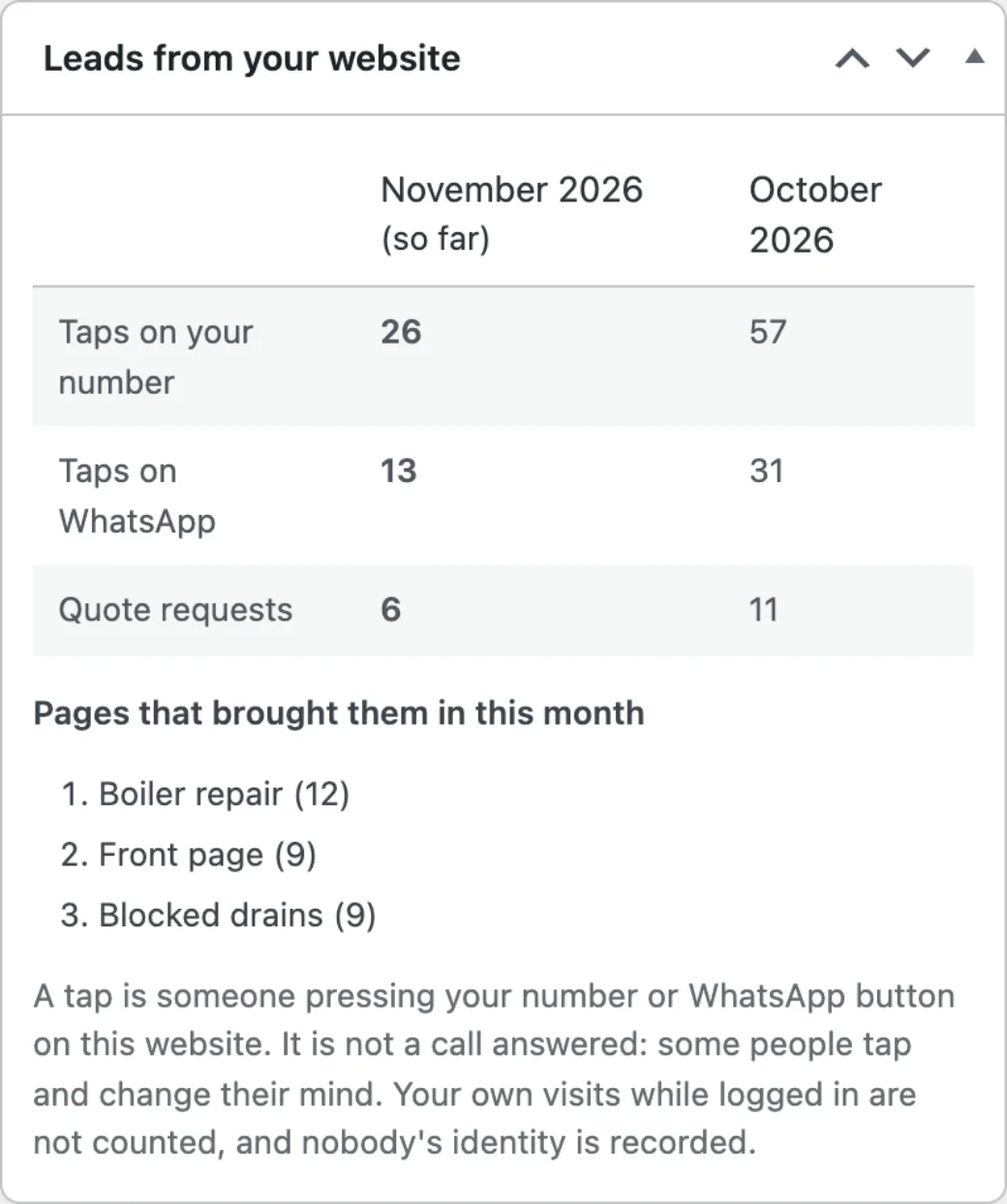
On the 1st of each month the same figures arrive by email, compared with the month before. Untick Monthly leads email under Appearance → Callout → Enquiries to stop it.
Three things to know:
- A tap is not a call answered. Some people tap and change their mind. Every call from the website starts with a tap, though, so the trend is what matters.
- Your own visits do not count while you are logged in.
- Nobody is identified. Only the date, the kind of tap and the page are kept: no name, IP address or cookie. A paragraph saying so is added to the suggested privacy policy (Settings → Privacy).