Takes direct bookingsWordPress theme for holiday lets

Stay

For owners of a few holiday cottages, cabins or rooms. Guests see the whole price and pay the deposit on your own Stripe account, or the way you choose: bank transfer, a payment link or in person. Stay reads your Airbnb, Vrbo and, where it allows it, Booking.com calendars.

Version 1.0.0No commission on stays booked direct

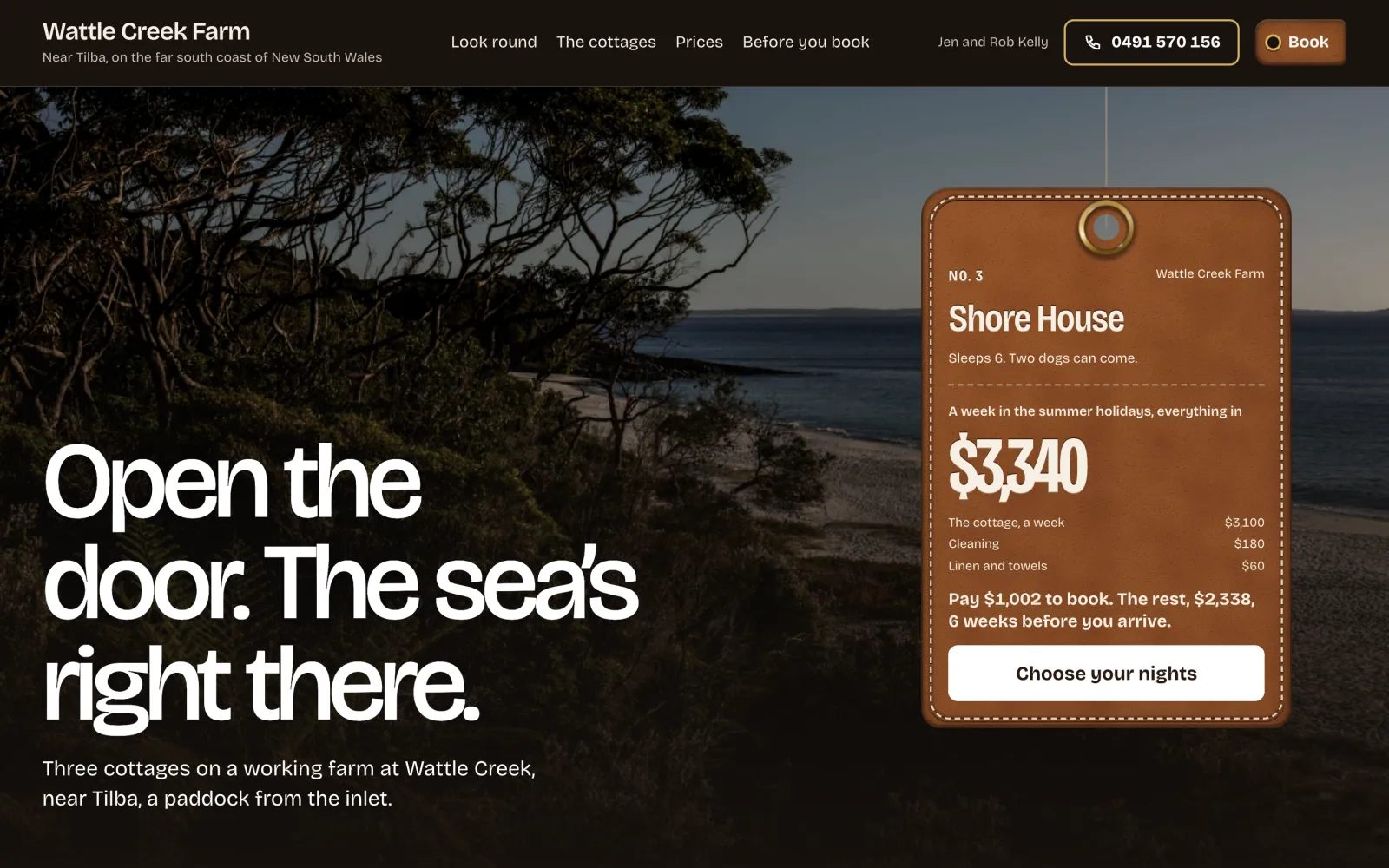
Stay on a desktop screen
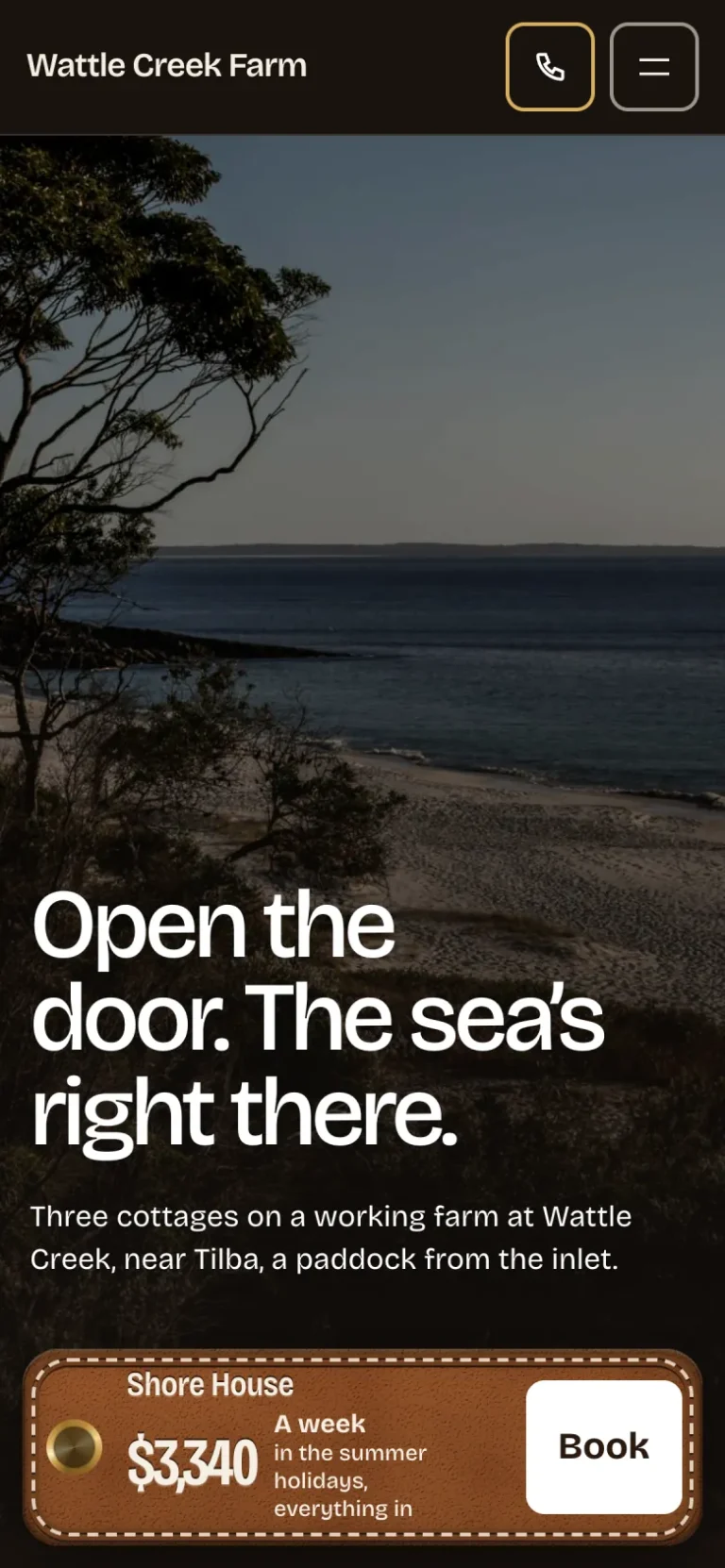
Stay on a phone

The main job

A guest books a week, start to finish

On your own site, on their phone, with nothing for you to do until they arrive.
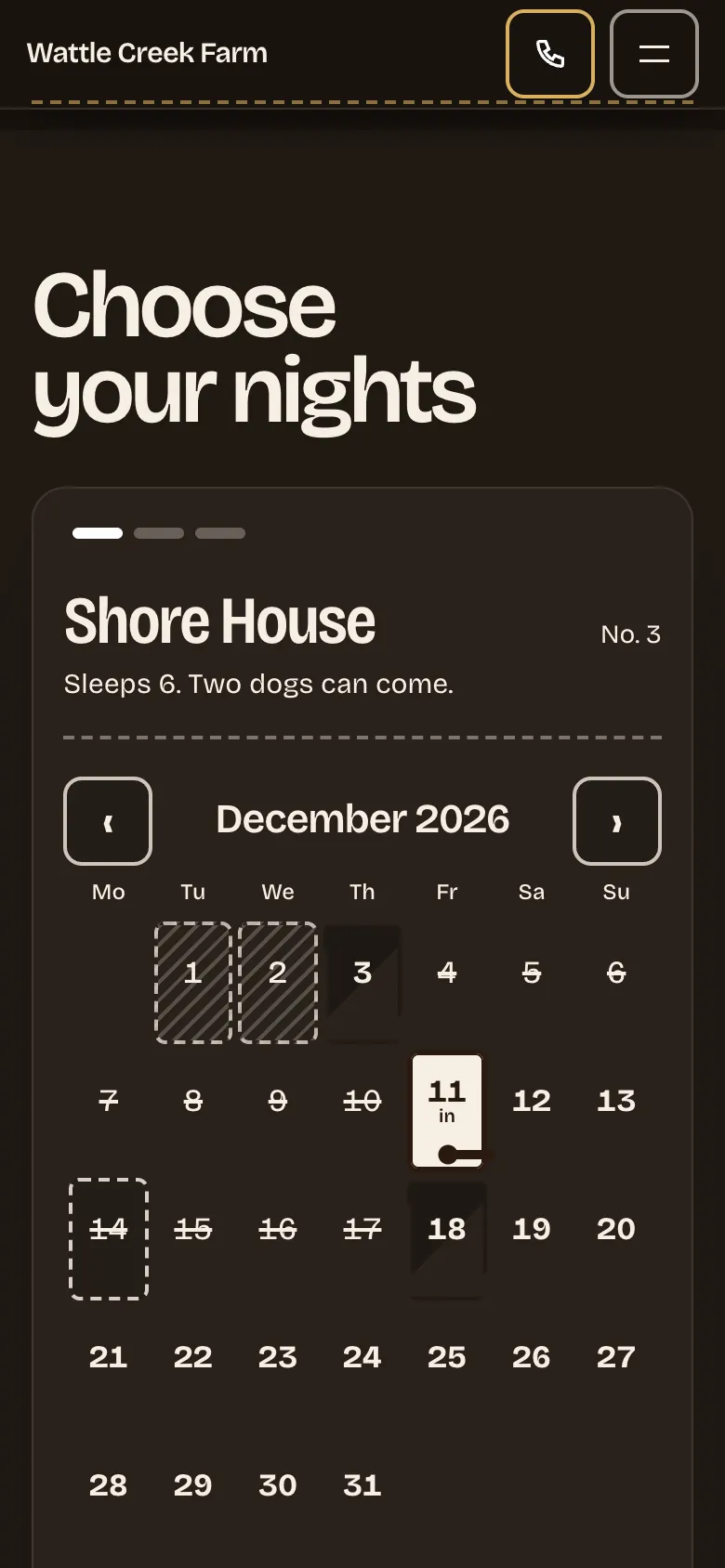
Stay’s booking calendar on a phone, with Friday 11 December chosen as the day to arrive
Pick the nights. The cottage’s own calendar shows the days they can arrive and leave, by your rules for each season.
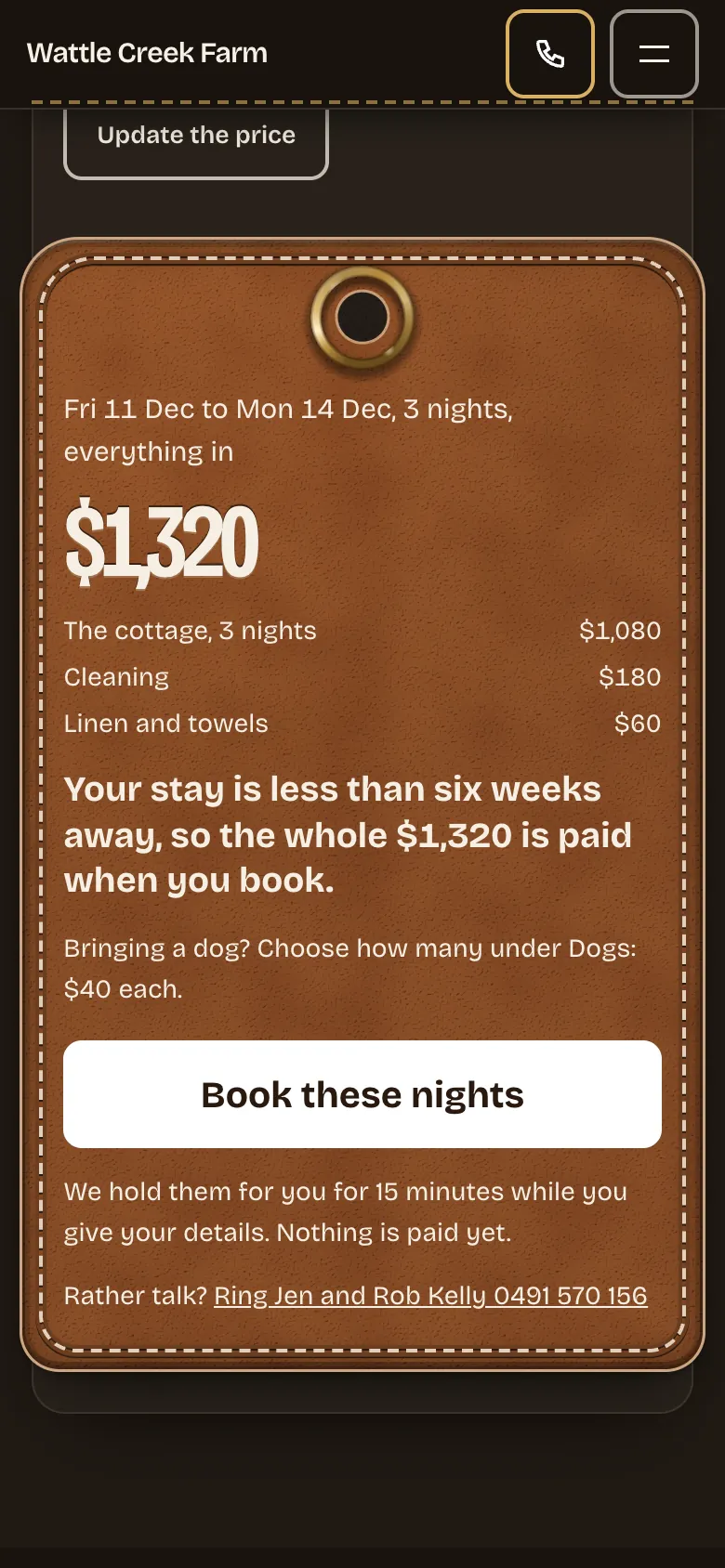
The leather fob on a phone showing $1,320 for three nights, with the cottage, cleaning and linen listed, and Book these nights
See the whole price. Cleaning, linen and dogs are in the total before any form, with what is paid today and what is paid later.
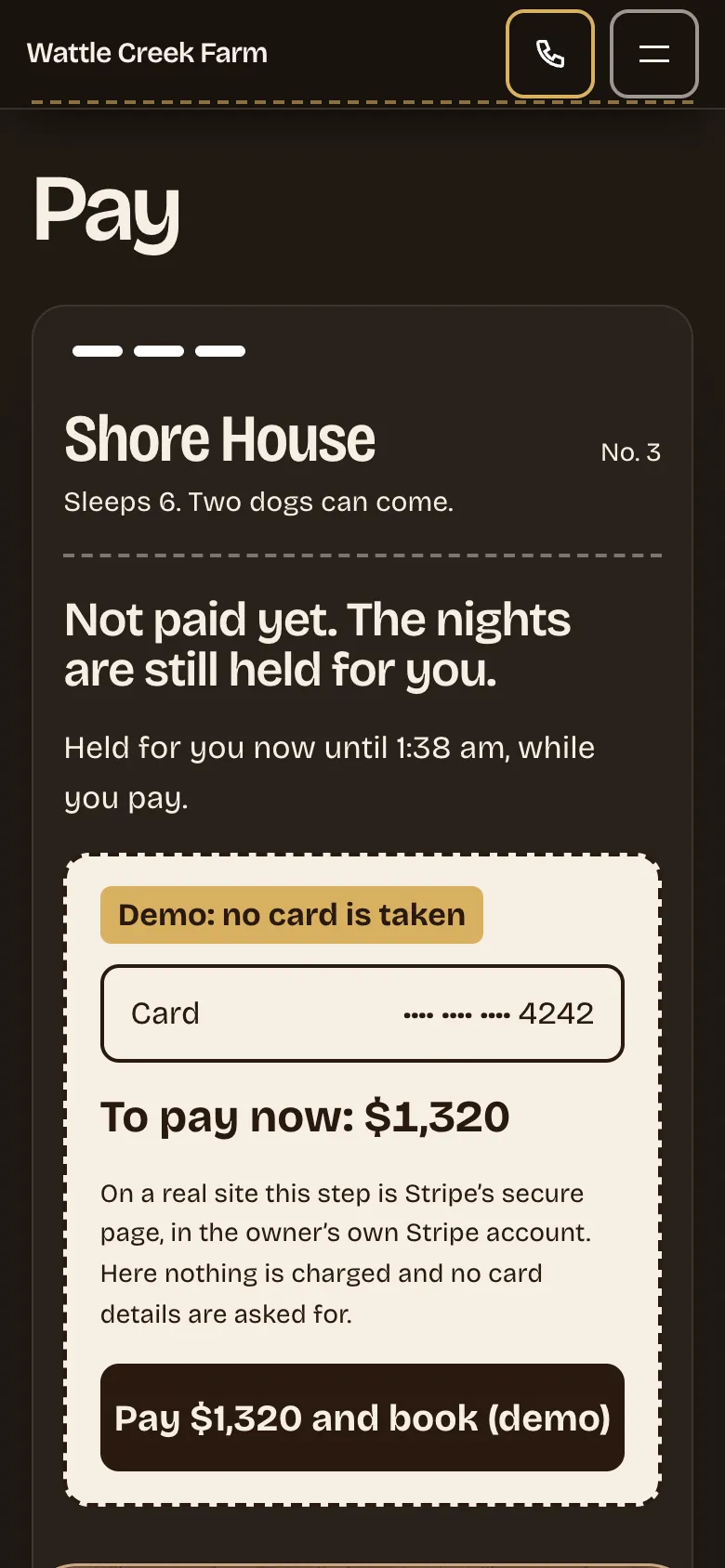
The pay step on a phone: the nights held while the guest pays, and $1,320 to pay now
Pay on your Stripe account, or your own way. The nights are held while they pay the deposit to your own Stripe account, and the rest is taken on its date. Or choose bank transfer, a payment link or in person, and the nights are held until you mark the deposit paid, or booked straight away if you prefer. The demo takes no card.
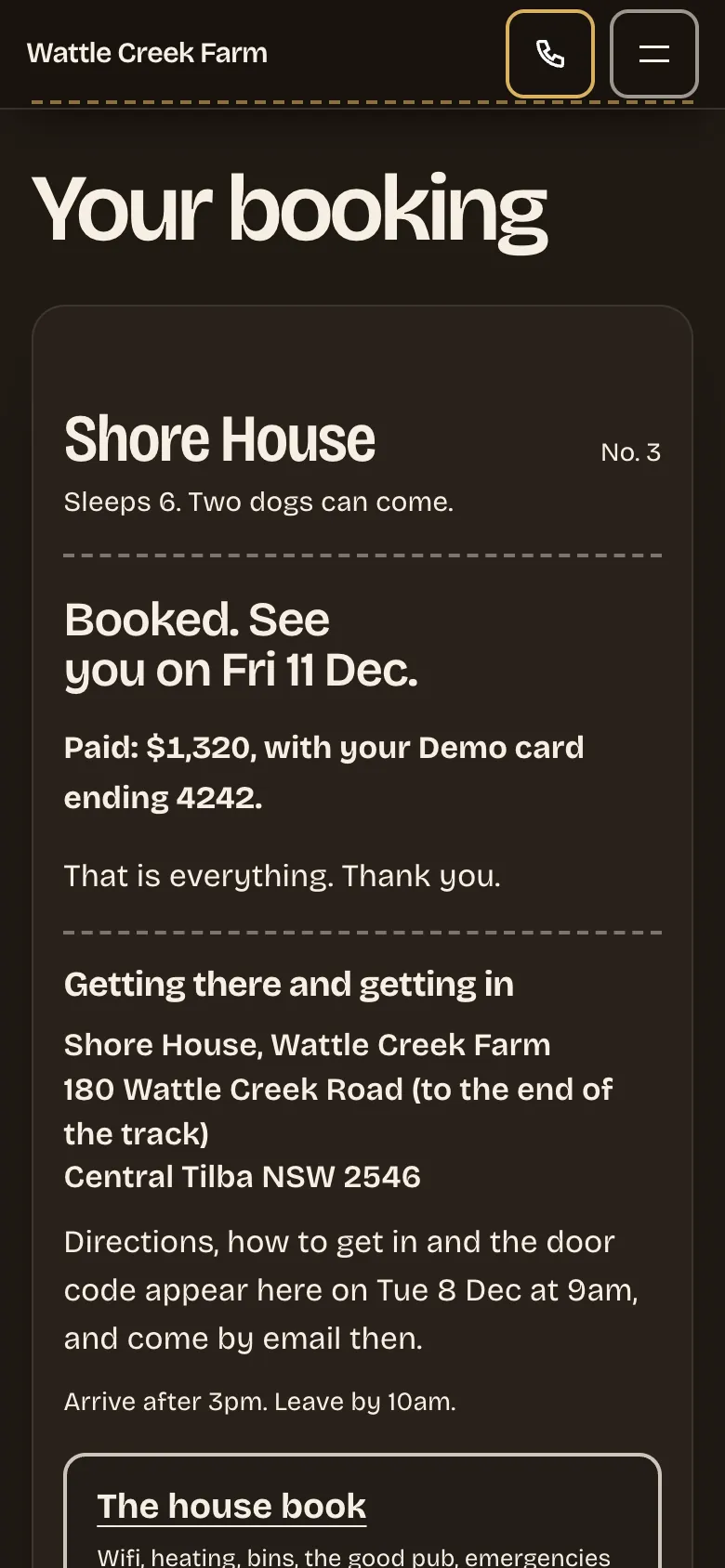
The guest’s own booking page: booked, how to get there, when the door code arrives, and the house book
Their own booking page. A private page to pay, change dates or cancel by your terms. The door code is emailed on its day, never earlier.

The design

Each cottage is a leather fob on a brass ring

Hung over your own photograph, like the key a guest is handed at the door. It says who the cottage sleeps, whether dogs can come, and what the stay really costs.
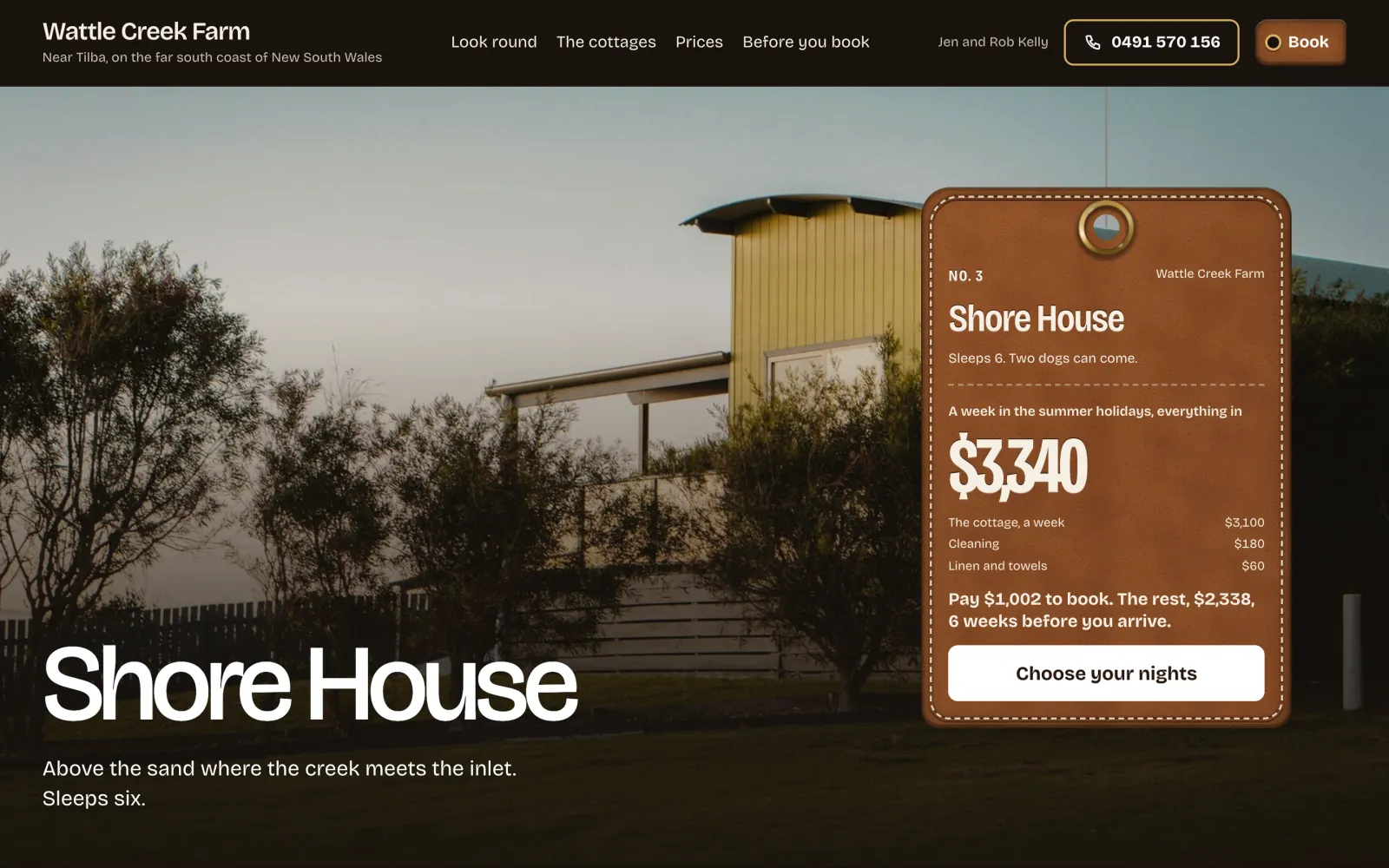
A cottage page on a desktop: Shore House in the evening light, its fob showing $3,340 for a week, the deposit and the rest
A cottage’s own page. The fob is the booking: on a phone it docks at the foot of the screen.
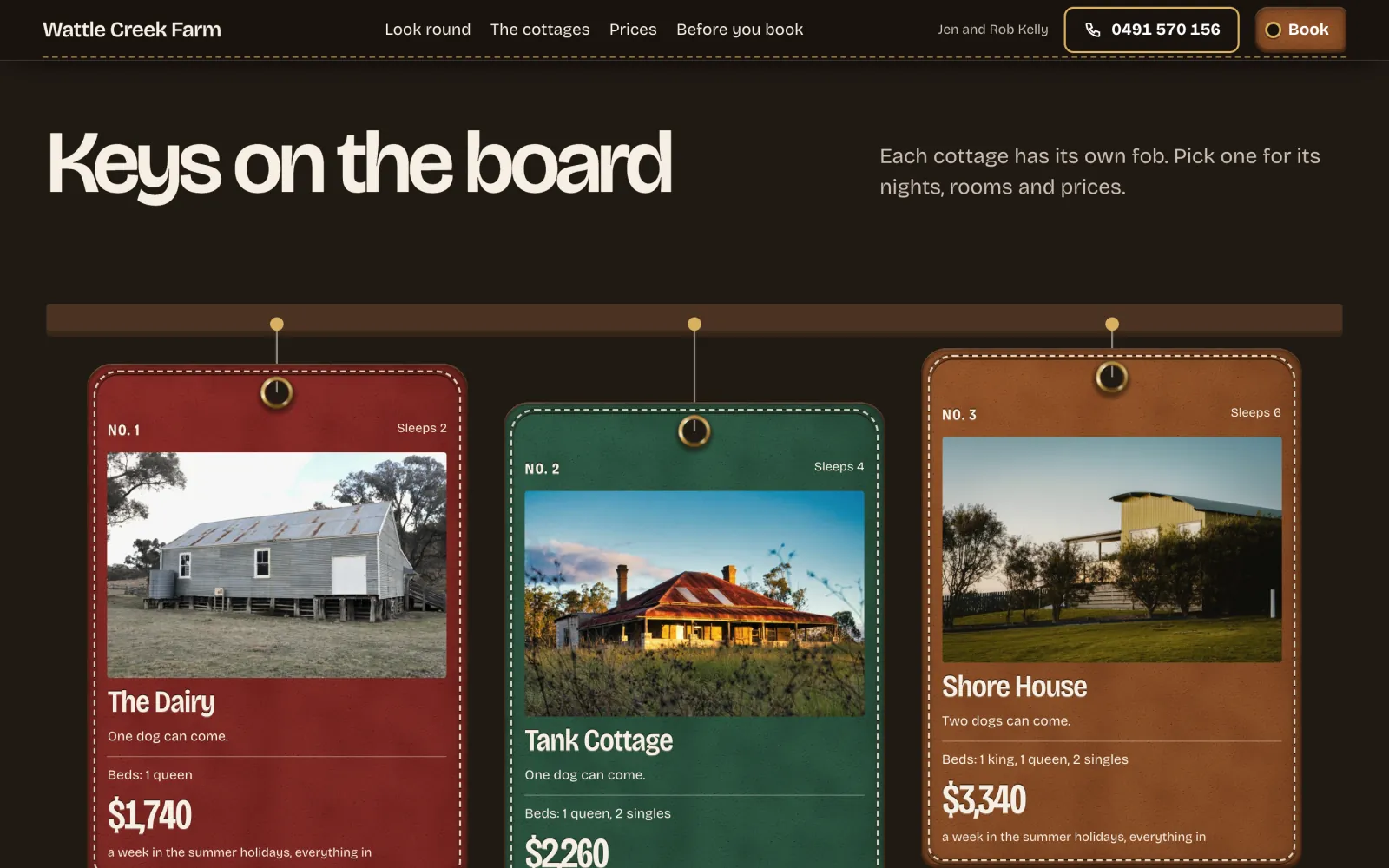
The key board: three cottages as leather fobs in oxblood, bottle green and saddle, hung from a timber rail
The key board. Your cottages hang from a rail, each in its own leather, with its photograph and price.
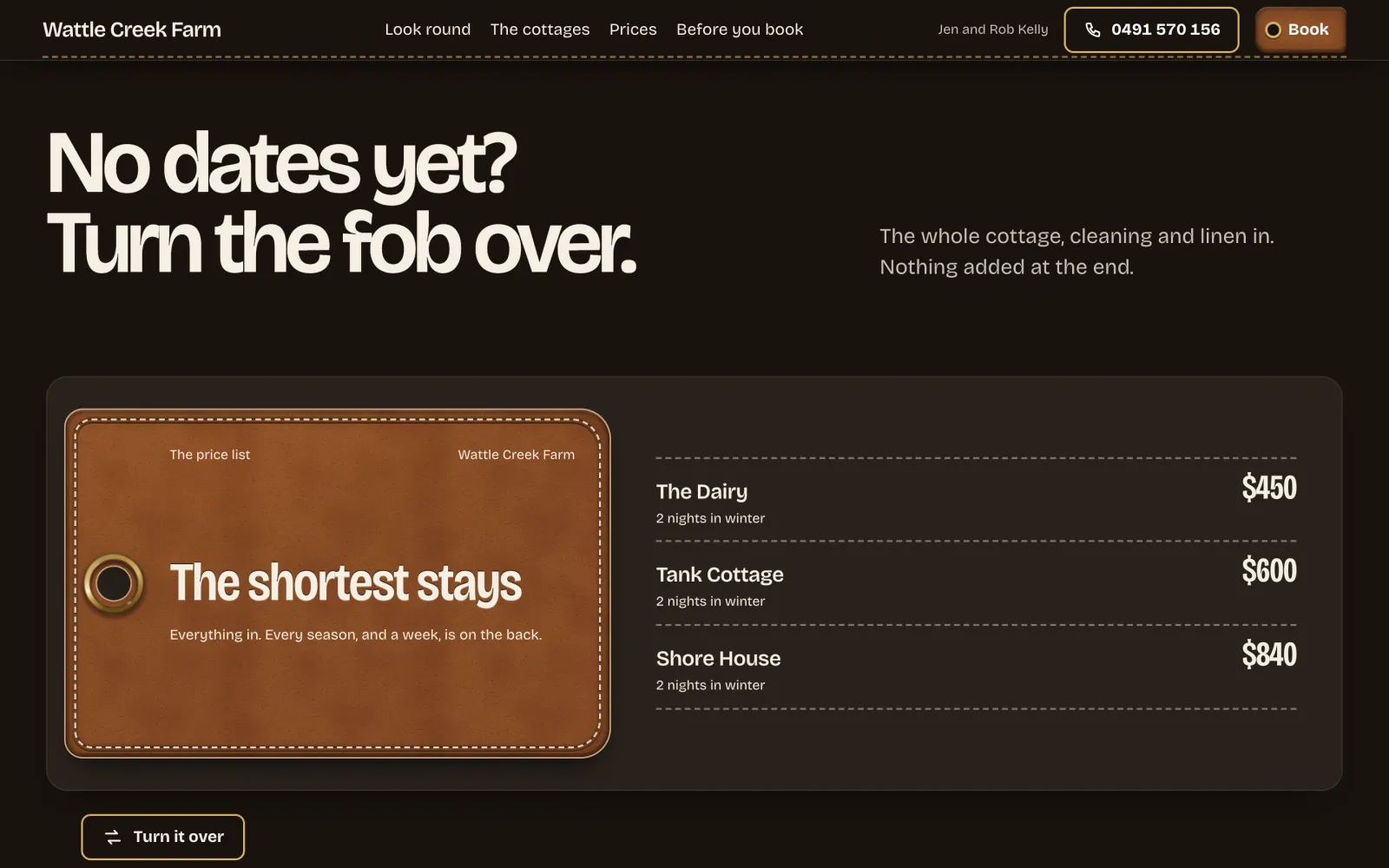
The back of the fob: the shortest stay at each cottage, with its price
Turn the fob over. For visitors with no dates yet, every season’s prices are on the back.
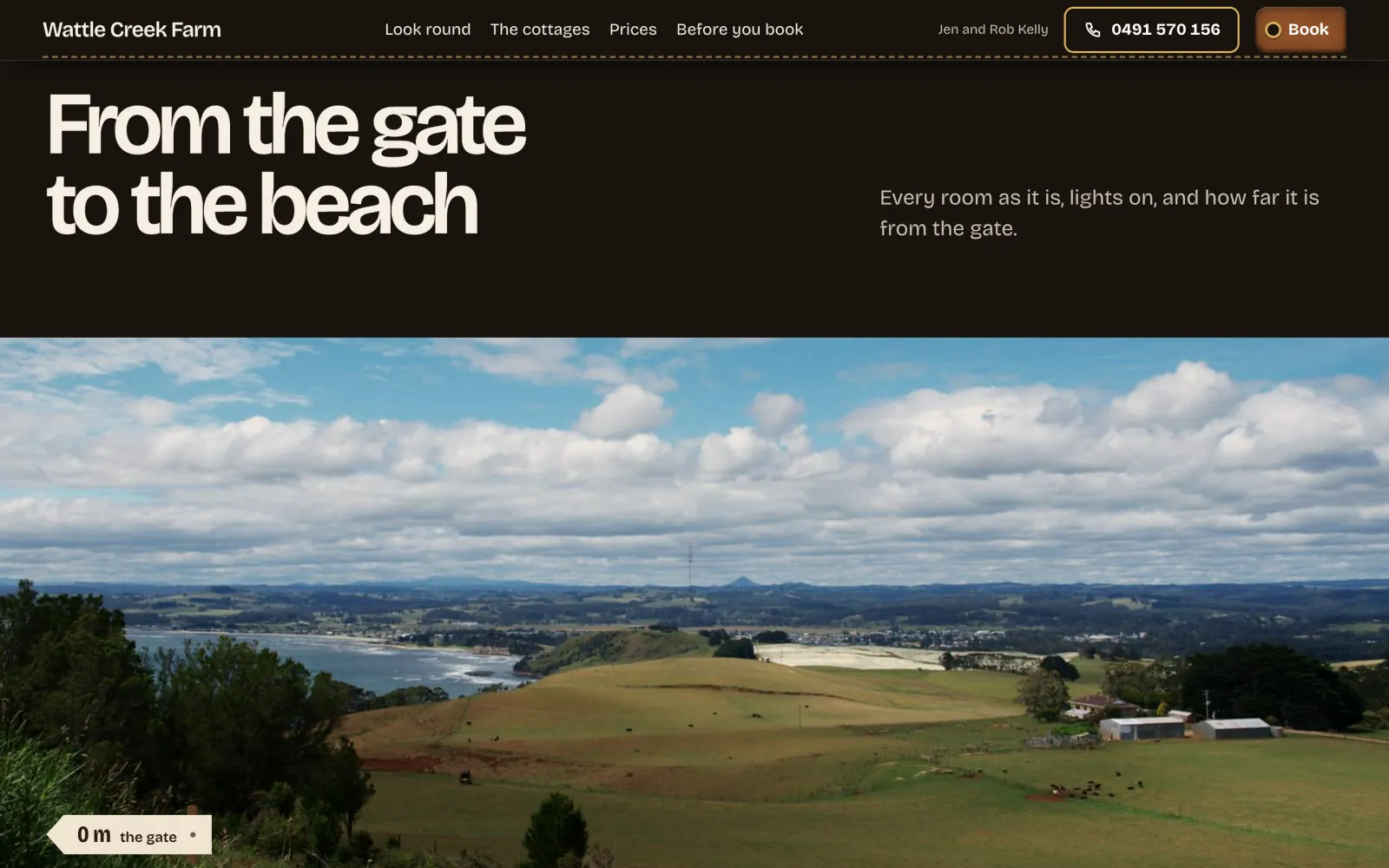
From the gate to the beach: the paddocks running down to the bay, with a tag at the gate saying 0 m
From the gate. The page walks the guest in, stop by stop, with the distance on a tag at each one.

Your colour and type

Your leather, and your own fonts

Stay has one colour: the leather. Pick one of five or your own, and the fob, the buttons, the price list and the house book follow it. If your colour would make the prices hard to read, the screen says so and offers the nearest shade that passes.

Type works the same way. Choose one of three sets made for holiday lets (Park sign, Road sign and Guidebook), or any Google font through WordPress’s own Font Library, served from your own site.
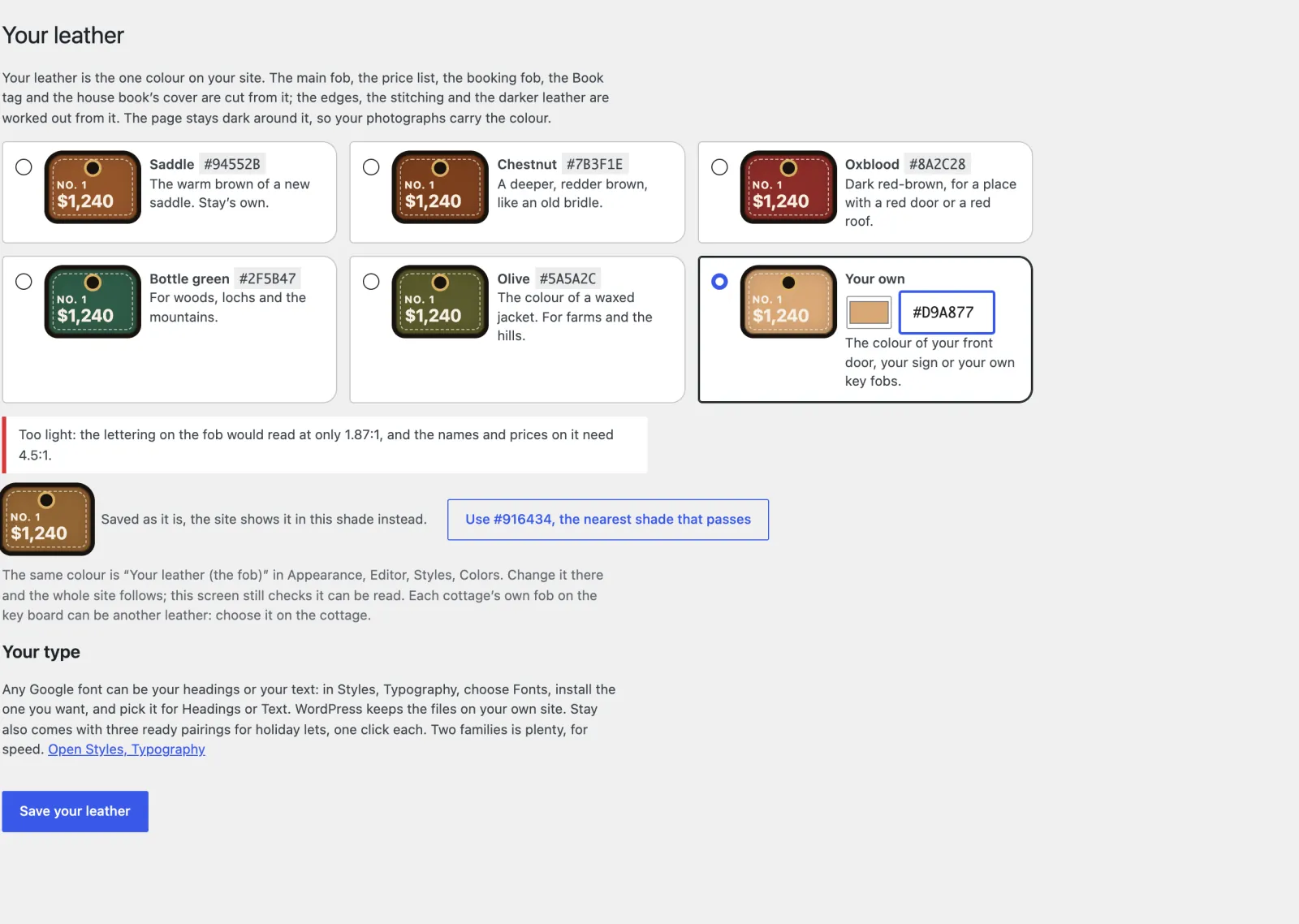
Appearance, Your leather: five leathers and a custom colour, a warning that #D9A877 is too light to read, and a button to use #916434 instead
Too light to read: the screen measures it and offers the nearest shade that passes.

Your side of it

Set up in one sitting, then it takes bookings while you’re out

Set up Stay is seven short screens, with starter content for Australia, New Zealand, the United Kingdom, the United States and Canada, or for any other country. Everything after that is in the ordinary WordPress dashboard.
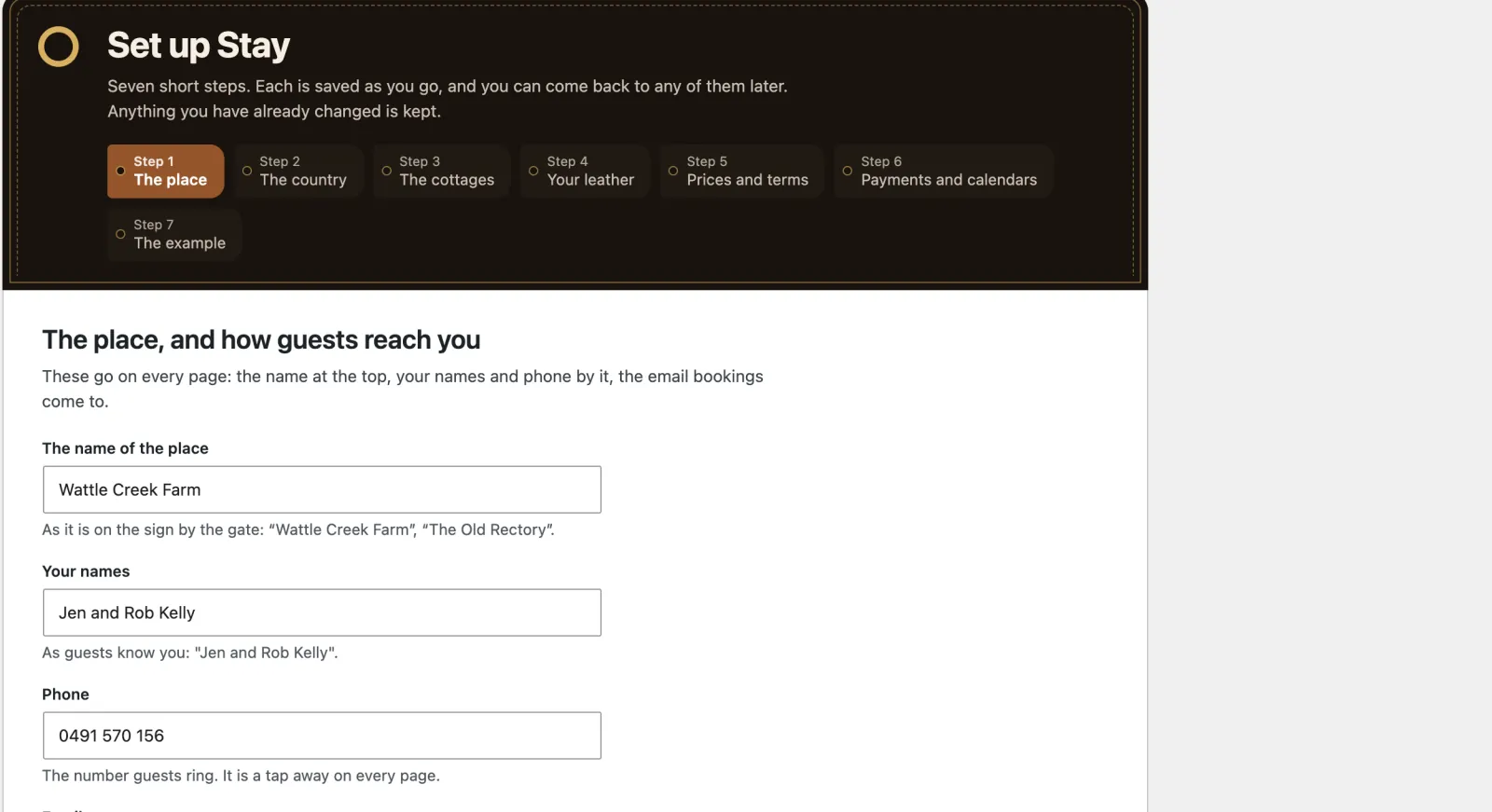
Set up Stay, the first of seven steps: the place, your names, phone and email
Set up Stay. Seven short screens, each saved as you go: your place, your country, your cottages, your leather, prices and terms, payments and calendars, and a last look at the example.
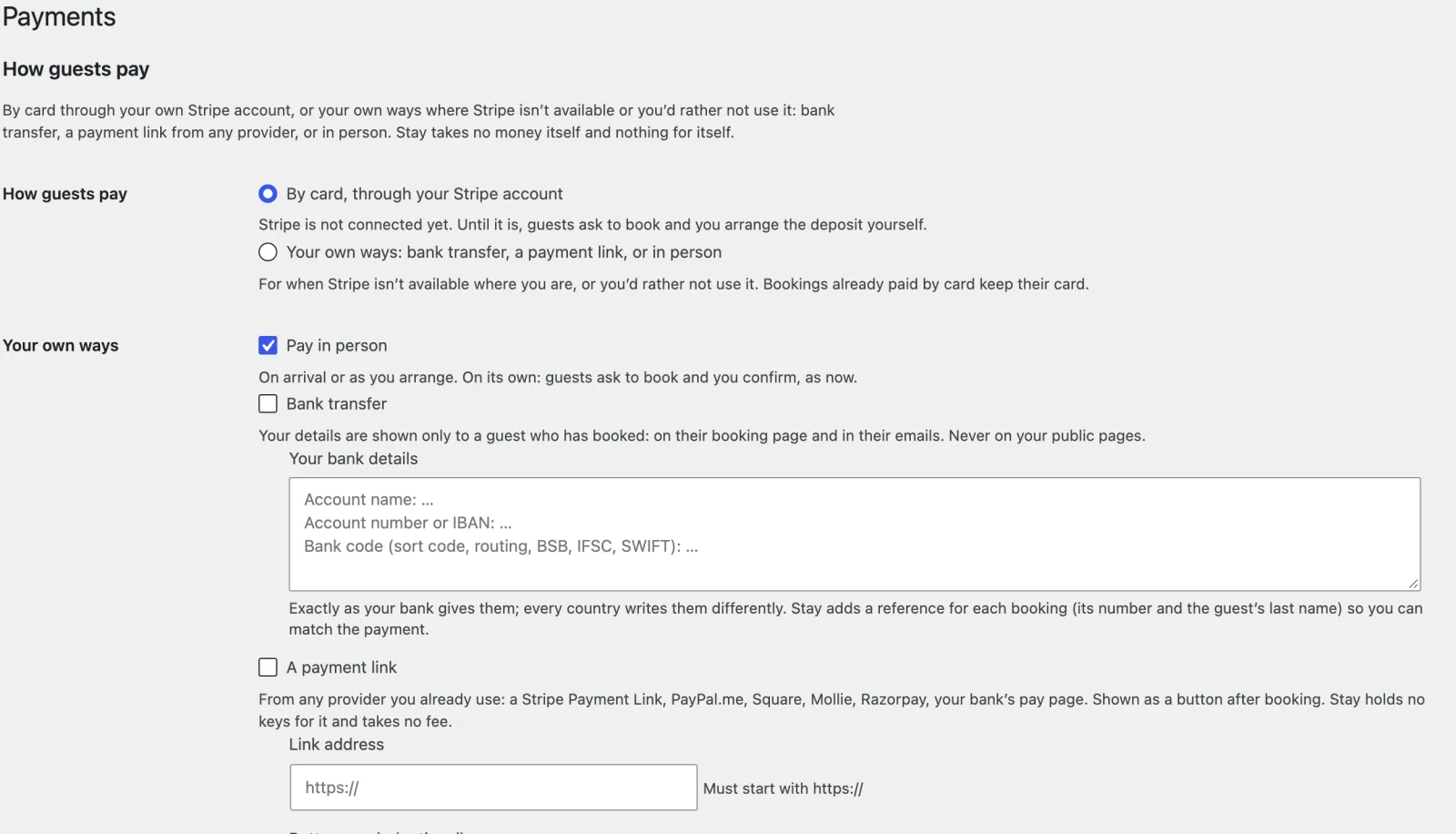
Cottages, Payments: how guests pay, by card through your own Stripe account or your own ways (in person, bank transfer or a payment link)
How guests pay. By card on your own Stripe account, or your own ways: bank transfer, a payment link or in person. Bank details reach a guest only after they book.
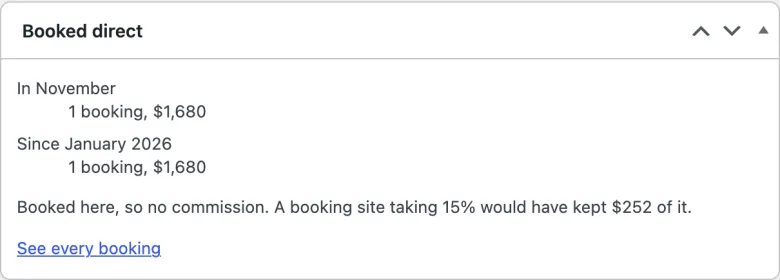
The Booked direct box on the dashboard: one booking this month for $1,680, and the $252 a booking site taking 15% would have kept
Booked direct. What the site booked this month and this year, and what a booking site would have kept.
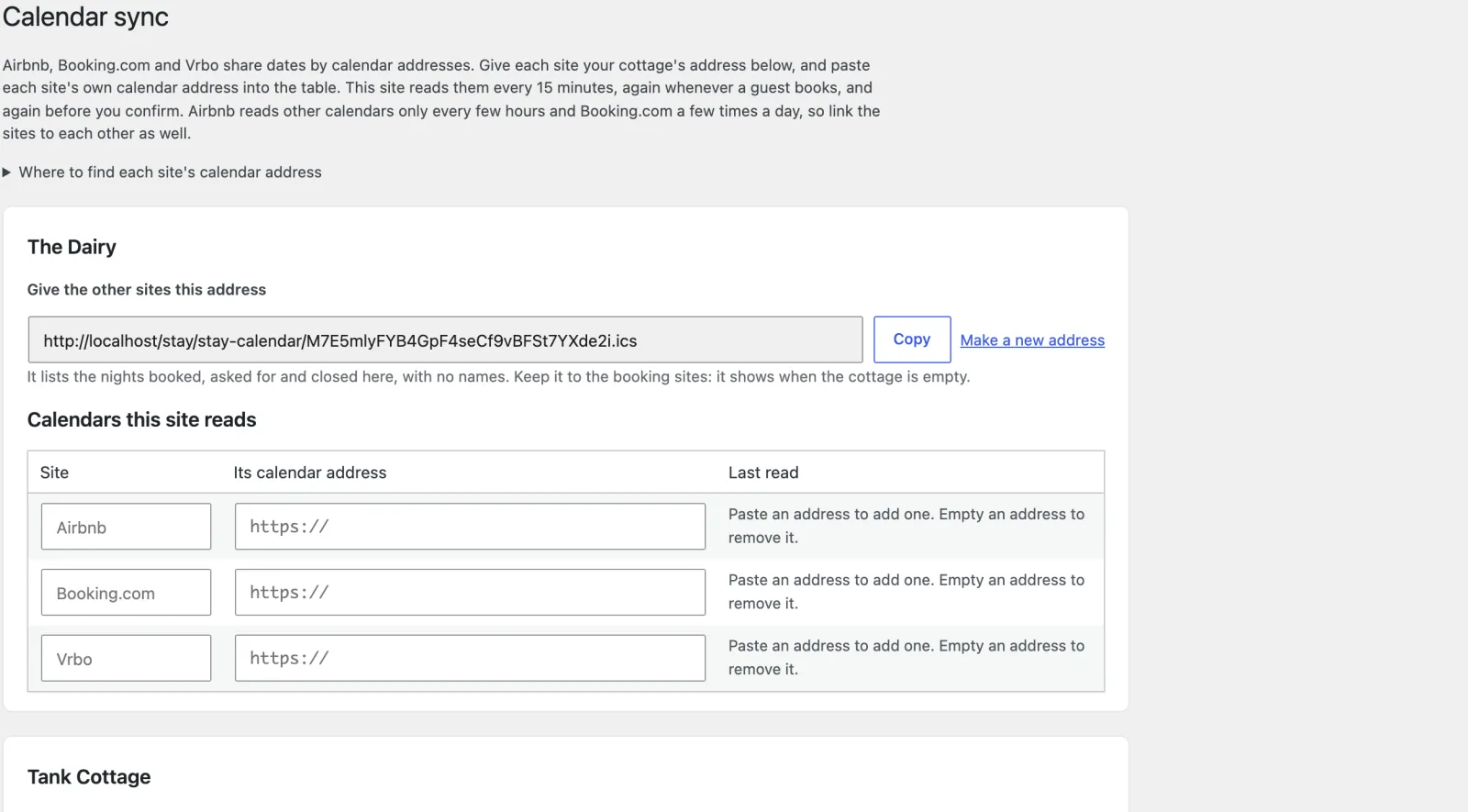
Calendar sync: each cottage’s own calendar address, and the Airbnb, Booking.com and Vrbo addresses it reads
Calendar sync. Airbnb, Booking.com and Vrbo are read every 15 minutes (on a quiet site, ask your host to run WordPress’s schedule), and again before a booking is taken. A problem is emailed to you.
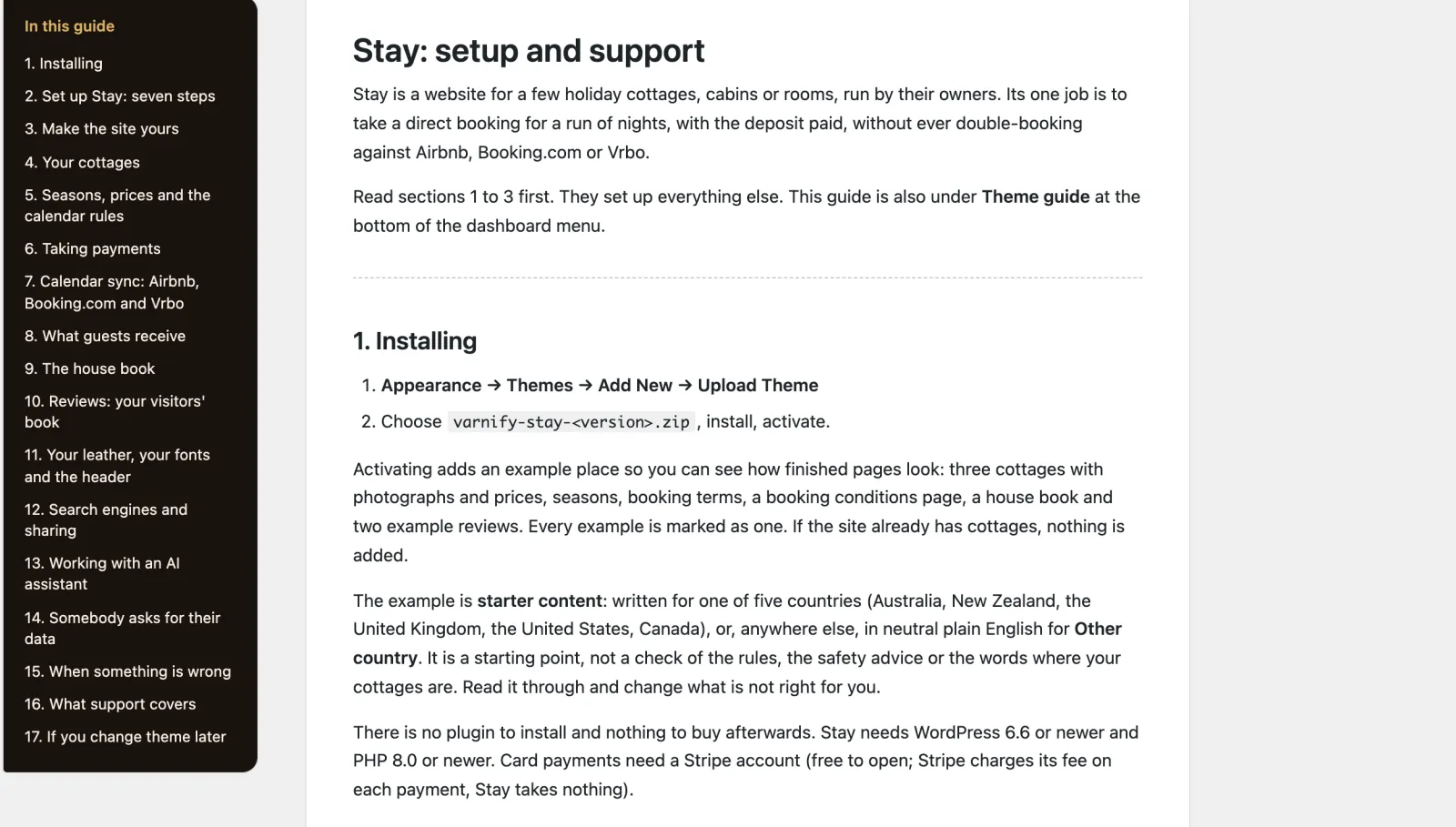
The Theme guide in the dashboard, with its contents from installing Stay to changing theme later
The guide. In the dashboard and written for owners, from installing to what happens if you change theme.

The bill it ends

Booking sites keep about 12% to 18% of each stay they take, sometimes more. Stay is $99, once.

Airbnb now charges most hosts about 15.5%, Vrbo 12% and Booking.com usually 15% or more, plus 1% to 3.1% if it takes the payment. When a guest books on your own site, Stripe’s card fee is the only cut. Stay brings no guests of its own, so you will still use the booking sites to be found.

A $1,200 week, booked direct, leaves you

more than through Airbnb about $151

more than through Vrbo about $109

more than through Booking.com $157 to $182

Stay, paid once $99

Fees as the sites published them in November 2026, with Stripe’s US card fee taken off the direct booking. Check your own.

Speed and access

Quick on a phone, and usable by everyone

  • 100 Lighthouse accessibility, best practices and SEO on a phone, on every page tested.
  • 91 to 96 Lighthouse performance on a phone over a slow connection.
  • 21 page types clean in axe (WCAG 2.2 AA) at phone and desktop width, and every screen it adds to the dashboard.
  • No JavaScript needed to book: the calendar, the price and the booking form all work with it switched off (card payments then finish on Stripe’s own page).
  • 5 country starters for Australia, New Zealand, the UK, the US and Canada, and Other for anywhere else: currency, deposits, levies and the registration wording, written as starting points to check. Other names no rule it cannot know and leaves a line off your site until you give its fact; an optional AI helper, on your own AI service, suggests wording for your country for you to accept line by line.
  • No cookies for visitors, and nothing loaded from anyone else’s servers. Card payments are taken on Stripe’s own page.

Speed depends on your hosting; these are our own test results.

Questions owners ask

Before you move your bookings over

Will a guest ever book nights that Airbnb has already sold?

Stay reads your Airbnb, Booking.com and Vrbo calendars every 15 minutes, and again just before it takes a booking, and gives them its own calendar to read. The nights are held while a guest books. If a calendar cannot be read, or two bookings overlap, you are emailed and told on every dashboard screen. The booking sites read Stay’s calendar on their own timetable (Airbnb about every three hours), so a double booking is rare but possible. Booking.com may refuse calendars from some personal websites; if it does, close the nights you sell here on Booking.com by hand.

Who takes the money?

You do. By default through your own Stripe account: Stay takes the deposit when the guest books and the rest from the saved card on its date, and refunds by your cancellation terms. Where Stripe is not available or not wanted, choose your own ways instead: bank transfer, a payment link from any provider, or in person. Stay holds the nights until you mark the deposit paid (48 hours to start with), or books straight away. Stay cannot see money arrive, so you check your bank and mark it paid. Guests can also ask to book first, with nothing charged.

How many cottages can it take?

It is made for one to six cottages, cabins or rooms on one site, run by their owners. Each has its own photographs, beds, seasons, stay rules and leather.

Can it show my registration number?

Yes. Each cottage carries its number, worded for your region by the country’s starter content: NSW’s STRA number, Scotland’s licence, Quebec’s CITQ number and others.

What do guests get after they book?

The Booked email, a reminder before the balance is taken, the arrival email with the door code on its day, and a thank-you that asks for a line in your visitors’ book. They also get their own booking page and your house book: wifi, heating, bins and the good pub.

What happens if I change theme later?

Your cottages, bookings, house book and visitors’ book stay in your WordPress database. Another theme will not show them or let you edit them, so export them first from Tools, Export. The booking calendar, sync and payments go with the theme.


The whole home page

Scroll it, top to bottom

The full Stay home page on desktop
The full Stay home page on a phone

What you get

Everything in the Stay zip

Pages already written

Real wording for the trade, not placeholder text. Put in your own name, photos and details, then publish.

  • Home, with the key board and price list
  • A page for each cottage
  • Booking conditions
  • The house book
  • The visitors' book
  • Each guest's own booking page
  • Paid onceIn US dollars. No subscription.
  • Updates and supportFor one site, plus its staging and local copies. Updates while the theme is maintained: new versions arrive inside WordPress once your licence key is in. Personal support by email for 12 months from purchase, and bugs you report are fixed free.
  • 14-day refundIf it is not right for you, a full refund. No questions asked.
  • Your content stays yoursYour pages and posts stay if you change theme. The theme’s own content stays in your database, but another theme won’t show it.
Version
1.0.0
Needs
WordPress 6.6+, PHP 8.0+
Plugins needed
None
Licence
GPL, use it on as many sites as you like
Support
Email for 12 months, from the developer

No commission on stays booked direct

Do the job on your own site. Pay for the theme once.

What you pay now: commission on the stays booked through Airbnb and Booking.com, about 15% each (list rates, November 2026). Stay costs $99, once, and the customer and the money stay yours.

Coming soon (Stay is not on sale yet)Open the demo (opens in a new tab)

Buying

How buying works

Can I buy a theme now?

Not yet. Sales open soon. Until then every theme's page, price and live demo are here to look at, and questions go to [email protected].

What happens after I pay?

You are emailed a download link and a licence key straight away. Upload the zip in WordPress under Appearance, Themes, Add New, and activate it. Then paste the key under Appearance, Licence and updates, and new versions arrive inside WordPress like any other update. If you lose the email, the re-download page gets you the file again with your licence key. Re-download a theme

Will it work with my hosting?

If your host runs WordPress 6.6 or later on PHP 8.0 or later, yes. Each theme lists what it needs on its page. Nothing else is required on the server.

Do I need to know how to code?

No. You change the text, photos and colours in the WordPress editor and the theme’s own setup and screens. There is no code to touch and no page builder to learn.

How many sites can I use a theme on?

As many as you like. Every Varnify theme is released under the GPL, like WordPress itself, so you may use it on any number of sites and modify it, including for clients. What you pay for is updates for one site and 12 months of personal support. Your live site and its staging and local copies count as one site.

Are updates and support included?

Yes. Updates come for as long as the theme is maintained. They arrive inside WordPress once your licence key is in, under Appearance, Licence and updates, with one-click and automatic updates. Bugs you report are fixed for free while the theme is maintained. Personal support by email lasts 12 months from purchase: write to [email protected] and the person who wrote the theme answers. The docs stay open to everyone. If a theme is ever retired, buyers hear first, and its last version stays yours to download and use.

Can I get a refund?

Yes. Within 14 days of buying, reply to your purchase email or write to [email protected] and you get a full refund, with no questions asked. It goes back through Paddle within a few working days, and the licence key stops working. After 14 days, ask anyway: each case is looked at on its own.

Other themes

All themes →

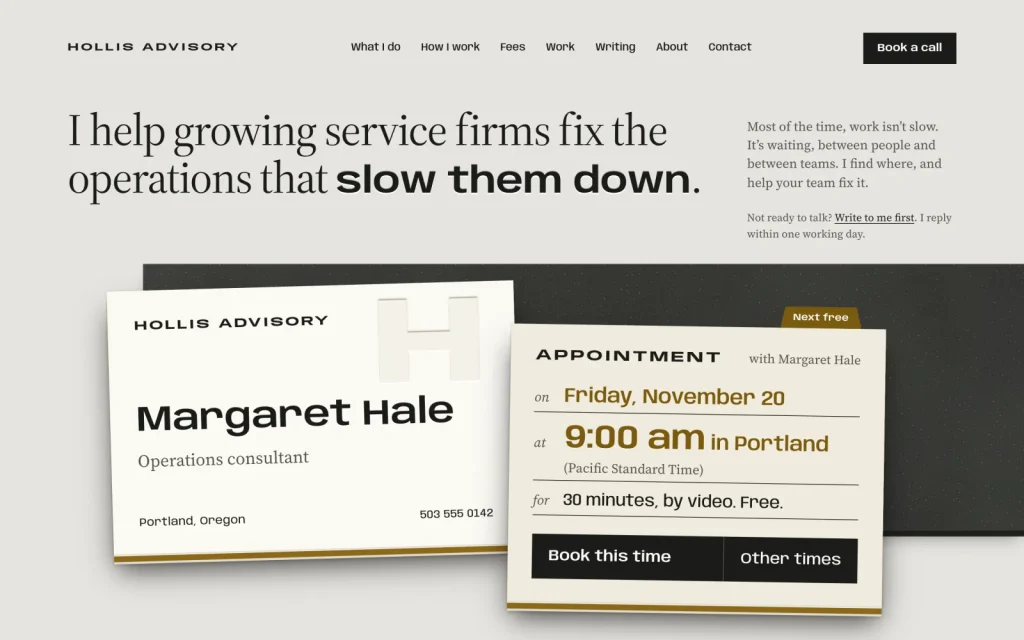
Card

$69 once

Consultants & coaches

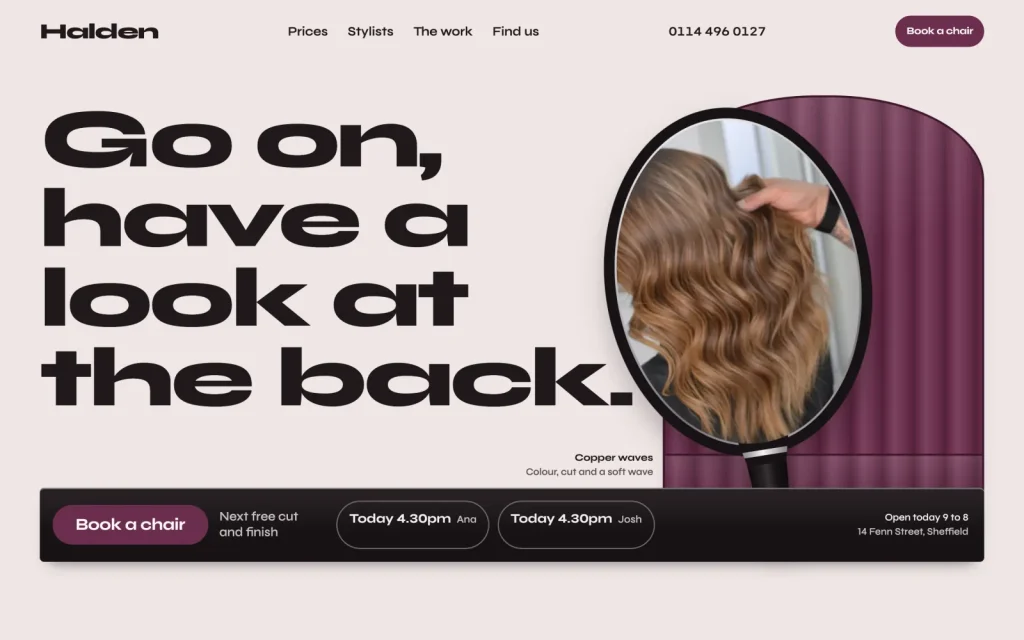
Chair

$89 once

Salons & barbers

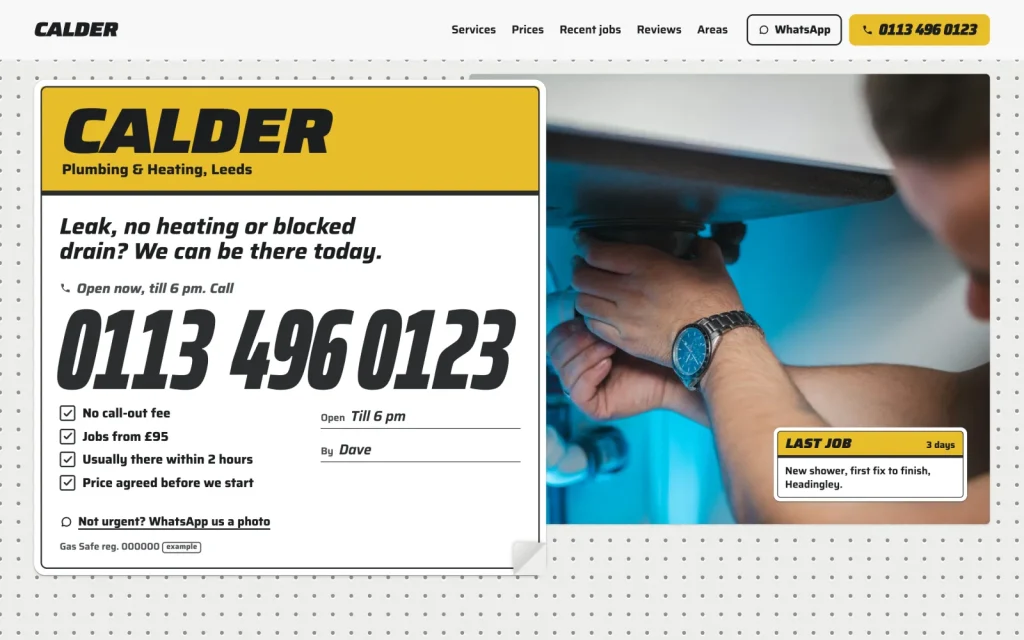
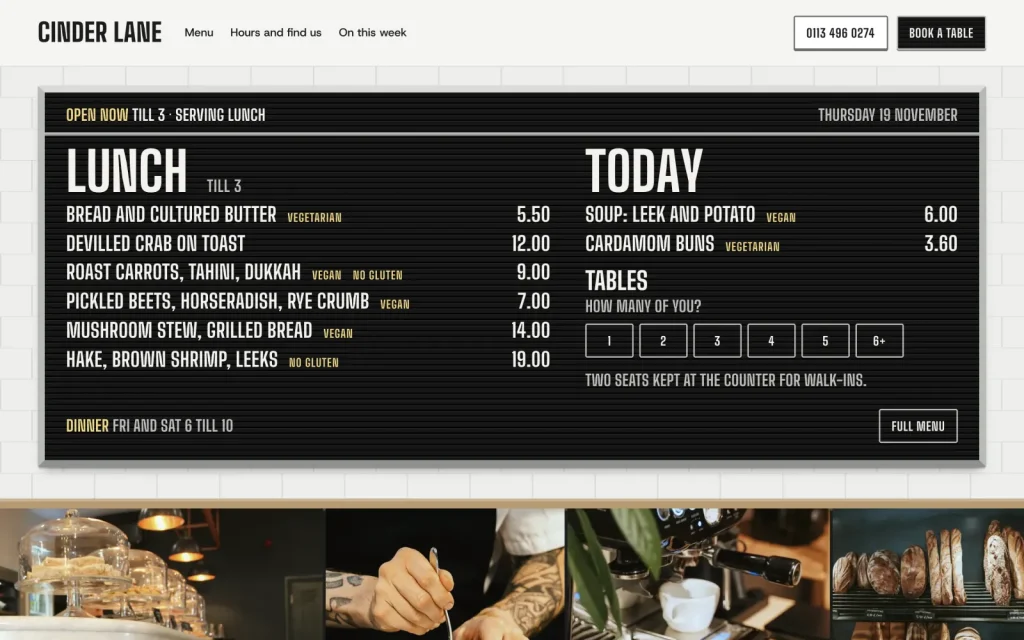
Counter

$79 once

Cafés & restaurants

$99 once14-day refund
Coming soon (Stay is not on sale yet)